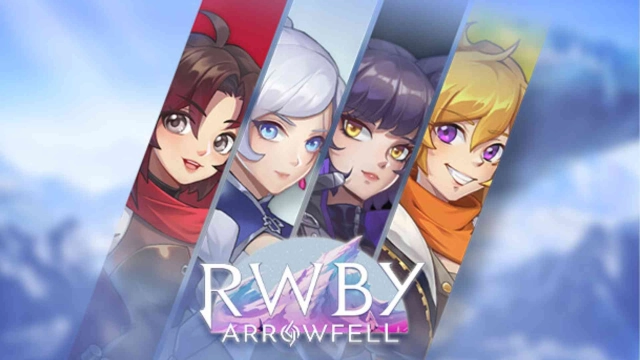
Crunchyroll RWBY: Arrowfell is a Action game developed by Crunchyroll, LLC, and LDPlayer is the best platform for playing Crunchyroll RWBY: Arrowfell on PC, offering powerful features to immerse you in the game.
When playing Crunchyroll RWBY: Arrowfell on computer, you can adjust frame rate settings for smooth gameplay and stunning visuals.
LDPlayer also provides pre-configured keyboard mapping for convenient control of the entire game. Continuous optimization of keyboard mapping enhances key sensitivity and skill accuracy. Additionally, LDPlayer offers special buttons like shoot, hide mouse, and continuous key press for an enhanced gaming experience.
If you prefer using a gamepad, the automatic gamepad detection allows you to customize controls with just a few clicks, enabling you to freely maneuver your hero. Start downloading and playing Crunchyroll RWBY: Arrowfell on your computer now!
Available exclusively for Crunchyroll Mega and Ultimate Fan Members.Dive into an explosive new RWBY action-adventure! Instantly switch between all four members of Team RWBY — Ruby Rose, Weiss Schnee, Blake Belladonna, and Yang Xiao Long — and use their signature weapons and Semblances to battle the Creatures of Grimm and other foes in this in-canon story set during RWBY Volume 7. Featuring voiceovers from RWBY's original cast, all-new cutscenes from the team behind the show, and a brand-new theme song by Jeff Williams and Casey Lee Williams, RWBY: Arrowfell lets you explore Atlas and the surrounding areas to solve environmental puzzles, slay massive bosses, power up with Skill Points, and interact with characters such as Penny, Winter, and General Ironwood, as well as the enigmatic new team of Huntresses, Team BRIR! Only Team RWBY can protect Remnant from a mysterious new threat in RWBY: Arrowfell!
Key Features:
• Play as all four members of Team RWBY — Ruby, Weiss, Blake, and Yang — each with their own weapons and abilities! Switch between them at any time!
• Use each character's Semblances to get an edge in combat and solve puzzles!
• Featuring the talents of RWBY's original vocal cast, plus a new theme song by Jeff Williams with vocals by Casey Lee Williams!
• An all-new canonical story set during RWBY Volume 7 from RWBY writers Kerry Shawcross, Miles Luna, and Eddy Rivas!
• Explore a variety of nonlinear environments in Atlas, Mantle, and the surrounding areas!
• Interact with familiar characters such as Penny, Winter, General Ironwood, and the Ace Operatives, as well as new faces such as Team BRIR!
• Collect Skill Points to power up Team RWBY's stats!
————
Crunchyroll Premium members enjoy an ad-free experience, with full access to Crunchyroll's library of over 1,300 unique titles and 46,000 episodes, including simulcast series that premiere shortly after premiering in Japan. In addition, membership offers special benefits including offline viewing access, discount code to Crunchyroll Store, Crunchyroll Game Vault access, streaming simultaneously on multiple devices, and more!