Home/

Games/

Strategy/

Evo Defense: Merge TD

Evo Defense: Merge TD
4.0100+

Evo Defense: Merge TD

A Must-Play Casual Roguelike Tower Defense Game in 2026!

Play on PC with LDPlayer
recommend
BLUE PLANET JOY
How to Download&Play Evo Defense: Merge TD on PC?
Last Updated: 2026-01-31
com.evodefensetd.gp
Share:
  • Overview

  • FAQ

  • Game Guides

Use LDPlayer to Play Evo Defense: Merge TD on PC

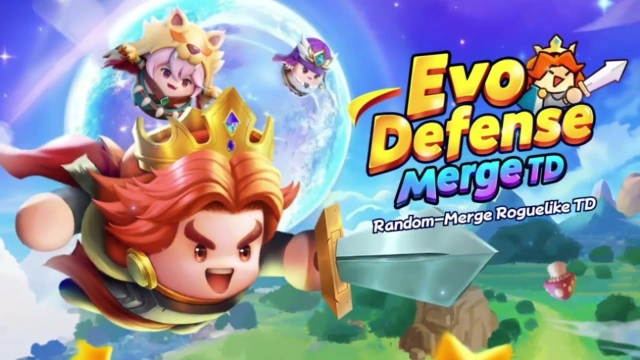
Defend your planet from the sudden monster invasion in Evo Defense: Merge TD! Master the art of randomness and strategy on a bigger stage—download Evo Defense: Merge TD for PC with LDPlayer to enjoy precise mouse control, a wider view of the battlefield, and uninterrupted gaming sessions.

Evo Defense: Merge TD Game Features

  • Merge & Evolve Strategy: Victory is just three steps away—Summon, Merge, and Enhance! Evolve adorable heroes into powerful defenders to hold back endless waves of enemies.

  • Roguelike Randomness: Experience "Triple Randomness" where summons, skills, and merging results change every time. No two matches are the same, offering infinite replayability.

  • Quick 3-Minute Battles: Enjoy fast-paced, exciting matches that fit perfectly into your schedule, blending casual gameplay with deep competitive depth.

  • Diverse Game Modes: Challenge yourself in PvE stages, team up with friends in Co-op mode, or climb the global ranks in the competitive PvP Arena.

  • Deep Tactical Customization: Utilize 7 hero classes and equipment combos (Weapon, Totem, Fort) to counter specific monster attributes and innovative enemy mechanics.

LDPlayer Advantages for Downloading Evo Defense: Merge TD PC

  • Precise Mouse Control for Merging: Drag-and-drop merging is faster and more accurate with a mouse, allowing you to react instantly during intense 3-minute matches.

  • Wider View on Big Screen: See the entire defensive grid and incoming monster waves clearly on a large monitor, ensuring no enemy sneaks past your defense.

  • Stable & Smooth Performance: Handle massive monster hordes and complex visual effects without lag or FPS drops, even during the most chaotic battles.

  • Longer Gaming Sessions: Grind through Co-op modes and Guild Challenges for hours without worrying about battery drainage or your phone overheating.

Open up

Screenshots and Videos of Evo Defense: Merge TD PC

Experience a wider field of view, exquisite game graphics, and cooler combat skills and effects by downloading and playing Evo Defense: Merge TD on PC with LDPlayer. Enjoy the ultimate gaming experience with LDPlayer.

Why Play Evo Defense: Merge TD on PC with LDPlayer?

LDPlayer offers unique emulator features including multi-instance support, macros, operation recorder, and other functions not available on mobile devices.

Multi-Instance

Remote Control

One-Click Macro

Multi-InstanceRemote ControlOne-Click Macro

When playing Evo Defense: Merge TD, opening multiple instances s to run different game accounts, with synchronization, allows for operation of multiple accounts simultaneously. This is extremely helpful for managing multiple game accounts or coordinating teamwork during gameplay.

  • Video Recorder

    Easily capture your performance and gameplay process in Evo Defense: Merge TD, aiding in learning and improving driving techniques, or sharing gaming experiences and achievements with other players.
  • Keyboard & Mouse

    In Evo Defense: Merge TD, players frequently perform actions such as character movement, skill selection, and combat, where keyboard and mouse offer more convenient and responsive operation.

How to Download&Play Evo Defense: Merge TD on PC?

  • 1

    Download and install LDPlayer on your computer

  • 2

    Locate the Play Store in LDPlayer's system apps, launch it, and sign in to your Google account

  • 3

    Enter "Evo Defense: Merge TD" into the search bar and search for it

  • 4

    Choose and install Evo Defense: Merge TD from the search results

  • 5

    Once the download and installation are complete, return to the LDPlayer home screen

  • 6

    Click on the game icon on the LDPlayer home screen to start enjoying the exciting game