Farm land & Harvest Kids Games is a Educational application developed by GoKids! publishing, but with the best Android emulator-LDPlayer, you can download and play Farm land & Harvest Kids Games on your computer.
Running Farm land & Harvest Kids Games on your computer allows you to browse clearly on a large screen, and controlling the application with a mouse and keyboard is much faster than using touchscreen, all while never having to worry about device battery issues.
With multi-instance and synchronization features, you can even run multiple applications and accounts on your PC.
And file sharing makes sharing images, videos, and files incredibly easy.
Download Farm land & Harvest Kids Games and run it on your PC. Enjoy the large screen and high-definition quality on your PC!
Harvest games for toddlers is a great way to play and learn something about our world for children. Start a new adventure with your little ones and our kindergarten game will help in creating children's place of interest. In the first module of the car games for kids we make bread in a bakery using modern industrial technology!Machines for sowing seeds and fertilizer spreaders, watering machines, tractor and huge combine harvesters. The cool game for boys and girls seems to open the curtain behind the scenes of the farm world. It will be curious not only for preschoolers but for very little ones too. While getting some useful information children are able to play really fun!
The modern world is so universal - it offers almost everything we need but let’s look deep: where does the food come from on our table? How does it get to the store? What is it made of? Who makes it? And how long does the whole process take?
Now let's figure it out! When we see a ruddy and mouth-watering bread on the counter of the store we should remember: its path to us is long and extremely exciting!
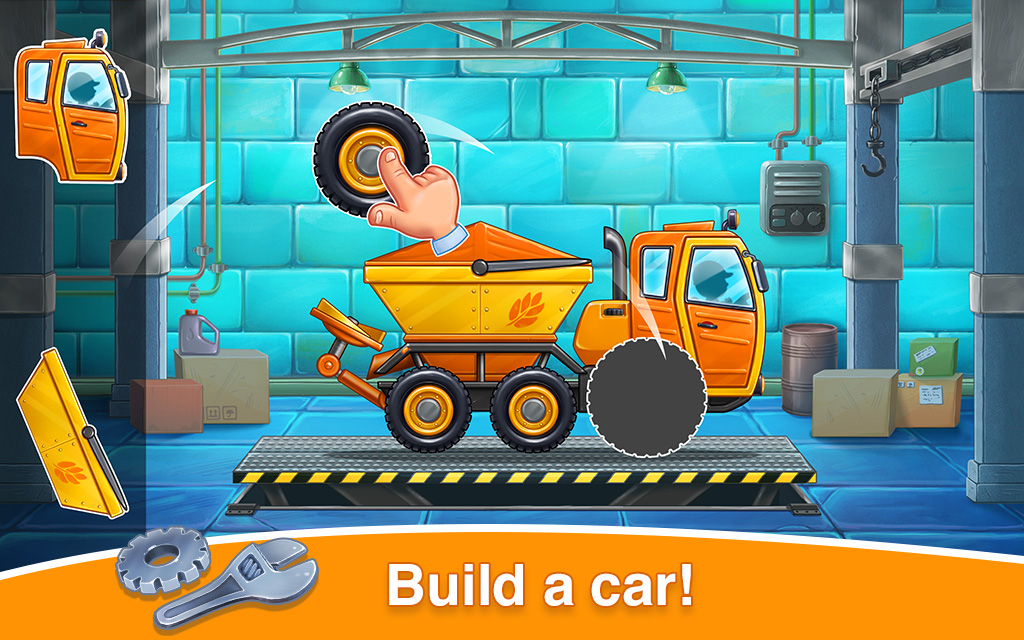
🚜Arrange puzzles to build a car, repair it if necessary, wash it and send it on a mission in the field;
👩🌾Come through all stages of farming and creating a fertile field, caring for the soil, sowing seeds and harvest time until the final stage - delicious bread;
👶In these baby learning games for 2 3 4 5 years old your kid will find out how agricultural technology works, remember each name of all large and useful machines and learn what tasks they help people with;
🚚Children will not only observe the whole process of growing wheat but the kid will be a mechanic, a washer, an agronomist and a great connoisseur of nature and its gifts;
🧩The fun little boy game trains memory, attention and observation as well as develops fine motor skills and coordination through easy vehicle mini-games between main tasks.
Always happy with your feedback and impressions at: support@gokidsmobile.com
Join our Facebook community: https://www.facebook.com/GoKidsMobile/
and follow us on Instagram https://www.instagram.com/gokidsapps/
Harvest - is one of the best free toddler car games for 2 year olds for learning how to care for the soil develop motor skill and imagination for little children. Educational kindergarten and preschool games are the best way for child development.