
Home/

Games/

Action/

Guardians of Sword

Guardians of Sword
4.0100+

Guardians of Sword

Defeat all monsters and enemies!

Play on PC with LDPlayer
recommend
GF Entertainment
How to Download&Play Guardians of Sword on PC?
Last Updated: 2023-02-14
com.gos.joylightfun.gp
Share:
  • Overview

  • FAQ

Use LDPlayer to Play Guardians of Sword on PC

Play Guardians of Sword on PC

Guardians of Sword is a game based on the Game of Thrones by GF Entertainment, and this turn-based RPG will put you into the land of dragons. You get the exact main gameplay coming from the GOT here, and it is about collecting heroes and making them a powerful team to beat others. That is how you win in this game, and the whole gameplay is full of elite and normal dungeons with many gears and materials. LDPlayer 9 is the best emulator to play Guardians of Sword on PC.

Real-Time RPG Battle game with the Best Elements

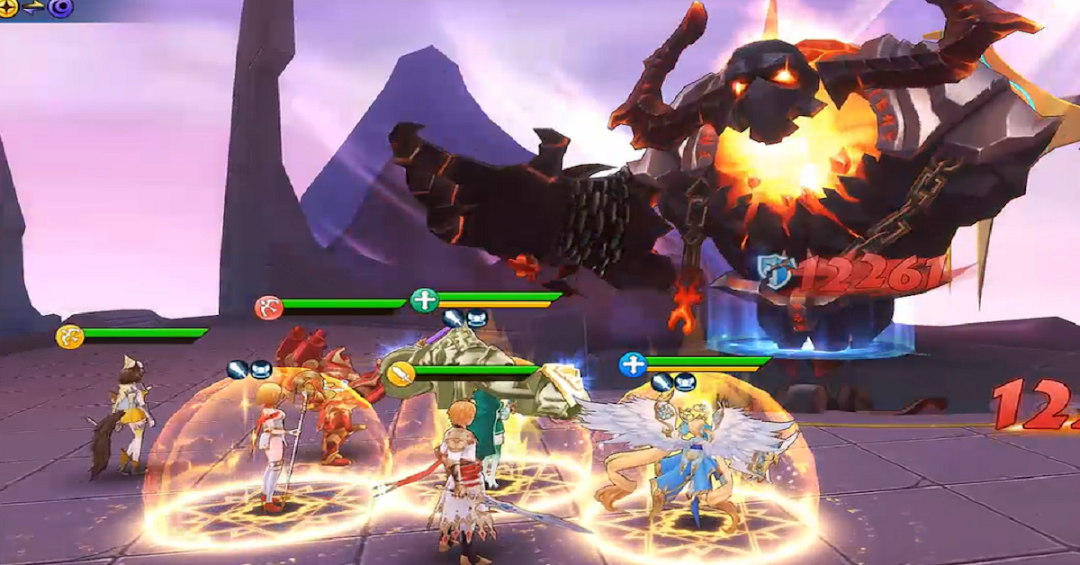
You get a real-time RPG battle play here in this fantasy world, and you, as a player, will be able to form a party. This party is the one that will be going through the dungeons, and those are also coming along with dungeon bosses. You have to use the best strategies, and it will be the core reason for making a victory through all dungeons,

Guardians of Sword has unique gameplay, and it has been powered up with the U3D game engine. So you will enjoy the best graphics with the best setting in this beautiful game full of guild and arena war. There are more than 50 heroes here to choose from three classes, and it is about choosing the best and beating the enemies.

The Best View for Your Battles

As we already said, Guardians of Sword is a game enhanced with the best graphic settings, so for the players who want to enjoy it to the fullest, there should be a better way to enjoy their gaming. Now you have it with the LDPlayer 9, where you will have all the graphic enhancements and a bigger screen to enjoy gaming.
 

Open up

Screenshots and Videos of Guardians of Sword PC

Experience a wider field of view, exquisite game graphics, and cooler combat skills and effects by downloading and playing Guardians of Sword on PC with LDPlayer. Enjoy the ultimate gaming experience with LDPlayer.

Why Play Guardians of Sword on PC with LDPlayer?

LDPlayer offers unique emulator features including multi-instance support, macros, operation recorder, and other functions not available on mobile devices.

Ultra-Wide Screen

Keyboard Mapping

One-Click Macro

Ultra-Wide ScreenKeyboard MappingOne-Click Macro

Utilizing the expansive screen, it offers a panoramic, all-encompassing view of the game in Guardians of Sword, leaving no blind spots. Players can observe game details with crystal clarity and react instantaneously.

  • High FPS

    With support for high FPS, Guardians of Sword's game graphics are smoother, and actions are more seamless, enhancing the visual experience and immersion of playing Guardians of Sword.
  • Extended Battery Life

    When running Guardians of Sword on your computer, you need not worry about low battery or device overheating issues. Enjoy playing for as long as you desire.

How to Download&Play Guardians of Sword on PC?

  • 1

    Download and install LDPlayer on your computer

  • 2

    Locate the Play Store in LDPlayer's system apps, launch it, and sign in to your Google account

  • 3

    Enter "Guardians of Sword" into the search bar and search for it

  • 4

    Choose and install Guardians of Sword from the search results

  • 5

    Once the download and installation are complete, return to the LDPlayer home screen

  • 6

    Click on the game icon on the LDPlayer home screen to start enjoying the exciting game


