Home/

Games/

Strategy/

Inkvasion

Inkvasion
4.0100+

Inkvasion

Easy Tactics, Hard to Quit-Strategic Building and Defense in Your Hands

Play on PC with LDPlayer
recommend
ChillyRoom
How to Download&Play Inkvasion on PC?
Last Updated: 2026-02-07
com.chillyroom.inkvasion.gp
Share:
  • Overview

  • FAQ

  • Game Guides

Use LDPlayer to Play Inkvasion on PC

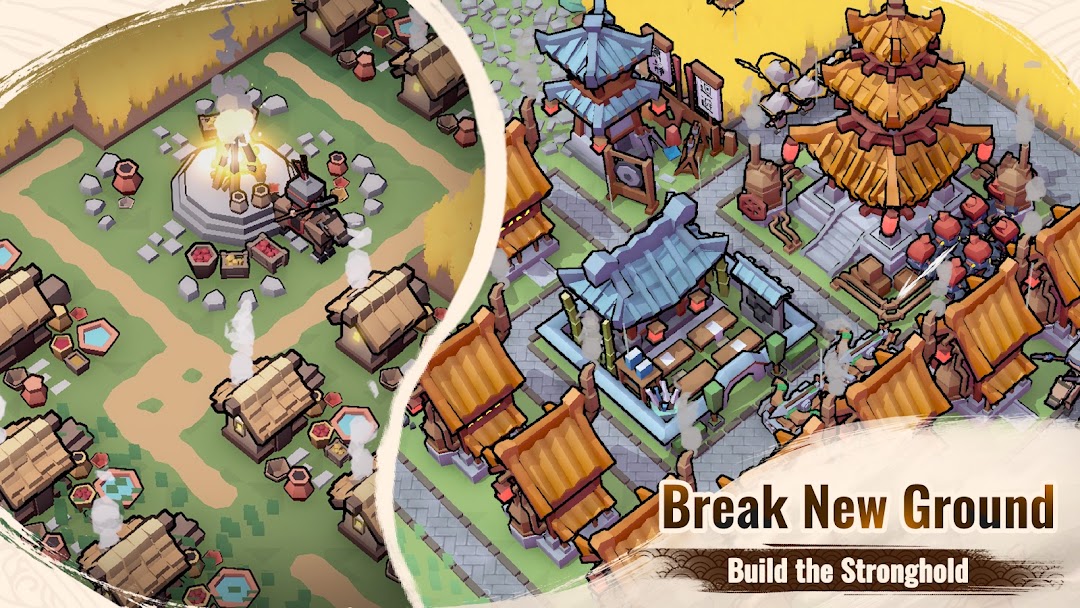
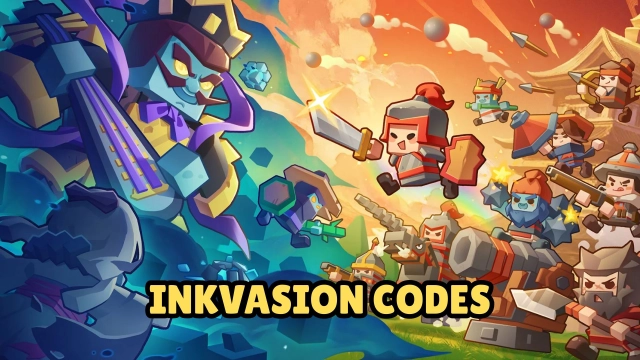
Inkvasion, developed by ChillyRoom — the team behind Soul Knight — is a blocky 3D strategy-building game that combines RTS, city management, and tower defense elements. It officially release on October 30th.
Players must rebuild civilization and fight back against creatures corrupted by the spreading ink.
With its day-and-night cycle, the game constantly switches between building and defending — every decision shapes the future of your city.

Core Gameplay: Build, Command, Survive

During the day, gather resources, expand your land, and research new tech to strengthen your base.
When night falls, the ink-born monsters attack in waves — you’ll need to build defenses, deploy troops, and use the terrain to your advantage.

Every battle tests your strategy and timing.
Play safely and fortify your walls, or take risks and push forward to reclaim infected zones.
As you progress, new buildings, weapons, and units unlock, letting your settlement grow from a small shelter into a powerful fortress.

Key Features

Day and night cycle – Build during the day, defend at night.

Dynamic weather and terrain – Rain, sandstorms, and fog can all change the flow of battle.

Tech and unit upgrades – Unlock new towers, soldiers, and strategies as you grow.

Unique 3D block visuals – A creative world that mixes cute design with high-intensity combat.

Play Inkvasion on PC with LDPlayer for Best Experience

The battlefields in Inkvasion are large and detailed.
For smoother gameplay and better control, try playing with LDPlayer Android Emulator on your PC:

Ultra Screen – See your entire city and defenses clearly on a larger screen.
Custom Control – Drag buildings and units with your mouse, or switch between day and night instantly using keyboard shortcuts.
High FPS – Enjoy steady 60 FPS even during massive fights with tons of enemies.
Multi-Instance – Manage multiple towns or test different strategies at the same time.

Whether you’re building or defending,
LDPlayer makes your commands faster and your gameplay smoother.

Open up

Screenshots and Videos of Inkvasion PC

Experience a wider field of view, exquisite game graphics, and cooler combat skills and effects by downloading and playing Inkvasion on PC with LDPlayer. Enjoy the ultimate gaming experience with LDPlayer.

Why Play Inkvasion on PC with LDPlayer?

LDPlayer offers unique emulator features including multi-instance support, macros, operation recorder, and other functions not available on mobile devices.

Multi-Instance

Remote Control

One-Click Macro

Multi-InstanceRemote ControlOne-Click Macro

When playing Inkvasion, opening multiple instances s to run different game accounts, with synchronization, allows for operation of multiple accounts simultaneously. This is extremely helpful for managing multiple game accounts or coordinating teamwork during gameplay.

  • Video Recorder

    Easily capture your performance and gameplay process in Inkvasion, aiding in learning and improving driving techniques, or sharing gaming experiences and achievements with other players.
  • Keyboard & Mouse

    In Inkvasion, players frequently perform actions such as character movement, skill selection, and combat, where keyboard and mouse offer more convenient and responsive operation.

How to Download&Play Inkvasion on PC?

  • 1

    Download and install LDPlayer on your computer

  • 2

    Locate the Play Store in LDPlayer's system apps, launch it, and sign in to your Google account

  • 3

    Enter "Inkvasion" into the search bar and search for it

  • 4

    Choose and install Inkvasion from the search results

  • 5

    Once the download and installation are complete, return to the LDPlayer home screen

  • 6

    Click on the game icon on the LDPlayer home screen to start enjoying the exciting game