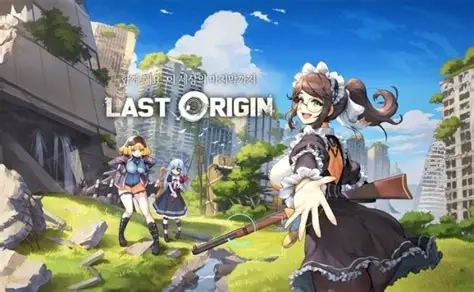
Command the final battle for humanity's survival in LAST ORIGIN R+, a deep, strategy-driven RPG set in a shattered, post-apocalyptic world. As the commander, every decision matters as you dive into an engaging campaign to uncover the truth behind humanity’s downfall. Featuring a unique individual turn system, dynamic 9-grid battlefield mechanics, and a massive roster of beautifully designed characters brought to life by a star-studded Japanese voice cast, LAST ORIGIN R+ delivers a masterclass in tactical squad-building and turn-based combat.
Core Gameplay & Features
-
Grid-Based Tactical Combat: Take full control of the battlefield. Outmaneuver your enemies using a dynamic 9-grid stage and an individual turn system where careful planning and precise movement dictate victory.
-
Strategic Squad Building: Assemble your ultimate lineup! Arrange your team strategically across the grid to maximize each unit's strengths, protect vulnerable allies, and execute devastating combos.
-
Deep Character Growth: Train your characters, enhance their unique skills, and evolve your squad to conquer increasingly difficult post-apocalyptic challenges.
-
A World in Ruins: Immerse yourself in a rich, story-driven campaign that explores the remnants of a fallen world, filled with mystery, danger, and the search for hope.
-
Star-Studded Voice Cast: Experience the journey with top-tier Japanese voice acting, featuring renowned talents like Yui Horie, Emiri Kato, Reina Ueda, Kana Asumi, and many more!
Players are highly engaged by LAST ORIGIN R+ for its uncompromising tactical depth, where brainpower and squad positioning matter just as much as character stats, all wrapped in a high-quality visual and audio experience.
Play LAST ORIGIN R+ on PC with LDPlayer for Best Experience
-
Precise Mouse Controls for Grid Combat: Tactical RPGs require exact unit placement. A mouse allows you to seamlessly drag, drop, and position your characters on the 9-grid battlefield with absolute precision, eliminating frustrating touchscreen misclicks.
-
Immersive Big Screen Visuals: Do not let a small screen hide the details. Appreciate the intricate character designs, high-quality skill animations, and atmospheric post-apocalyptic environments in full HD on a large PC monitor.
-
Multi-Instance for Perfect Rerolling: Want to start your command with the strongest units? Use LDPlayer’s Multi-Instance feature to run multiple accounts simultaneously, making the character reroll process incredibly fast and efficient.
-
Battery-Free Material Farming: Upgrading your squad's skills requires consistent resource gathering. Let the game run smoothly in the background on your PC to auto-farm stages for hours without worrying about your phone's battery drain or thermal throttling.
-
Custom Macros: Automate your repetitive daily stages and resource grinds by recording simple macro scripts, allowing you to focus entirely on the deep story and challenging boss strategies.
Step into the ruins, form your perfect squad, and lead the charge—download LAST ORIGIN R+ on PC and execute your master tactics with LDPlayer!