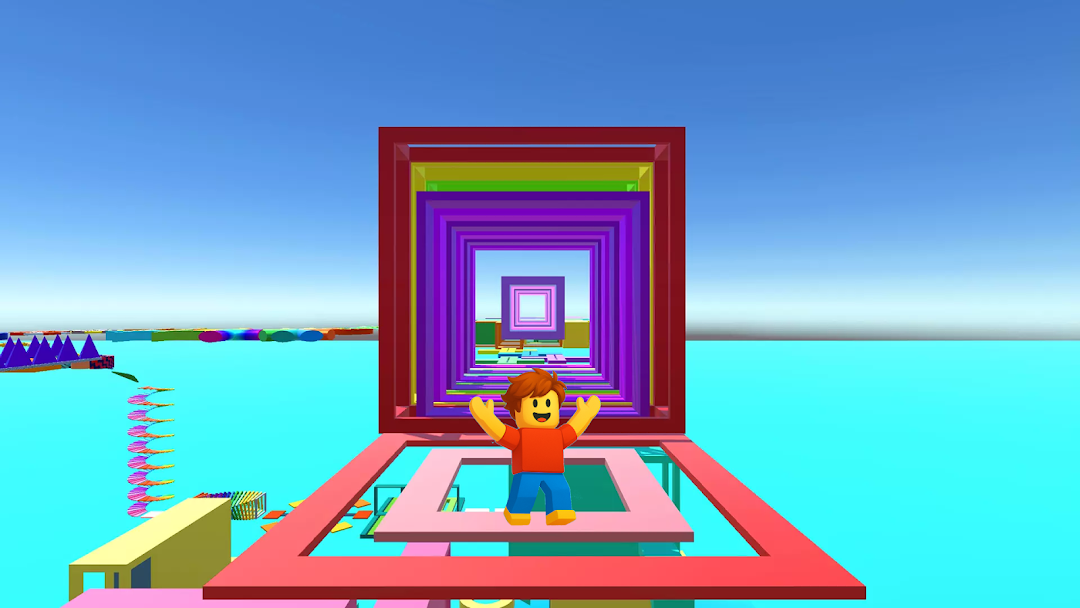
Obby Run: World of Parkour is a Adventure application developed by NoVita Garden - Tricky Puzzles, but with the best Android emulator-LDPlayer, you can download and play Obby Run: World of Parkour on your computer.
Running Obby Run: World of Parkour on your computer allows you to browse clearly on a large screen, and controlling the application with a mouse and keyboard is much faster than using touchscreen, all while never having to worry about device battery issues.
With multi-instance and synchronization features, you can even run multiple applications and accounts on your PC.
And file sharing makes sharing images, videos, and files incredibly easy.
Download Obby Run: World of Parkour and run it on your PC. Enjoy the large screen and high-definition quality on your PC!
🌟 Hi friends! 🌟Welcome to the our dynamic and exciting game - Obby Run: World of Parkour!
This rainbow action platform game invites our players to conquer all difficult obstacles, where each level is real filled with unique tasks and bright visual effects.
Get ready for intense jumping, fast running and exciting adventures on platforms of varying difficulty!🚀
🎮 Open different game modes!
Get reward and try to open different game modes!
Welcome to a bright and colorful platform world.
All platforms are painted in real rich colors, which makes the gameplay even more attractive as possible.
It is important not only to react quickly, but also to enjoy the atmosphere that fills your adventure with light and joy on the obby action platform.
🌈 Beautiful character customization!
In Obby Run: World of Parkour!, you can change the appearance of your hero, adding personality and style to the gameplay.
Customize your own character to your taste and stand out among other players of the action platform in our platformer!
The choice of appearance is not only aesthetic, but can also open up new possibilities in the casual game.🏞
🎮 Futures
The gameplay of Obby Run: World of Parkour combines elements of the platform and active fun game.🤗
Each level is designed with unique obstacles and love that require agility and quick reactions from you.
Jumping over all chasms, dodging moving objects, run and overcoming various challenges will make your adventure in the world of the platform exciting and full of adrenaline game.
💖 Welcome my friends!
🌈 Obby Run: World of Parkour 🎉 is not just a simple game; it is a amazing playground for enthusiasts of action platform adventures.
With multiple modes, that you can open, bright graphics and exciting gameplay, it offers players a unique experience that will not leave you indifferent.
Join our world of action platform and parkour, change your images, conquer platforms and become a master in this exciting adventure game!🌈
Become a part of this exciting platformer game - start your journey to our freedom and victory today!