Path of Echoes is a Role Playing game developed by Night Sky Games, and LDPlayer is the best platform for playing Path of Echoes on Windows PC, offering powerful features for an immersive experience.
When playing Path of Echoes on PC, as a new player looking to start with a fresh account, the multi-instance and sync features are extremely useful for rerolls. You can use them to run multiple instances and begin the synchronization process. Bind your account until you draw the desired heroes.
In addition, operation recorder is great for games that require you to level up and complete tasks! Run the sync and record your actions, then repeat the main instance's actions in real-time. By doing so, you can run 2 or more accounts simultaneously. You can always get the heroes you want before others by faster rerolls and more efficient summoning! Start downloading and playing Path of Echoes on your computer now!
In this adventure, you don’t just build a hero — you build a legacy. ⚔️🧬Choose your character’s parents, inherit their strengths, and embark on a perilous journey filled with daily decisions, dangerous encounters, and powerful enemies. Every run shapes the next. Every hero strengthens the bloodline.
The stronger your ancestry, the stronger your future.
🧬 Shape Your Ancestry
Select two parents to determine starting attributes
Inherit powerful traits and stat bonuses
Create unique combinations every run
🗺️ Embark on an Adventure
Face daily encounters that test your decisions
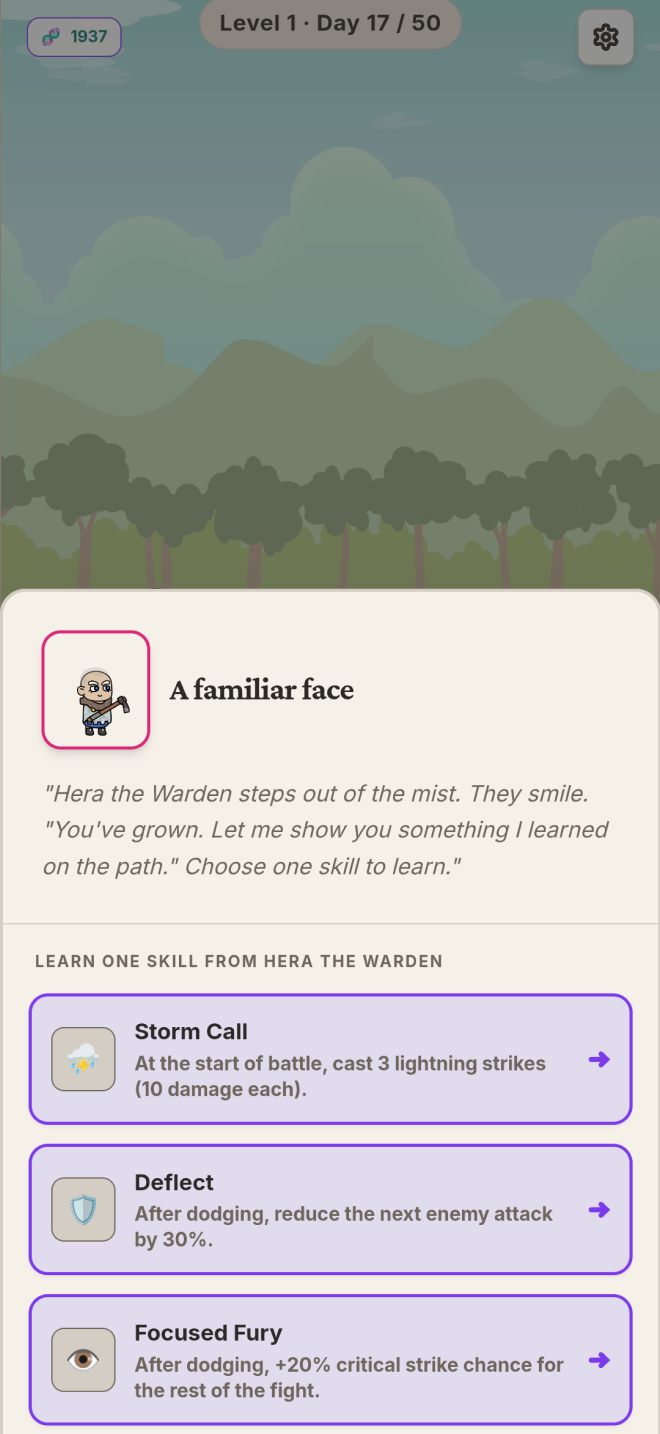
Gain stats, skills, XP, and manage your HP carefully
Battle enemies standing in your path
👑 Face the Final Challenge
Survive the journey
Defeat the ultimate threat at the end of each adventure
🔁 Build a Stronger Bloodline
Use heroes from previous runs as future ancestors
Pass down stronger attributes and skills
Start each new adventure more powerful than ever
🧪 Evolve Your DNA
Earn DNA after each run
Unlock new inheritable traits
Gain permanent bonuses and expand your possibilities
Every choice matters.
Every hero leaves a mark.
How powerful will your bloodline become?