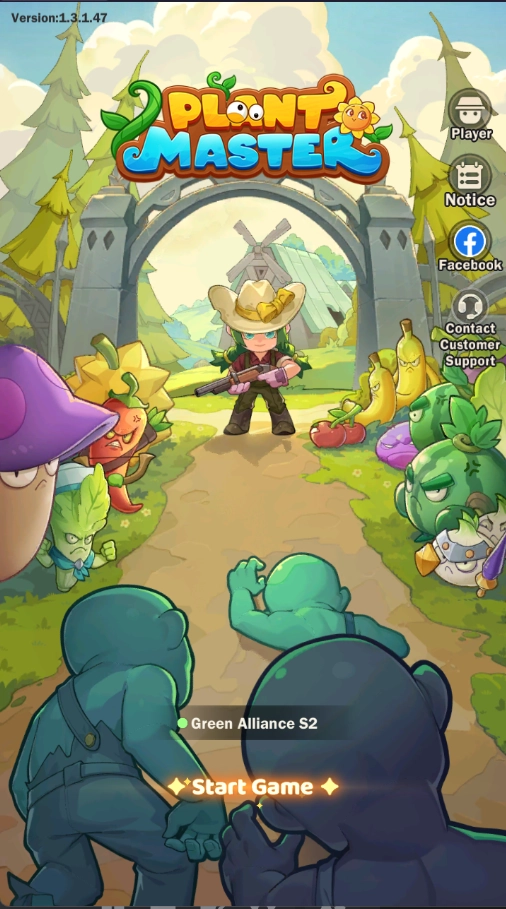
Step into the captivating chaos of Plant Master: Merge & Relax, a unique tower defense RPG where merging quirky plant heroes becomes your ultimate defense against waves of relentless zombies. Packed with diverse challenges like survival battles, co-op adventures, and scientific upgrades, this game offers endless excitement. To truly enhance your gameplay, playing Plant Master: Merge & Relax on PC with LDPlayer is the ultimate choice.
Multi-Instance Sync for Faster Progression
In Plant Master: Merge & Relax, success depends on balancing multiple gameplay elements. You’ll need to merge plant heroes, protect your garden, and fend off zombie invasions while tackling co-op and survival challenges. LDPlayer’s Multi-Instance Sync feature is a game-changer, letting you clone the game into multiple instances and manage various tasks simultaneously. Synchronizing actions across these instances ensures efficient progression, allowing you to unlock new plant heroes, enhance your defenses, and conquer challenges more effectively than ever before.
High-Definition Graphics for Immersive Gameplay
The game’s vibrant visuals and detailed environments are perfect for a larger screen. Playing on a mobile device, especially with the game’s vertical view, can make it hard to fully appreciate its design or track small details during intense gameplay. LDPlayer addresses this by offering high-definition graphics with sharp details and vibrant colors on a wider horizontal screen. This enhanced visual clarity immerses you deeper into the game while reducing eye strain during extended gaming sessions, making every moment more enjoyable.
Effective Merging for Farm Crisis
Plant Master: Merge & Relax has a co-op TD Mode where you have to handle all the crises occurring on the farm with your teammates, but you have to do this while plants are going wild. This means you have to keep yourself merging, beating zombies, and boosting heroes at the same time, so rather than doing all these actions one by one, you can record one activity to the fullest and then let it play while you are doing another important task. For example, in the new co-op TD mode, you can record one instance where your teammates are handling a crisis, assembling a squad, and letting it happen repeatedly with the Operation Recorder tool provided by LDPlayer. And this is how you can be more effective at handling all crisis.
So, by playing Plant Master: Merge & Relax on PC with LDPlayer, you unlock a range of advantages: from efficient multi-instance management to immersive graphics and lag-free performance. These features let you focus on building strategies, merging heroes, and defending against zombie hordes without distractions.Are you ready to redefine your gameplay? Download LDPlayer today and embark on the ultimate Plant Master: Merge & Relax adventure on PC.