
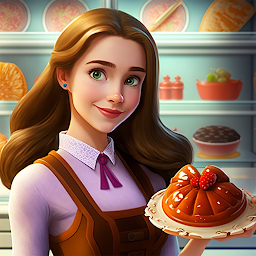


Restaurant Story: Decor & Cook is a Casual game developed by Beyond the game. LDPlayer is the best platform for playing Restaurant Story: Decor & Cook on Windows PC, offering powerful features to enhance your immersive experience in Restaurant Story: Decor & Cook.
When playing Restaurant Story: Decor & Cook on your computer, if you find repetitive actions or tasks tedious and time-consuming, fret not! Macro can alleviate your concerns. Simply record your actions with a click of the screen recording feature and let macros take care of the rest. Macros automate your operations, allowing you to effortlessly conquer the game with minimal effort! Start downloading and playing Restaurant Story: Decor & Cook on your computer now!
Do you want to have a restaurant that belongs to you completely? Then you have come to the right place! 🤩In this game, you are the restaurant owner in charge of everything, from restaurant design to restaurant management, you just need to make it look like you want.
The freshly sold restaurant is messy and dilapidated, to clean it up! ✨
It is so empty… Lacking some tables, chairs and kitchen utensils, to buy it! 💸
The guests ordered food, to cook it! 🍔
Here, you can do everything you want to do. Be a designer to complete restaurant design and furniture procurement. Be a chef to perform restaurant cooking management. Be a waiter to complete restaurant delivery and ordering. Be a happy restaurant executive managing the restaurant business. You will witness the perfect transformation of this restaurant and write your own restaurant story.
So are you ready to start your restaurant story? 😉
Maybe you are curious, what can you experience in the exciting restaurant games? Let me tell you~
-- 🏘 Design Restaurant
Buy the furniture you like for the restaurant and design it as you want. Not just the dine-in area, you can also complete kitchen design and kitchen remodel, turn it into a perfect cooking kitchen!
-- 📃 Make Food and Serve Customers
Take orders for the guests and make the food they want to eat. Burger, pizza, sandwich; milk, cola, icecream... try to meet the needs of the guests.
-- 💰 Mange And Upgrade Your Business
Seriously manage the restaurant, expand the scale and upgrade your business.
Restaurant Story: Decor & Cook is always waiting for you.
Hope you like this cooking diary restaurant game. 🥰 At the same time, we also welcome your suggestions and complaints. If you have any questions, please email us: Beyondthegame01@gmail.com.







