Home/

Games/

Strategy/

Smash Fight: PvP Bump Arena

Smash Fight: PvP Bump Arena
3.0100+

Smash Fight: PvP Bump Arena

Smash enemies, chain smart combos and rule the arena in tactical PvP strategy.

Play on PC with LDPlayer
recommend
SUPER PICKLE GAMES
How to Download&Play Smash Fight: PvP Bump Arena on PC?
Last Updated: 2025-12-24
com.SuperPickleGames.Smash
Share:
  • Overview

  • FAQ

  • Game Guides

Use LDPlayer to Play Smash Fight: PvP Bump Arena on PC

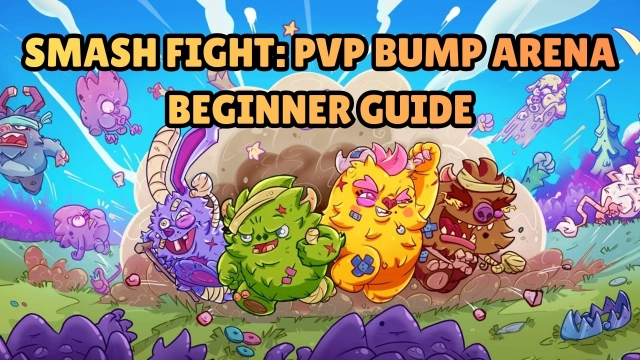
Smash Fight: PvP Bump Arena is a physics-based 3v3 PvP battler by SUPER PICKLE GAMES, where players launch rolling beasts across compact arenas filled with walls, gaps, and hazards. Every match revolves around timing, angles, and bounce calculations, creating quick, skill-dependent clashes. The game’s bite-sized battles and simple controls make it easy to pick up while still rewarding precision.

Core Gameplay & Features

  • Aim and launch your beast with physics-driven movement — strike opponents by bouncing off walls, dodging traps, and choosing the right angle for impact.

  • Master unique arena layouts — each battlefield includes obstacles, tight corners, and environmental hazards that influence how every shot plays out.

  • Unlock and upgrade beasts with different stats — strengthen your lineup and pick beasts that match your preferred playstyle or team strategy.

  • Compete in global 3v3 PvP — jump into fast matches, climb the ranks, and participate in ongoing competitive seasons.

Player Impressions

Landing a perfectly angled bounce is surprisingly satisfying — the kind of hit that turns a match around in a split second.
Short matches make it easy to hop in, try new angles, and experiment with different beasts without pressure.

Play Smash Fight: PvP Bump Arena on PC with LDPlayer

Playing on PC with LDPlayer gives more control over angles, trajectories, and arena awareness — all crucial in a physics-based battler.

  • Ultra Screen (Better angle visibility) — wider view helps judge wall distances, ricochet paths, and hazard placement more clearly.

  • Custom Controls (Precise keyboard/mouse aiming) — adjusting shot strength and aim becomes smoother and more accurate than touchscreen swipes.

  • High FPS (Stable physics & collision response) — consistent frame performance ensures clean bounces and predictable movement behavior.

  • Battery-free, long-session friendly — ideal for extended PvP streaks without heating or draining a mobile device.

Line up your shot, read the arena, and smash your opponents with precision — play Smash Fight: PvP Bump Arena on PC with LDPlayer and take full control of every bounce.

Open up

Screenshots and Videos of Smash Fight: PvP Bump Arena PC

Experience a wider field of view, exquisite game graphics, and cooler combat skills and effects by downloading and playing Smash Fight: PvP Bump Arena on PC with LDPlayer. Enjoy the ultimate gaming experience with LDPlayer.

Why Play Smash Fight: PvP Bump Arena on PC with LDPlayer?

LDPlayer offers unique emulator features including multi-instance support, macros, operation recorder, and other functions not available on mobile devices.

Multi-Instance

Remote Control

One-Click Macro

Multi-InstanceRemote ControlOne-Click Macro

When playing Smash Fight: PvP Bump Arena, opening multiple instances s to run different game accounts, with synchronization, allows for operation of multiple accounts simultaneously. This is extremely helpful for managing multiple game accounts or coordinating teamwork during gameplay.

  • Video Recorder

    Easily capture your performance and gameplay process in Smash Fight: PvP Bump Arena, aiding in learning and improving driving techniques, or sharing gaming experiences and achievements with other players.
  • Keyboard & Mouse

    In Smash Fight: PvP Bump Arena, players frequently perform actions such as character movement, skill selection, and combat, where keyboard and mouse offer more convenient and responsive operation.

How to Download&Play Smash Fight: PvP Bump Arena on PC?

  • 1

    Download and install LDPlayer on your computer

  • 2

    Locate the Play Store in LDPlayer's system apps, launch it, and sign in to your Google account

  • 3

    Enter "Smash Fight: PvP Bump Arena" into the search bar and search for it

  • 4

    Choose and install Smash Fight: PvP Bump Arena from the search results

  • 5

    Once the download and installation are complete, return to the LDPlayer home screen

  • 6

    Click on the game icon on the LDPlayer home screen to start enjoying the exciting game