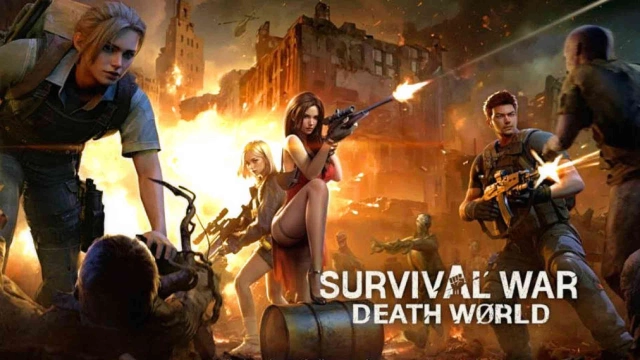
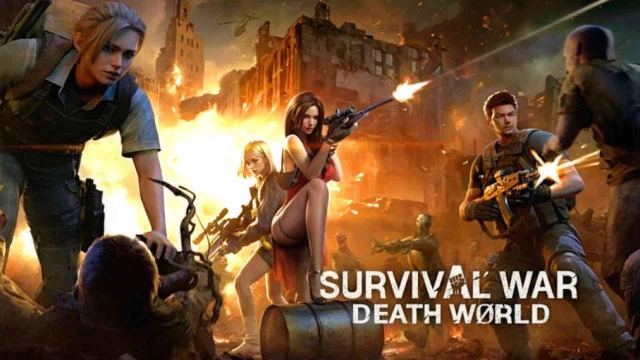
Survival War: Death World is a Strategy game developed by Chiseled Games Japan株式会社, and LDPlayer is the best platform for playing Survival War: Death World on Windows PC, offering powerful features for an immersive experience.
When playing Survival War: Death World on your computer, you can enjoy long game sessions using the operation recording feature to record repetitive operations to complete the same tasks automatically. It allows you to level up faster and makes resource grinding much more efficient.
In addition, if you want to execute combo moves or the game requires repeated skill actions, the macro feature is your best helper. It enables you to complete kills with just one click!
If you want to manage multiple accounts, LDMultiplayer and Synchronizer will assist you. You can run multiple alternative accounts at the same time to assist the leveling of your main account. Download and play Survival War: Death World on PC with LDPlayer now!
Survival is the only mission in the apocalypse. In Survival War: Death World, you will experience an intense survival adventure against a global apocalyptic crisis stemming from research on ancient algae. This immersive strategy survival game will test your wits and courage. Every decision counts in this challenging apocalyptic world.Apocalyptic Survival
Your survival strategy will decide your fate in the apocalypse. Plan out your resource use, build and upgrade your Settlement, and ensure your survival in the apocalypse. It is a race between life and death, and only the savviest strategies can help you survive this apocalyptic adventure.
Exploration
Embark on an adventure into the unknown and explore the barren lands of the apocalypse. On this journey for survival, you will discover hidden resources, unlock survival skills, and build Alliances with other Survivors to plan your future together.
Pet Development
Faced with the threat from the Infected, bioethics is no longer a creed researchers abide by. Any means that can provide an edge in the fight against the Infected is considered to be done in the name of justice. Modify the genes of ancient beasts and create your perfect pet. It will be your most trustworthy companion in the apocalypse, one even more trustworthy than any human!
Hero Trial
Every hero needs a survival adventure to prove their worth. During this adventure, you will collect and upgrade gear, and lead your heroes in strategic combat to guarantee you hold the advantage in this game of survival.
Ultimate Tower Defense
Turrets are one of the keys to your survival, and you must figure out the optimal turret placement and upgrades to fend off wave after wave of attacks and ensure your survival.
Tactics
Prepare yourself for the upcoming fights for survival. Enemies in the apocalypse are ruthless and cunning, so every battle must be planned carefully with the right tactics to take down the Infected and hostile forces that dare to threaten your survival.
Game Features
A fusion of apocalyptic survival and strategical elements.
Immerse yourself into the apocalyptic world and pave your own path to survival.
A carefully designed strategical combat system that will test your wits.
Build and upgrade your defenses to ensure your safety.
Join Survival War: Death World now! Embark on a strategical adventure to survive in the apocalypse and write your own legend with players from across the world!