Retro Tank Combat is a Arcade application developed by Technology Product and Service, but with the best Android emulator-LDPlayer, you can download and play Retro Tank Combat on your computer.
Running Retro Tank Combat on your computer allows you to browse clearly on a large screen, and controlling the application with a mouse and keyboard is much faster than using touchscreen, all while never having to worry about device battery issues.
With multi-instance and synchronization features, you can even run multiple applications and accounts on your PC.
And file sharing makes sharing images, videos, and files incredibly easy.
Download Retro Tank Combat and run it on your PC. Enjoy the large screen and high-definition quality on your PC!
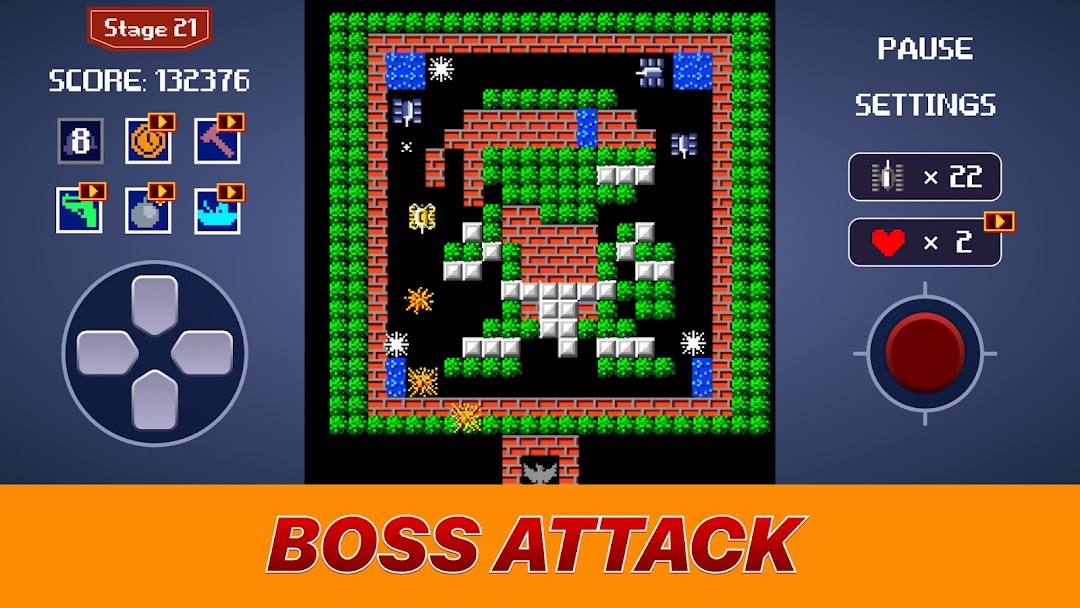
The classic Tank 1990 game from your childhood is now at your fingertips!Retro Tank Combat is a classic top-down tank shooter game originally released in 1990. In this retro arcade game, players control a tank tasked with defending their base from waves of enemy tanks and soldiers. The game features destructible environments, where players must navigate through walls and obstacles while fending off enemy attacks.
Throughout the game, players can collect various power-ups such as shields, speed boosts, and tank upgrades to strengthen their defenses and improve their firepower. The goal is to defeat enemy tanks, protect your base, and advance through levels, each with unique layouts and challenges.
HOW TO PLAY:
- Use the D-pad to move.
- Press the red button to fire.
- Enemies will appear rapidly.
- Defend your golden eagle and be the last tank standing.
NEW FEATUERS:
- Classic and new custom maps.
- Enhanced visual effects.
- Smooth, responsive controls.
- Thrilling power-ups.
- Lovely soundtracks.
- Retro graphics with a timeless appeal.
- Many types of fields: brick wall, stone wall, brush, water, ice.
The game's pixel art graphics, along with its iconic soundtrack, add to its nostalgic appeal, making it a standout example of early 90s arcade gaming. Retro Tank Combat offers hours of fun with its challenging gameplay and strategic tank battles.