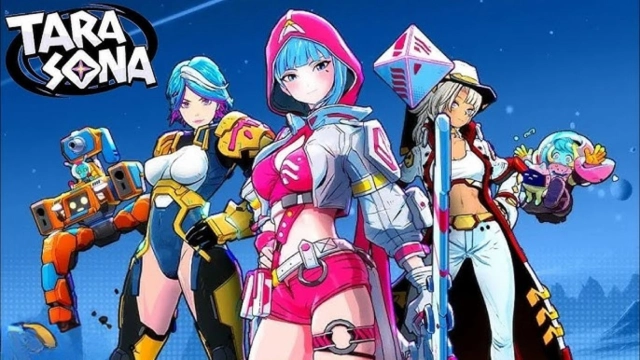
Astro Arena: Star Clash PvP is a Action game developed by KRAFTON, Inc., and LDPlayer is the best platform for playing Astro Arena: Star Clash PvP on PC, offering powerful features to immerse you in the game.
When playing Astro Arena: Star Clash PvP on computer, you can adjust frame rate settings for smooth gameplay and stunning visuals.
LDPlayer also provides pre-configured keyboard mapping for convenient control of the entire game. Continuous optimization of keyboard mapping enhances key sensitivity and skill accuracy. Additionally, LDPlayer offers special buttons like shoot, hide mouse, and continuous key press for an enhanced gaming experience.
If you prefer using a gamepad, the automatic gamepad detection allows you to customize controls with just a few clicks, enabling you to freely maneuver your hero. Start downloading and playing Astro Arena: Star Clash PvP on your computer now!
✔ Alpha Test Available Sep 10, 2025 2:00 - Sep 23, 2025 1:59 (UTC)A brand-new battle royale across the cosmos, made by PUBG Studios!
Brawl for survival in an epic PvP clash across the galaxy
Solo & duo battle royale, space domination stage, and intense TDM fight await.
Engage in league-based PvP with your squad and fight for glory on the ultimate battleground.
⚡ Fast-Paced Multiplayer Action. Battle Anytime, Anywhere
Boom! Dive into 3-minute brawl royale fights built for instant, on-the-go PvP action.
Every moment is a cosmic clash—your next battlefield is right in your pocket.
No matter where you are, prepare for non-stop legendary PvP brawls across the stars.
👥 Play Online With Your Squad
Play online with your squad and clash with rival legends.
Lead your squad into strategic battles and dominate each PvP match.
Whether it’s 1v1, duo, or squad vs. squad, the brawl never stops.
Join the league, team up, and conquer every epic arena fight.
🕹️ Easy Controls, Epic Brawls
Jump into action with Auto-Aimed Attacks and clean, intuitive controls.
No stress. No complexity. Just smooth, flashy clashes that anyone can enjoy.
Watch your legend shine as you brawl through explosive battle clash.
⚔️ Battle Legends & Unique Heroes
Choose from a roster of anime-style heroes, each with powerful, unique skills.
From fast assassins to tanks and support, every legend adds a twist to your battle strategy.
Step into the League of Champions, build your squad, and write your legend in every clash.
Protect, lead, or strike from the shadows—the galaxy needs your skills.
[Join Us]
Discord : https://discord.gg/F3BJ2arCDm
Youtube : https://www.youtube.com/@AstroArena.Official