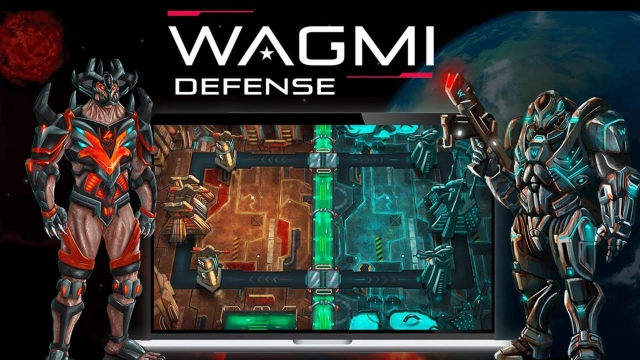
NiFe WARS: Last Defense is a Strategy game developed by Wagmi Game Co., and LDPlayer is the best platform for playing NiFe WARS: Last Defense on Windows PC, offering powerful features for an immersive experience.
When playing NiFe WARS: Last Defense on your computer, you can enjoy long game sessions using the operation recording feature to record repetitive operations to complete the same tasks automatically. It allows you to level up faster and makes resource grinding much more efficient.
In addition, if you want to execute combo moves or the game requires repeated skill actions, the macro feature is your best helper. It enables you to complete kills with just one click!
If you want to manage multiple accounts, LDMultiplayer and Synchronizer will assist you. You can run multiple alternative accounts at the same time to assist the leveling of your main account. Download and play NiFe WARS: Last Defense on PC with LDPlayer now!
Join the NiFe WARS and unleash strategic genius in thrilling real-time PvP tower defense battles! Choose your side: humanity or the alien Grays. Build unstoppable decks, level up powerful cards, and climb the leaderboard in this immersive Sci Fi Strategy game.Why NiFe WARS Stands Out:
⚔️ Thrilling 1v1 PvP Tower Defense: Outsmart opponents in fast-paced, real-time battles to protect your towers and destroy enemy bases.
🃏 Level Up 400+ Collectible Cards: Strategically craft epic decks with 32 unique characters, evolving from Common to Legendary for ultimate power.
🏆 Dominate Global Tournaments: Compete in seasonal resets and climb leaderboards to become the ultimate sci-fi strategist.
🚀 Immersive Sci-Fi Universe: Battle across Nemosh in the NiFe Wars with stunning, high-fidelity visuals that bring the year 3022 to life.
See you on the battlefield!
This game requires a network connection to play. In-game resources such as Adallium can be purchased with real money. You can disable this feature in your device settings. Compatibility may change over time.
For more information, please visit nifewars.com (http://www.nifewars.com/game)
Need help? You can email us at support@nifewars.com
Privacy Policy: https://www.nifewars.com/legal-pages/privacy-policy
Terms of Service: https://www.nifewars.com/legal-pages/terms-conditions