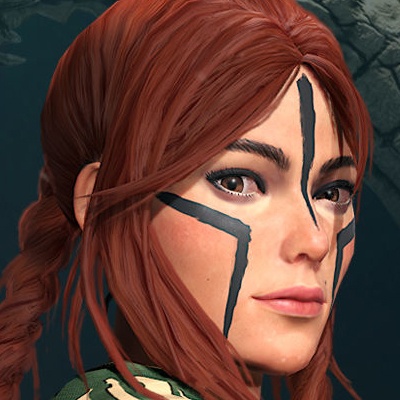
Zombie VS Cowboy-Century War is a Arcade application developed by Crazy Wing, but with the best Android emulator-LDPlayer, you can download and play Zombie VS Cowboy-Century War on your computer.
Running Zombie VS Cowboy-Century War on your computer allows you to browse clearly on a large screen, and controlling the application with a mouse and keyboard is much faster than using touchscreen, all while never having to worry about device battery issues.
With multi-instance and synchronization features, you can even run multiple applications and accounts on your PC.
And file sharing makes sharing images, videos, and files incredibly easy.
Download Zombie VS Cowboy-Century War and run it on your PC. Enjoy the large screen and high-definition quality on your PC!
This is an exciting horizontal-scrolling survival game, where survivors are surrounded by endless zombies and must bravely break through the siege of zombies to survive. Each survivor carries a melee weapon and a ranged weapon, and they need to skillfully use these two weapons to defeat the zombies.The ranged weapon can cause significant damage, but the bullets are limited, and survivors must plan their ammunition usage carefully. When facing the giant zombie Boss, survivors need to use the ranged weapon accurately and sparingly. Survivors can choose from different types of ranged weapons, such as machine guns, shotguns, etc., according to their tactical needs.
Melee weapons are the best companions for survivors to defeat ordinary zombies, and they can experience the thrill of fighting a last-ditch battle. Survivors can use various melee weapons, such as swords, knives, sticks, etc., to attack zombies and protect their lives. Through precise strikes and flexible operations, survivors can achieve victory after victory.
After killing zombies, survivors can earn money, which allows them to upgrade their attack power and health. By using the money, survivors can purchase more powerful weapons and ammunition. Upgrading their attack power can clear zombies faster and increase their chances of survival; increasing their health can enhance survivors' vitality and prolong the battle time.
This game boasts exquisite graphics and smooth gameplay, immersing players in a thrilling world. They need to flexibly use melee and ranged weapons, utilize different tactics and weapon combinations, break through the siege of zombies, and defend their lives. Show your courage and wisdom, and become the last survivor!
By exploring various levels and challenging different zombie types and Bosses, players will enjoy endless excitement and challenges. Only those who forge ahead courageously and fearlessly can survive in this post-apocalyptic world. Prepare your weapons and join this life-or-death battle!