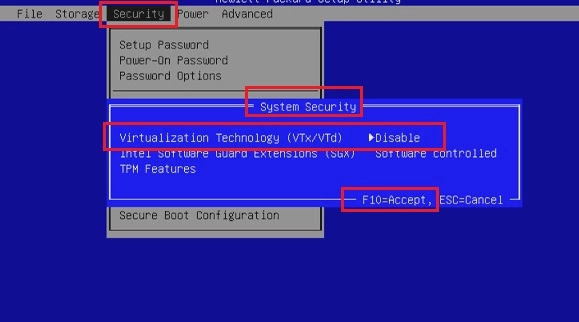
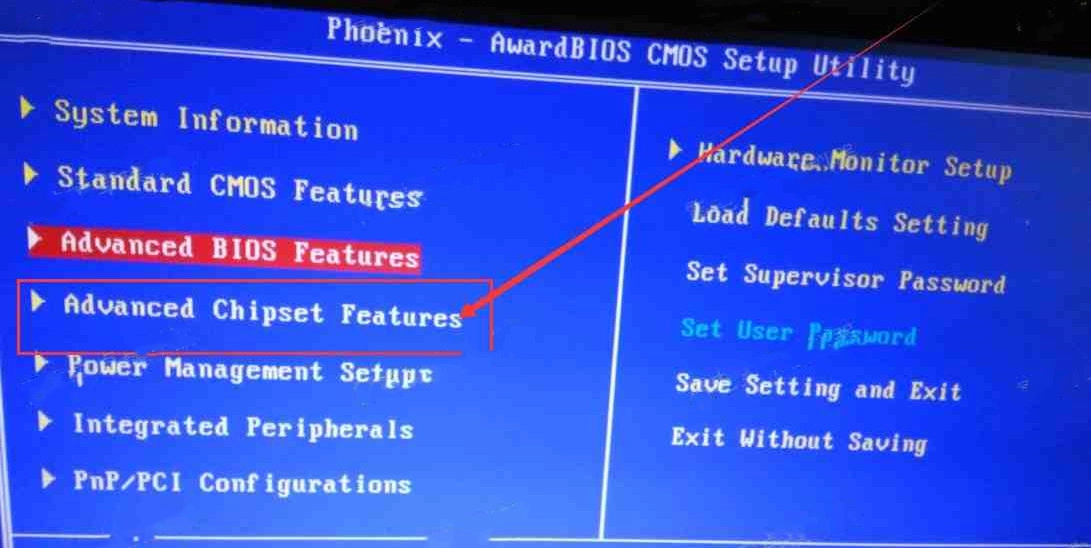
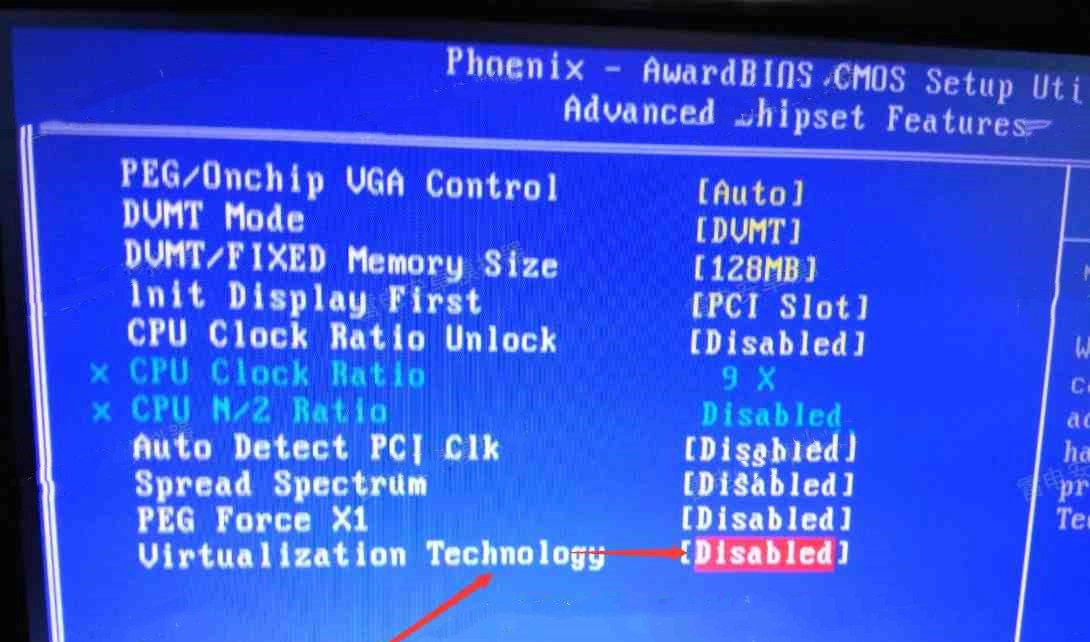
Watch and Follow

Was this article helpful?
3189 users found this helpful.
Enable Virtual Technology
This article will talk about how to enable VT on HP desktop and laptop through BIOS.
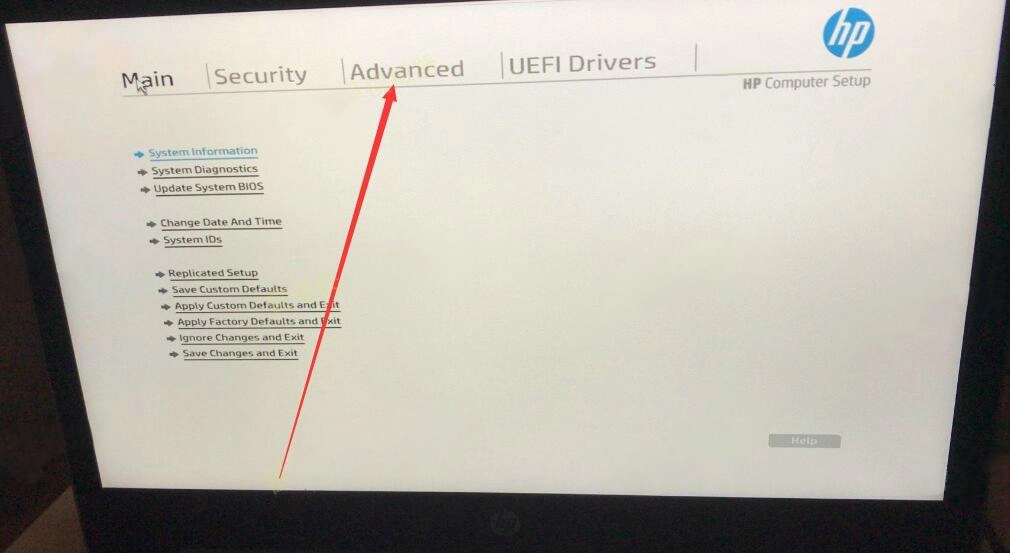
Restart the computer. When the screen is on, press the key prompted on the screen repeatedly. If there is no prompt, try pressing the "F9" or "F10" key repeatedly to enter BIOS.
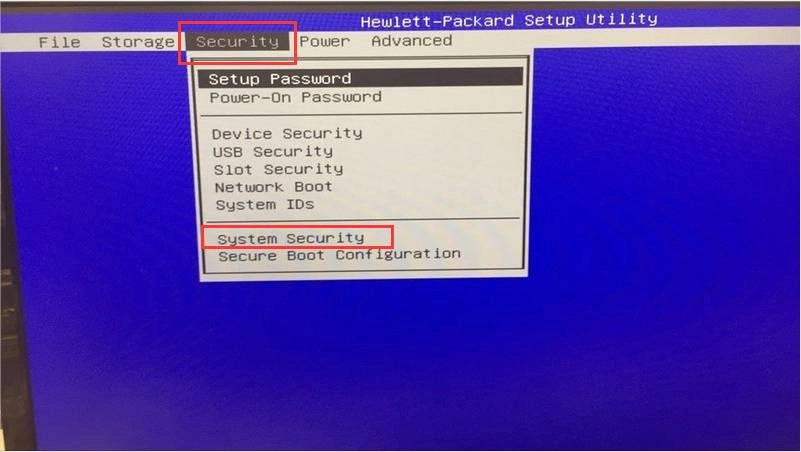
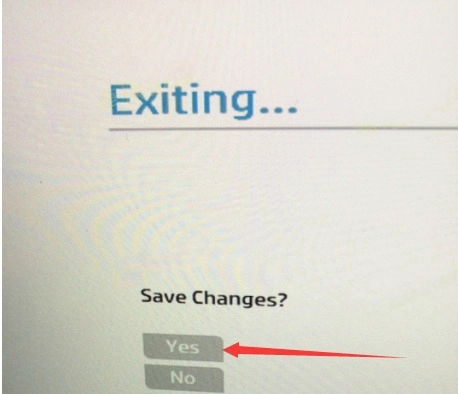
Click the "File" menu and select "Save Changes and Exit" and finally click "Yes".
Restart the computer. When the screen is on, press the key prompted on the screen repeatedly. If there is no prompt, try pressing the "F9" or "F10" key repeatedly to enter BIOS.
Restart the computer. When the screen is on, press the key prompted on the screen repeatedly. If there is no prompt, try pressing the "F9" or "F10" key repeatedly to enter BIOS.
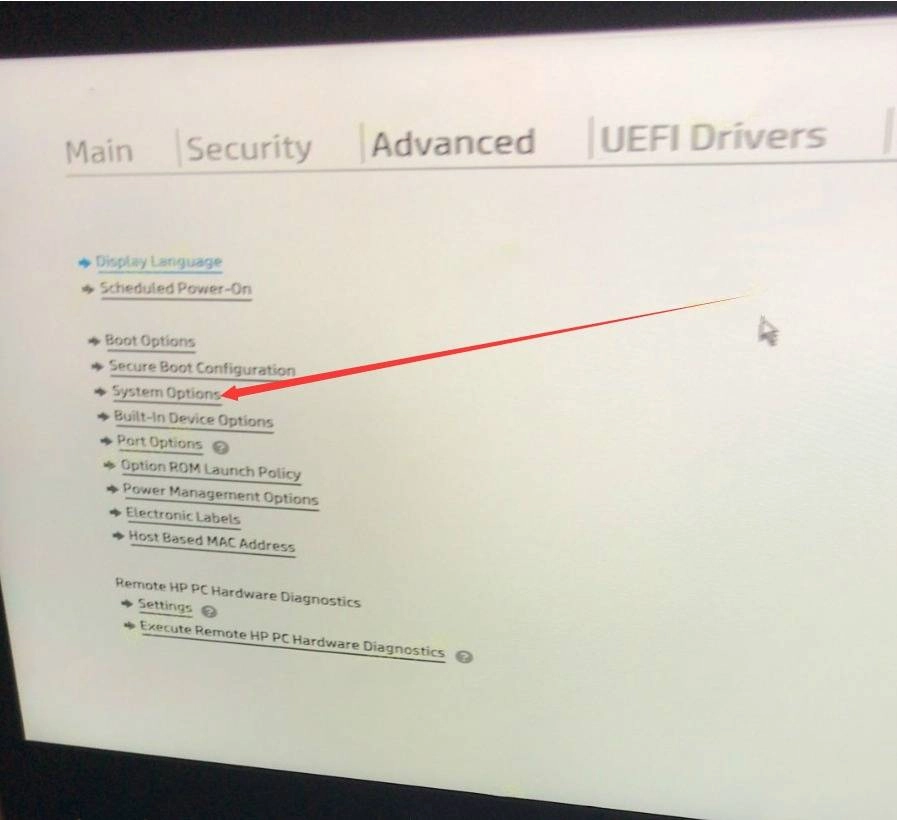
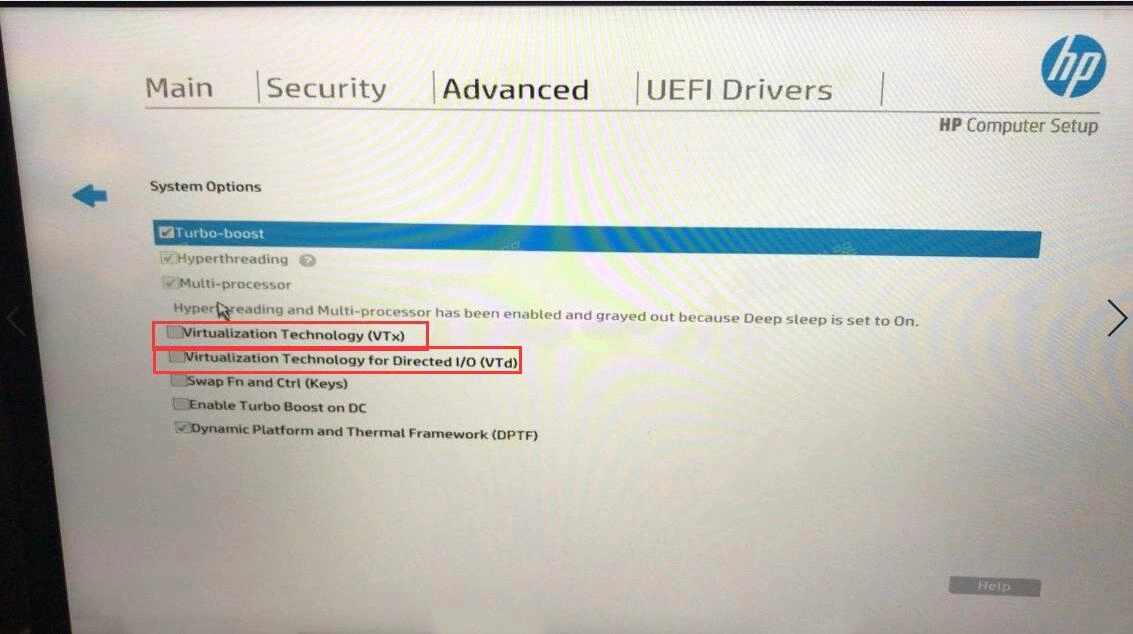
“Advanced” > “System Options" > Virtualization Technology(VTx), check the boxes next to Virtualization Technology (VTx) and Virtualization Technology for Directed I/O (VTd), and finally press "F10" to save and exit.