home page
Games
Pre-RegisterRPGStrategyAdventureCasualArcadeRacingActionSimulation
Support
LDPlayer 9 IntroductionEnable VTStartup Stuck at 50%/94%Fix Invalid Virtual DiskUpdate Graphics DriverKeyboard MappingEnable LDMultiplayerFPS Setting
Blogs
Updates
LDGame
Affiliate
LDGame Community
download ldplayer
Download LDPlayer
English
繁體中文한국어Tiếng ViệtภาษาไทยPусскийPortuguêsEspañolFrançaisDeutsch日本語Indonesiaالعربية

LDPlayer Support

EmailFacebookDiscordLDGame Customer Service(For LDPlayer account & recharge problem)

Products

LDCloudOSLinkEasyFunLDShop

About

About UsBusiness InquiryDMCA Takedown

Follow Us

©2025 LDPLAYER.NET , ALL RIGHTS RESERVED.JUST OKAY LIMITED , OFFICE F, 12/F, YHC TOWER , 1 SHEUNG YUET RD, KOWLOON BAY KLN, HONG KONG
Games and applications on this site are collected from the internet. If there is any infringement, please contact the email: support@ldplayer.net
Privacy Policy|GDPR Privacy Notice|Help Translate
English
繁體中文한국어Tiếng ViệtภาษาไทยPусскийPortuguêsEspañolFrançaisDeutsch日本語Indonesiaالعربية

Blogs/

Game Guides/

News and Guides for Mobile Legends: Bang Bang

How to play Mobile Legends: Bang Bang at 60 FPS

2019-05-21

As we know, we can smoothly play a game if the frame rate of this game is high. The higher the frame rate is, the smoother the game will be. This tutorial will teach you how you play Mobile Legends: Bang Bang at 60 FPS on LDPlayer.


If high frame rate in game is on, you will be able to play it at 60 FPS.
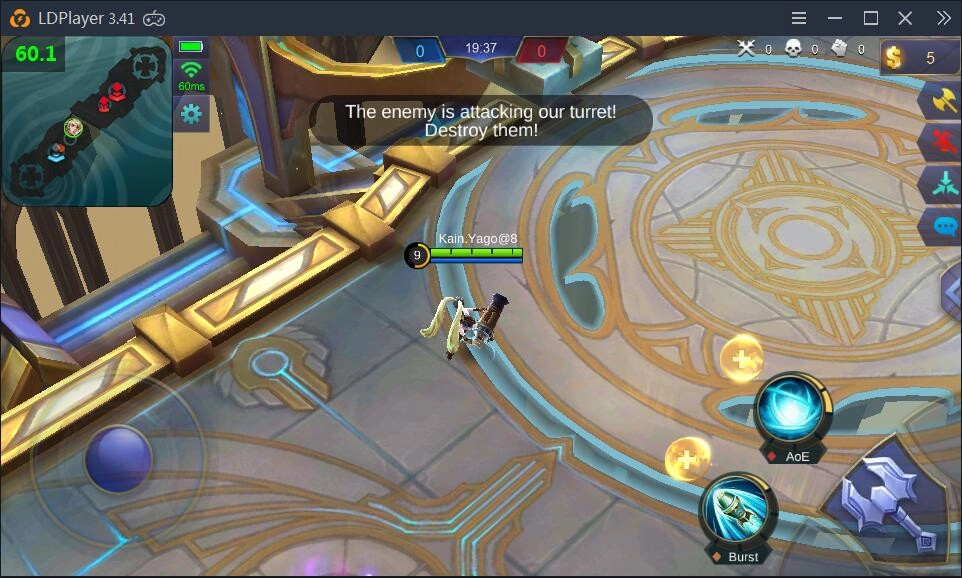
How to play Mobile Legends: Bang Bang at 60 FPS 


First of all, all you have to do is update your LDPlayer to the version 3.39 or above because only newer versions support high frame rate. If your version is old, enter https://www.ldplayer.net/ to download the latest version and then install it. Or you can just click the following button to download LDPlayer.
 

If you are using the order version, you will not be able to turn on high frame rate.
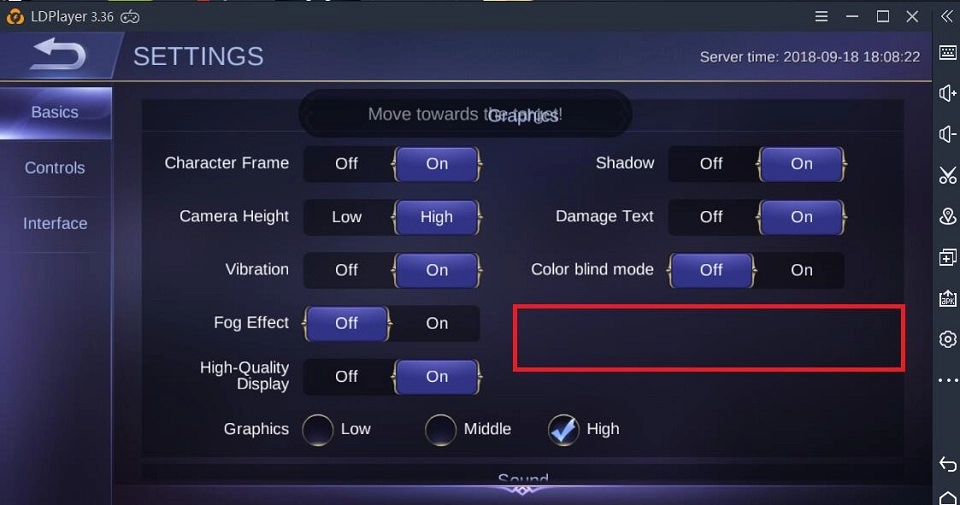
How to play Mobile Legends: Bang Bang at 60 FPS


But after you update LDPlayer to version 3.41, you can turn on high frame rate, as shown below.
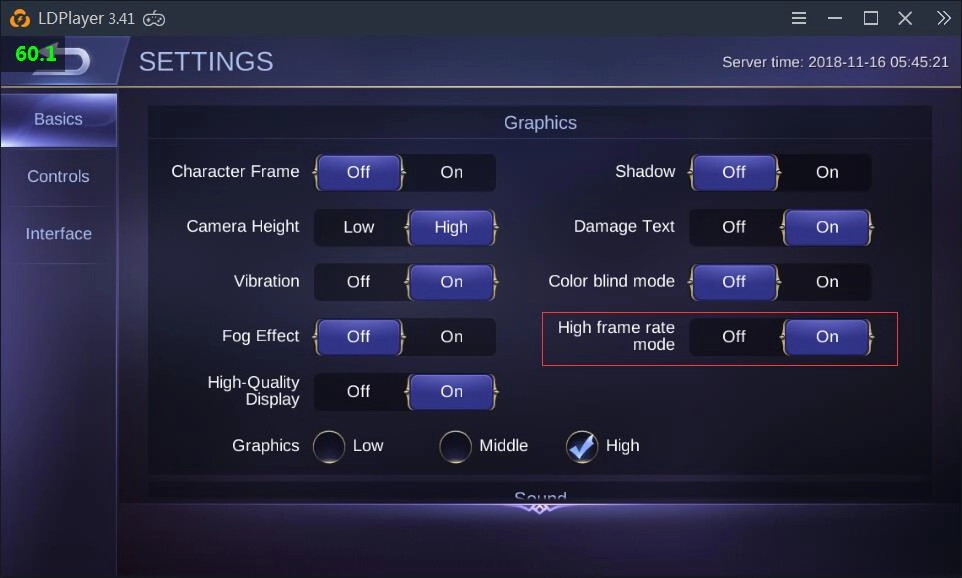
How to play Mobile Legends: Bang Bang at 60 FPS


Enjoy playing Mobile Legends Bang Bange on LDPlayer!

Best&Fastest Emulator to Play Epic Seven on PC 2021
|
How to play Online Head Ball on PC

Mobile Legends: Bang Bang

You May Also Like
Top Game Guides
Mobile Legends: Bang Bang × NARUTO Collaboration Round 2 is Here - A Complete Guide
Mobile Legends Bang Bang Hirara Build Guide with Tips 2026
Cheapest way to Draw GALACTIC STARHAWK FANNY Skin In Mobile Legends Bang Bang
Mobile Legends Bang Bang Phantasmal Revelry Event Guide - Everything You Need to Know
Mobile Legends Bang Bang Galactic Starhawk Event Guide (2026)
Mobile Legends Bang Bang Kalea Build Guide 2026: Best Items, Emblems, Combos & Pro Tips