Data Recovery/Backup
How to Solve Data Loss After Upgrading/Reinstalling LDPlayer
2021-11-08
In earlier, we’ve shared how to backup and restore emulator data for LDPlayer to prevent loss of game data and game account. Also, we’ve shared how to recover game data of LDPlayer on the broken instance, especially the data of the guest account. Well, there are some users who reflect the game data is gone after they reinstall or upgrade the LDPlayer. This is because they installed the LDPlayer in two different location paths so that the new emulator cannot overwrite the old one, resulting cannot getting the game data on the new version. In a nutshell, the solution is to reinstall the LDPlayer in the old location path you chose before, and then you can use it as usual.
Contents
- 1. Confirm the File Location of LDPlayer
- 2. Browse the Location Path of Installation
- 3. Recover Game Data of LDPlayer
1. Confirm the File Location of LDPlayer
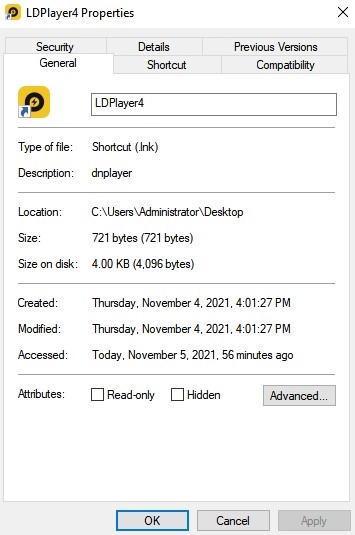
In general, you need to remember the file location of LDPlayer before you install a new version or just reinstall. Just right-click the icon of LDPlayer and choose “Open file location”. Then you can see the location path in the pop-up window.
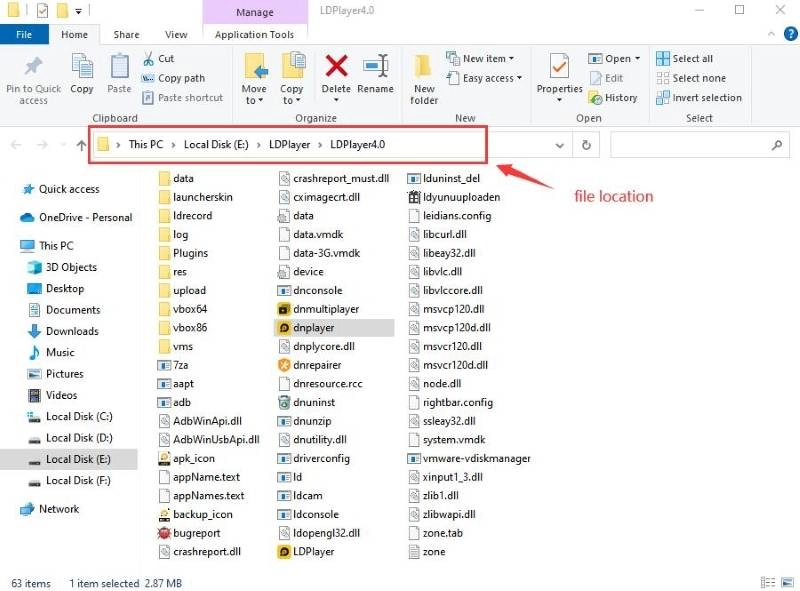
But if you have already installed the new one and find the data has gone (actually the data is still on your PC), you need to find out the location path of the old emulator first. Open "This PC" and search "LDPlayer" in the search box. Then you can find folders named "LDPlayer".
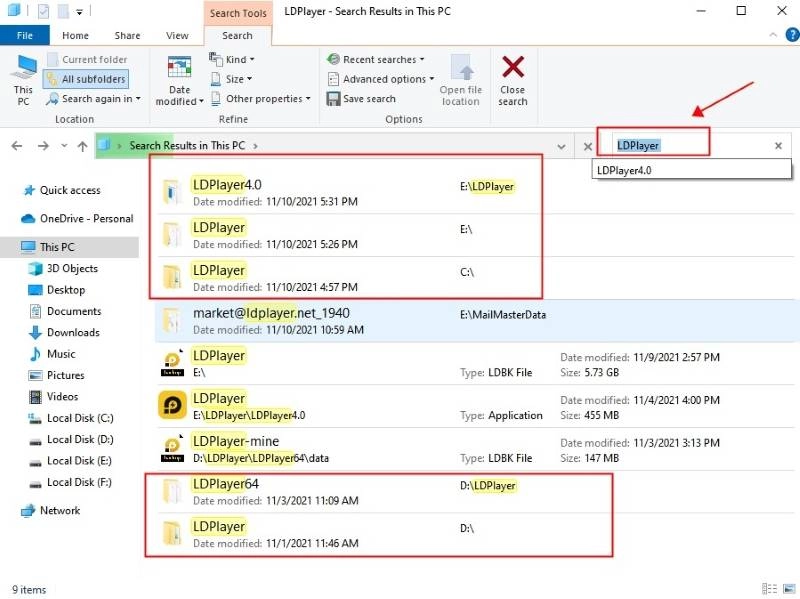
Then enter into one of the LDPlayer folders and click "dnplayer" to see whether it's your old version. If not, you can continue to launch the "dnplayer" in other LDPlayer folders until you find the emulator you want to recover. If you find it, please mark down the location path, and then you can use it to get the game data back in the newly-installed LDPlayer.
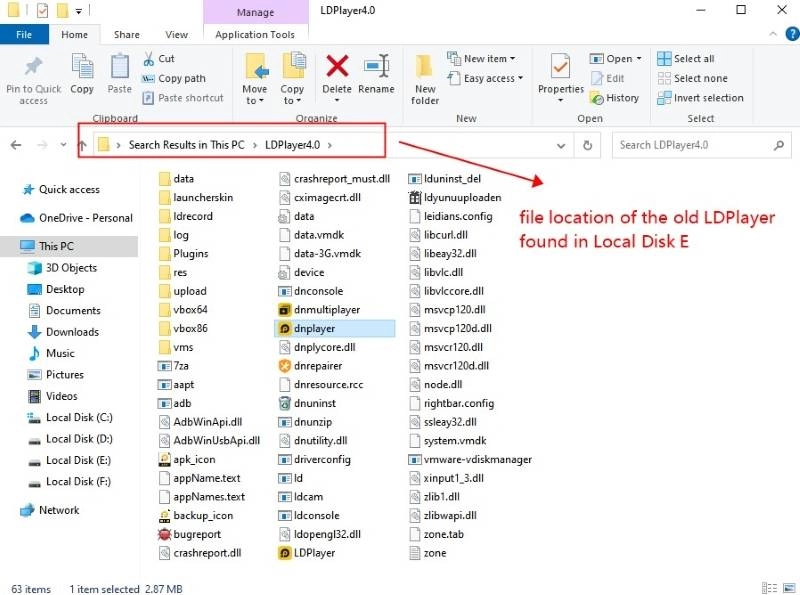
Warning: Please do not rename the installation folder of the LDPlayer, or the existing emulator cannot be overwritten.
2. Browse the Location Path of Installation
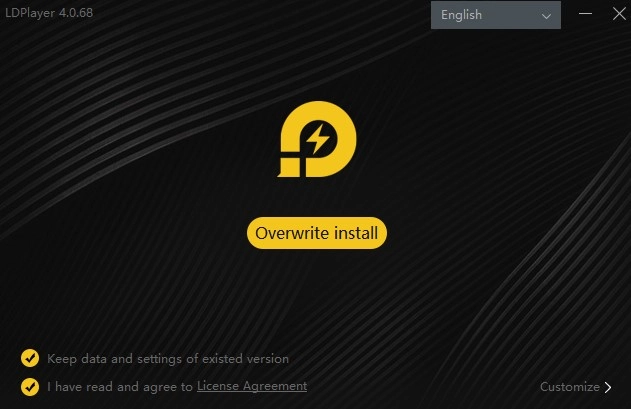
Then you need to reinstall a new LDPlayer. Download and launch the executable file, you can see the interface below. Just press on "Customize" > “Browse” to choose the old location path you found just now.
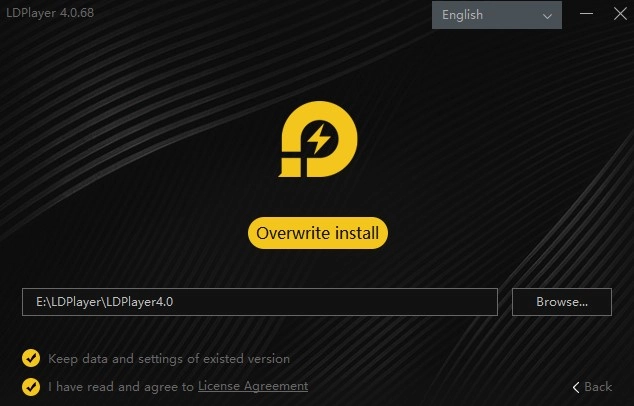
Note: In fact, if you installed the LDPlayer in the default path before, you can directly click “Overwrite Install” to reinstall. It will keep all the game data of the old version. But we still recommend you browse the installation path first in case of data loss.
3. Recover Game Data of LDPlayer
Finish! The newly-installed LDPlayer will show all the data of the old version. Enjoy your game in LDPlayer now!