
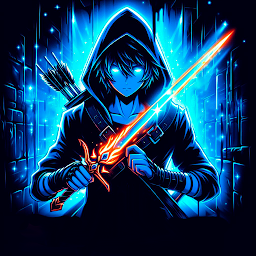


Solo Dungeoning: Level Up Game is a Strategy game developed by SpirIT, and LDPlayer is the best platform for playing Solo Dungeoning: Level Up Game on Windows PC, offering powerful features for an immersive experience.
When playing Solo Dungeoning: Level Up Game on your computer, you can enjoy long game sessions using the operation recording feature to record repetitive operations to complete the same tasks automatically. It allows you to level up faster and makes resource grinding much more efficient.
In addition, if you want to execute combo moves or the game requires repeated skill actions, the macro feature is your best helper. It enables you to complete kills with just one click!
If you want to manage multiple accounts, LDMultiplayer and Synchronizer will assist you. You can run multiple alternative accounts at the same time to assist the leveling of your main account. Download and play Solo Dungeoning: Level Up Game on PC with LDPlayer now!
Inspired by Solo Leveling, this action RPG will make you feel like hunter Sung Jinwoo, the Shadow Monarch himself!Do you dream of becoming a monster hunter? Can you strategize under pressure to deal just enough damage to finish off your enemies in combat? Are you ready to start the arising adventure of your life? Then this tower defense RPG is for you!
The portals have opened all over the globe, and the beasts are coming. It is your job as a hunter to accept your destiny, travel to the affected dungeons, and stop the monsters from invading the world.
Upgrade your endurance and other attributes to level up and eventually become the world's strongest hunter (much like Solo Leveling's Sung Jinwoo). Don't worry, you won't have to brave the beasts alone — your spirits, shadow-like undead beings, will be right there to help you in battle. The only thing you need to do is to arise the spirits and let them assist you.
When you complete a mission in this tower defense game, you will earn gold and crystals that you can spend on improving your gear. The Solo Dungeoning Store offers a variety of weapons and armor for you to boost your defenses and launch deadlier attacks. Just don't forget to pop to Inventory and put on the gear you have purchased.
Speaking of attacks, you have two basic skills that employ either a sword or a bow and arrows. Besides those, you can also purchase super skills that will help you fight off the beasts, stand a better chance against the bosses, and ultimately level up.
Solo Dungeoning is a tower defense tactical RPG that allows you to test your skills as a monster slayer. While it is fairly hard to level up in this action game, it is not impossible, provided you think strategically when placing your spirit companions and purchasing gear items. Be smart, and you will beat even the most hardcore bosses and get the best rewards!
Receive updates about new dungeons on Facebook: https://www.facebook.com/SoloDungeoning
Support Solo Dungeoning and enjoy exclusive tips about how to ace particularly difficult levels on Patreon: https://www.patreon.com/SoloDungeoning







