Pokémon Champions
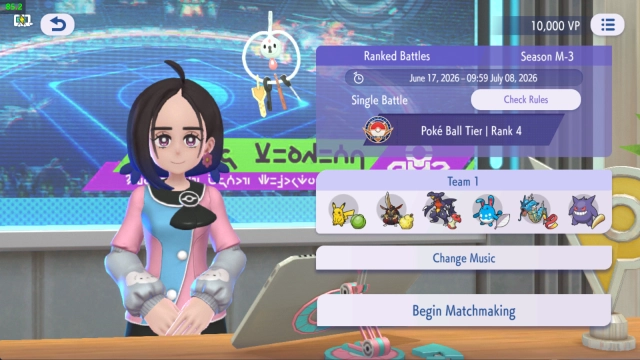
Introduction Welcome to the ultimate Pokémon battling arena! Pokémon Champions brings the pure, deeply strategic thrill of competitive Pokémon battles directly to your screen. Whether you are a seasoned Trainer or completely new to the franchise, this game makes it easy to jump into the action. Build your ultimate squad natively in-game or link your Pokémon HOME account to bring your previously befriended partners into the fray. Compete against players worldwide in intense Ranked Battles, enjoy laid-back Casual Battles, or test your skills against friends and family in Private Matches!
Core Gameplay & Features
-
Battle Trainers Worldwide: Prove your skills on the global stage. Climb the leaderboards in highly competitive Ranked Battles, or simply enjoy the fun of battling without the pressure in Casual Battles.
-
Private Battles with Friends: Settle the score with your rivals! Set up Private Battles to play with your family, friends, and other Trainers in customized match-ups.
-
Accessible Team Building: You don't need a history with the main series to play. Obtain and train new Pokémon directly within Pokémon Champions to build your perfect competitive squad.
-
Pokémon HOME Integration: Bring your old friends with you! Seamlessly link your Pokémon HOME account to import certain Pokémon you’ve caught and raised in previous core series games.
-
Classic Strategic Combat: Experience the iconic, deeply tactical turn-based battle system of the Pokémon franchise, perfectly streamlined for a mobile format.
Players love Pokémon Champions because it strips away the long RPG storylines and focuses entirely on the adrenaline-pumping, brain-teasing core of Pokémon competitive battling.
Play Pokémon Champions on PC with LDPlayer for Best Experience
-
Immersive Big Screen Battles: Do not let a small mobile screen diminish the spectacle of a Hyper Beam or a Gigavolt Havoc. Enjoy the vibrant, high-quality 3D Pokémon models and flashy attack animations in full high-definition on a large PC monitor.
-
Precise Mouse Controls: In intense competitive battles, a single misclick when selecting a move or switching a Pokémon can cost you the entire match. Using a mouse with LDPlayer guarantees perfect accuracy and eliminates frustrating touchscreen errors.
-
Stable, Lag-Free Ranked Matches: Competitive Ranked Battles require absolute stability. LDPlayer ensures ultra-smooth, high-FPS performance without the thermal throttling or sudden lag spikes that can occur on overheating mobile devices.
-
Battery-Free Team Building: Theorycrafting your team, checking stats, and grinding the competitive ladder takes hours of dedication. Play comfortably on your PC without ever worrying about draining your phone's battery or degrading its lifespan.
-
Effortless Multitasking: Use your PC to keep damage calculators, strategy guides, or tier lists open on a second monitor while you play seamlessly on LDPlayer.
Assemble your dream team, outsmart your opponents, and rise to the top—download Pokémon Champions on PC and become the ultimate Trainer with LDPlayer!