Device Optimization
How to Fix OpenGL Error in Android Emulator
2022-01-28
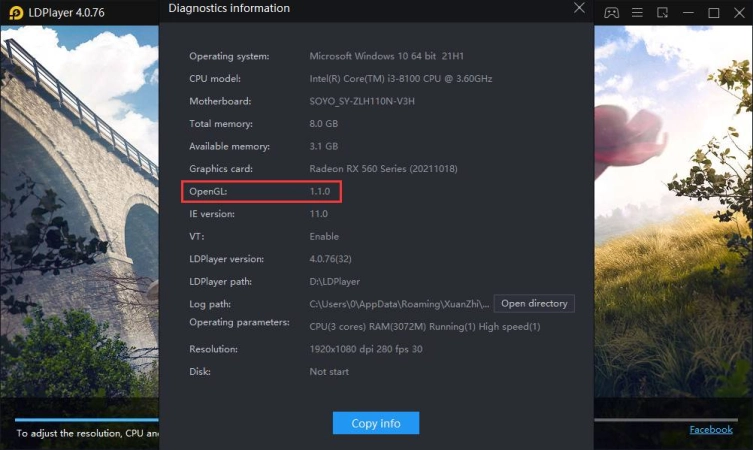
If you meet the OpenGL Error, 1.1.0 OpenGL/unshown OpenGL in diagnostics information or OpenGL ES 3.1 pop-up window, you will not be able to play games in LDPlayer. Or you may meet these problems: crash, flickering screen, or crash when enabling VT. To fix the OpenGL error, you need to update or reinstall your graphic driver.
Update Graphic Driver
If you meet the following situations, you need to update your Graphics driver:
-
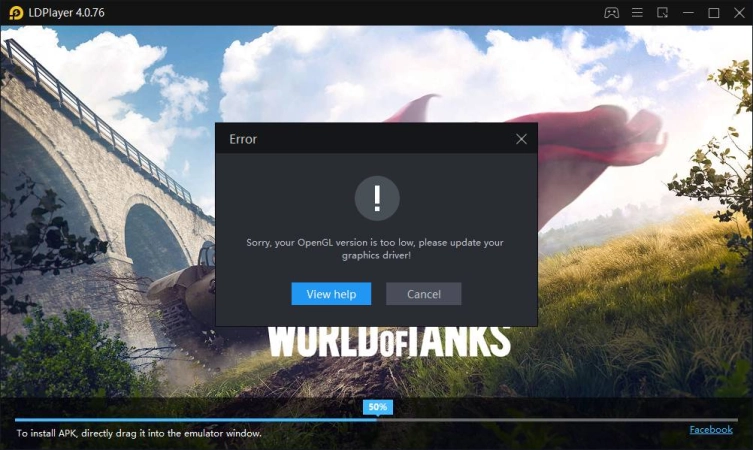
OpenGL Error
Error window where inform you: Sorry, the version of OpenGL is too low, please upgrade the graphics driver!
-
OpenGL ES 3.1 pop-up window
- Graphic driver OpenGL version should be 4.3.0 at least for OpenGL ES 3.0 games.
- Graphic driver OpenGL version should be 4.5.0 at least for OpenGL ES 3.1 games.
So if your graphic driver is lower than this, you are unable to run some of the games on your device. You can check your OpenGL information by clicking the menu > Diagnostics information.
Steps to Update Graphics Driver to Avoid OpenGL Error
Step 1. Please update your graphics driver by clicking here to download the official Driver Booster for your PC.
It's a free trial version offered by IObit and you can experience its full features.
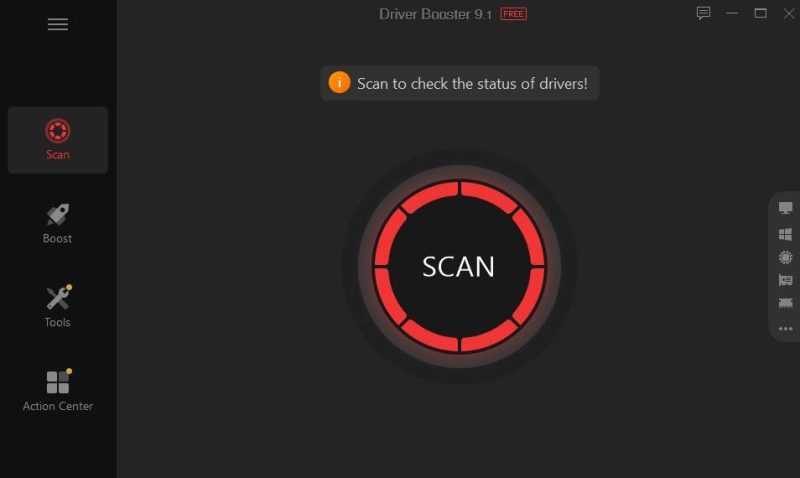
Step 2. Enter into the program and click the SCAN to proceed. The program will report what device drivers you can update.
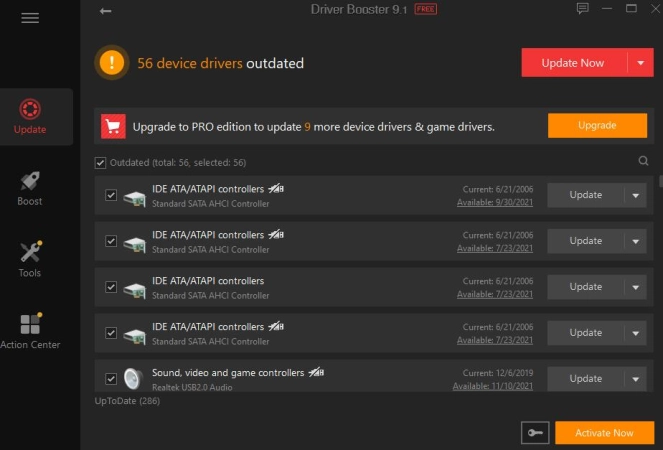
Step 3. After scanning, press Update to update the graphics driver.
Step 4. Restart your computer when you finish updating.
If you cannot update the graphics driver by this method, you can go to the corresponding official website of your graphics cards to update it manually.
NVIDIA's official site: https://www.nvidia.com/Download/index.aspx?lang=en-us
AMD's official site: https://www.amd.com/en/support
Intel's official site: https://downloadcenter.intel.com/product/80939/Graphics-Drivers
Reinstall Graphic Driver
If the problem still exists, please check if the OpenGL is 1.1.0 in the Menu > Diagnostics information. If you find your OpenGL is 1.1.0 or show nothing, it means your graphic driver is not installed correctly and you need to reinstall it.
NVIDIA: https://www.drivereasy.com/knowledge/how-to-reinstall-nvidia-drivers/
AMD: https://www.systweak.com/blogs/how-to-reinstall-amd-drivers-in-windows/
Intel: https://www.intel.com/content/www/us/en/support/articles/000005629/graphics.html