
home page
Games
Pre-RegisterRPGStrategyAdventureCasualArcadeRacingActionSimulation
Support
LDPlayer 9 IntroductionEnable VTStartup Stuck at 50%/94%Fix Invalid Virtual DiskUpdate Graphics DriverKeyboard MappingEnable LDMultiplayerFPS Setting
Blogs
Updates
LDGame
Affiliate
LDGame Community
download ldplayer
Download LDPlayer
English
繁體中文한국어Tiếng ViệtภาษาไทยPусскийPortuguêsEspañolFrançaisDeutsch日本語Indonesiaالعربية

LDPlayer Support

EmailFacebookDiscordLDGame Customer Service(For LDPlayer account & recharge problem)

Products

LDCloudOSLinkEasyFunLDShop

About

About UsBusiness InquiryDMCA Takedown

Follow Us

©2025 LDPLAYER.NET , ALL RIGHTS RESERVED.JUST OKAY LIMITED , OFFICE F, 12/F, YHC TOWER , 1 SHEUNG YUET RD, KOWLOON BAY KLN, HONG KONG
Games and applications on this site are collected from the internet. If there is any infringement, please contact the email: support@ldplayer.net
Privacy Policy|GDPR Privacy Notice|Help Translate
English
繁體中文한국어Tiếng ViệtภาษาไทยPусскийPortuguêsEspañolFrançaisDeutsch日本語Indonesiaالعربية

Support/

Launch Error

Fixed LDPlayer Failed to Get COM Interface (InvalidClientClass)

2023-11-17
Fixed LDPlayer Failed to Get COM Interface (InvalidClientClass)

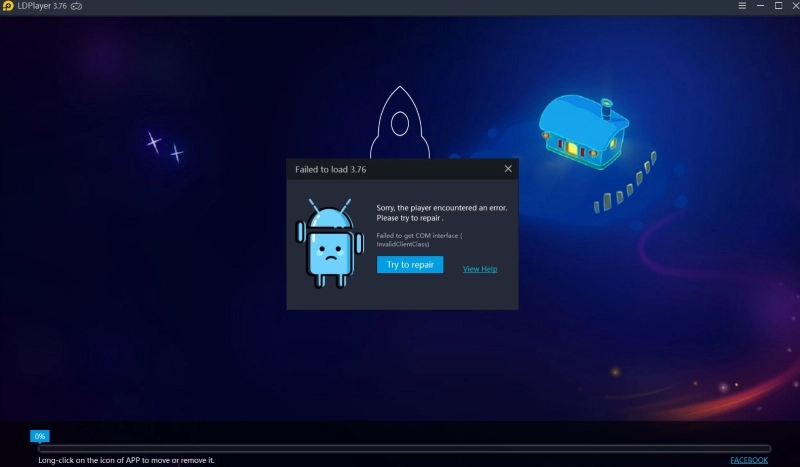
You might see the pop-up window where informs you that “Sorry, the player encountered an error. Please try to repair.” when you use LDPlayer. Even you click the button “Try to repair” to repair it, the problem still remains. To fix the problem, you can try the following method to clear the trouble.


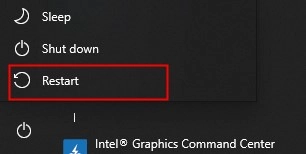
Step 1. Restart your computer.
Fixed LDPlayer Failed to Get COM Interface (InvalidClientClass)


Step 2. Disable all the anti-virus applications on your computer such as PCProtect, Norton 360, etc.


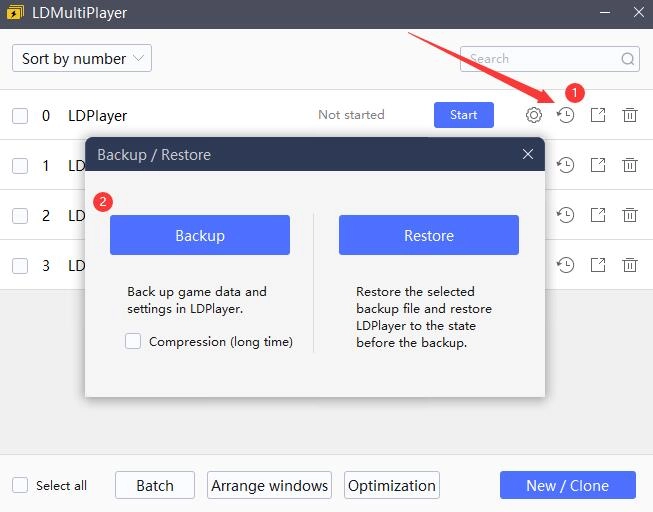
Step 3. Then you need to backup the emulator data of LDPlayer. This is because you’ll reinstall the LDPlayer on another location path in the following step, which leads to the new emulator cannot overwrite the old one. That means you cannot save the old game data to the newly-created Android emulator. Backing up the emulator data can save all your game data/account in LDPlayer. Please read this post to backup your emulator data: How to Backup/Restore Emulator Data for LDPlayer.
Fixed LDPlayer Failed to Get COM Interface (InvalidClientClass)


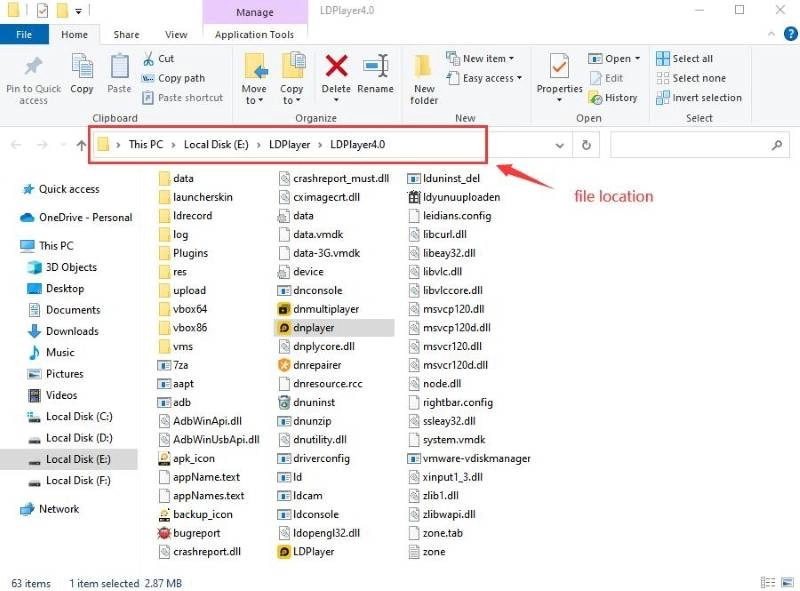
Step 4. After backing up the emulator data, uninstall the old emulator and reinstall the LDPlayer on another disk. For example, you’ve installed LDPlayer in Disk E before, and you need to reinstall the LDPlayer in Disk C or Disk D. Just right-click the icon of LDPlayer and choose “Open file location”. Then you can see which disk you have installed in.
Fixed LDPlayer Failed to Get COM Interface (InvalidClientClass)


Step 5. In general, the problem of “InvalidClientClass” can be fixed after operating the three steps above. If so, you can restore the emulator data and use it to play your Android game again. If not, you need to reinstall the computer system.

Was this article helpful?
6423 users found this helpful.
Video Tutorials
LDPlayer Introduction
Affiliate Program
Launch Error
Invalid Virtual Disk (InvalidMedium)Startup Stuck at 50%, 94%, 30%How to Disable Virtual Machine Service to Avoid Lowering Emulator Performanceg_bGuestPoweroff fastpipeapi.cpp: 1161/1153 ErrorCOM Interface (InvalidClientClass)Failure to initializeCOM Interface (InvalidVirtualBox)Too Much Time in LaunchHow to Fix The nRes == 0 fastpipeapi.cpp:785/640 Error on LDPlayerMulti-instances Startup Stuck at 94%How to Fix Initiation Failed Error when Opening The EmulatorHow to Fix 1860/1159/2000 Error and Emulator Loading 50% Error Caused by Google Play GamesHow to Create a Minidump File to Diagnose Blue Screen Errors
Enable Virtual Technology
Function Instruction
Game Installation
Device Optimization
Multi-instance
Network Bridging
Data Recovery/Backup
Game Troubleshooting