
Game Installation
Fix Your Device Isn't Compatible with This Version on Play Store
2021-06-23
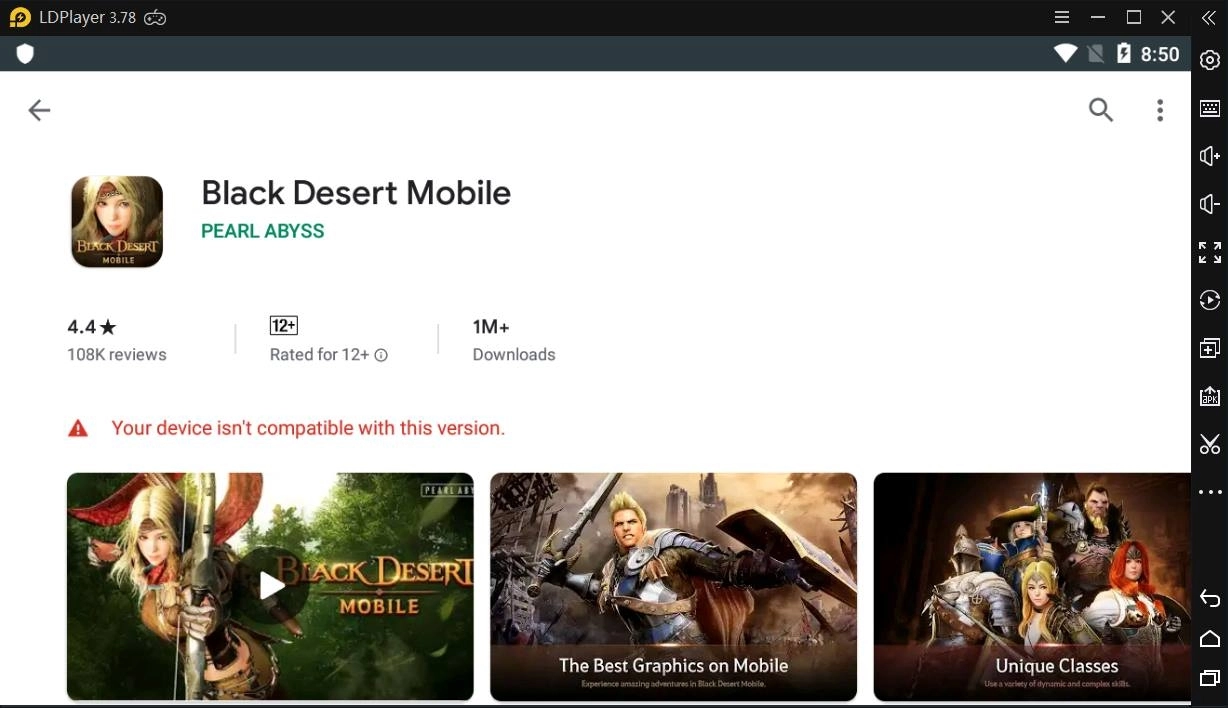
When you try to install a game from Google Play Store on LDPlayer but you receive the message of "Your device isn't compatible with this version", you can follow the troubleshooting methods below and understand the situations that may cause the problem.
What May Be the Reason for The Incompatible Alert and How to Solve it?
When searching or browsing the Google Play Store app, you'll only see apps that are compatible with your device. This is also the case in LDPlayer. So normally, you can't even search the app in Google Play that will through this "Your device isn't compatible with this version" to your face, unless you're accessing the page from other way, for example, from a direct link.
It doesn't matter how you enter the app page in Google Play but when you see this alert from the app you want to install on LDPlayer, you have to consider the possible reasons below.
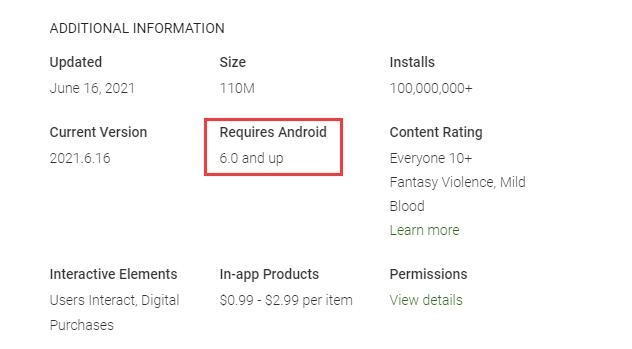
The App Requires Device with Higher Android OS
You should know that LDPlayer 3 is using the Android 5.0 and LDPlayer 4 is using Android 7.0 Operating System. So, if the app you try to download requires your device should at least use higher Android OS than the OS your emulator offer, this incompatible alert will appear. For example, Genshin Impact requires Android OS at least to be Android 9, and none of the versions of LDPlayer could be able to run this app.
If you're using LDPlayer 3 but the app you want to run requires at least Android 6 or Android 7, you can fix the issue by downloading LDPlayer 4.
The App Requires 64-Bit Android Device
If the problem doesn't come from the least requirement for Android OS, you should check whether this app is limited to download on 64-bit Android device but you use the 32-bit emulator to access the app download page.
Normally, you should be using the 32-bit versions of LDPlayer instead of the 64-bit LDPlayer. This will casue the app incompatible issue even if you download the app from other source or directly install the apk on LDPlayer. You can try install this 64-bit version of LDPlayer and search the app again. If you can download the app successfully in 64-bit LDPlayer, then yes the app you want to download is limited to be installed on 64-bit Android device.
The App Developer Set Device Limitation
Developers have the right to set their applications targeted to specific devices based on screen size, mobile service provider, location, and a number of other factors. And the configuration of your emulator device failing to apply one or more requirements could also cause the incompatible issue for download.
After you make sure the problem doens't come from the above two situations, you can try to install the app from other source of Play Store. This will bypass the download limitation but the app can work fine on the emulator. For example, you can download the app from LD Store.
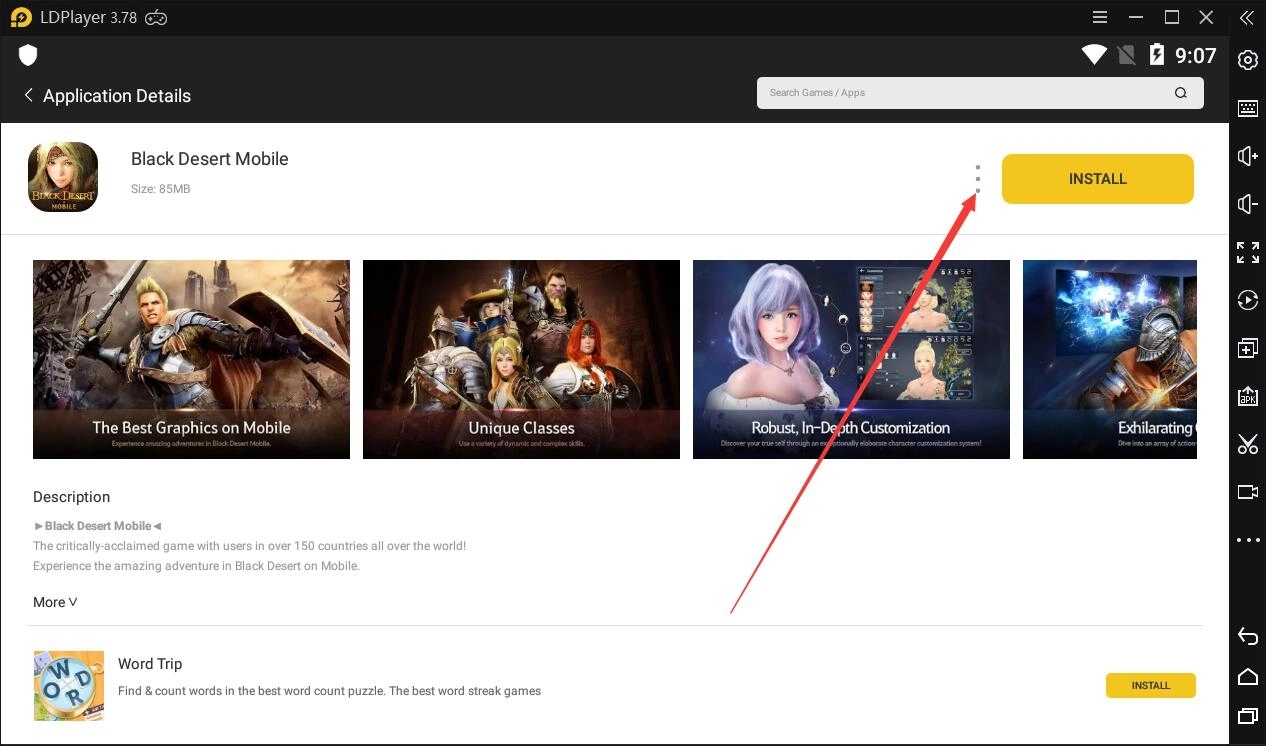
1. Enter LD Store search for the app
2. Click ︙>>> Local Install
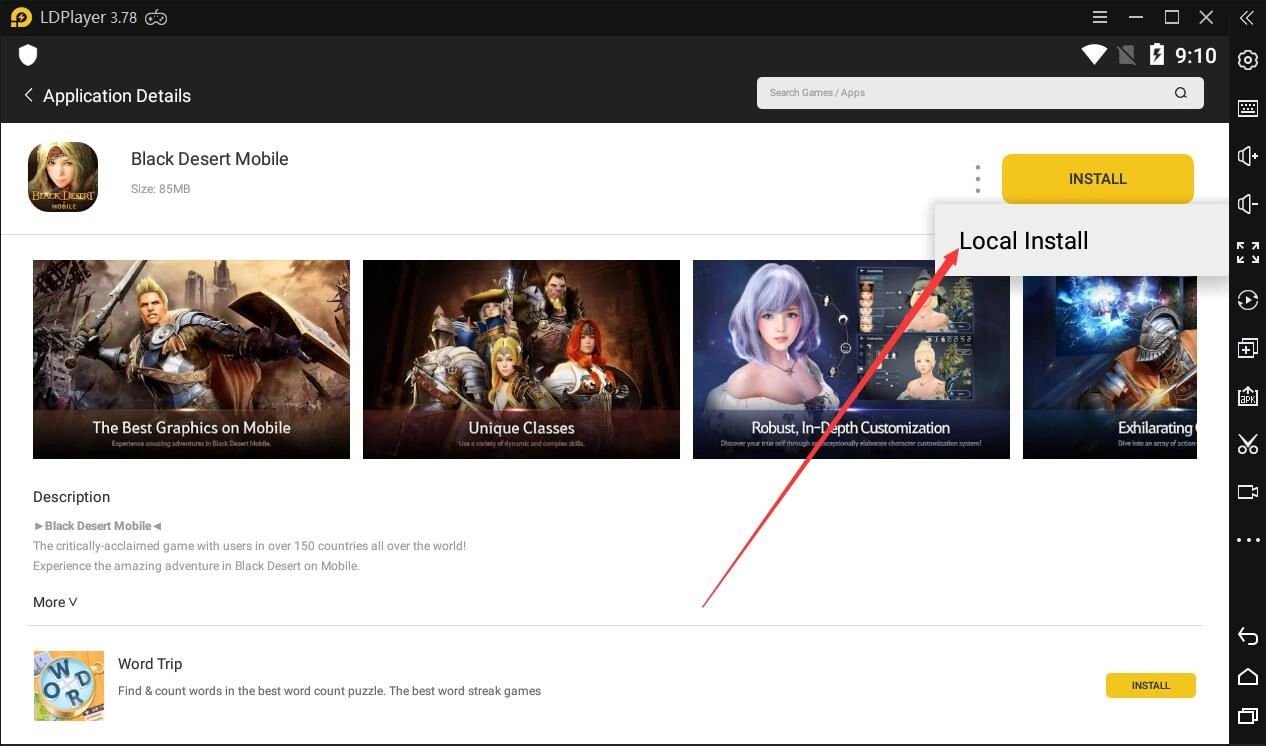
If a game can't be found on LD Store, please let us know so that we can add it in LD Store.
Note: You should check&download 32-bit apk file for 32-bit emulator and 64-bit for the 64-bit version of LDPlayer if you decide to install the app using third-party apk.