
Game Installation
How to get APK files from installed games or apps
2018-05-15
You can get the APK file in the following way.
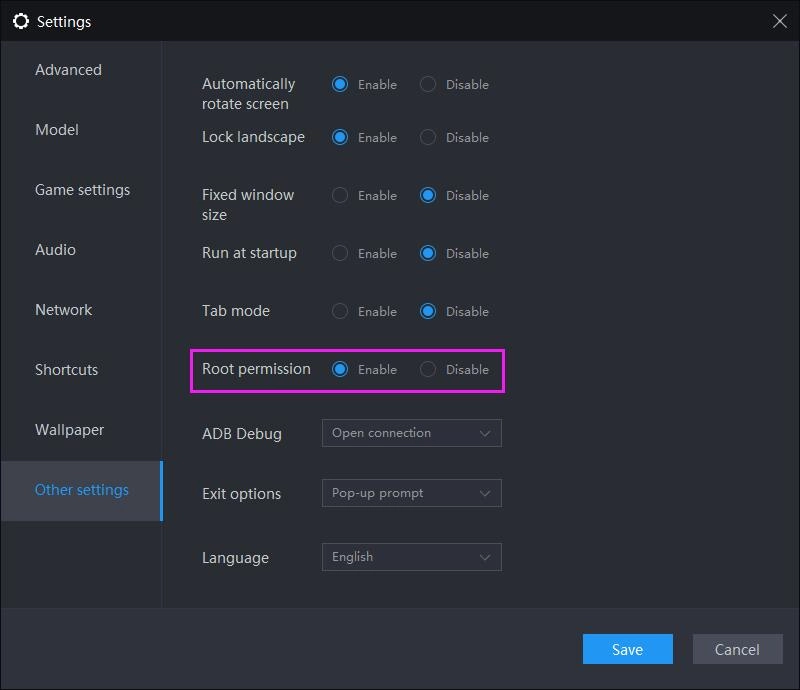
Make sure that you have enabled the root permission in settings of LDPlayer.
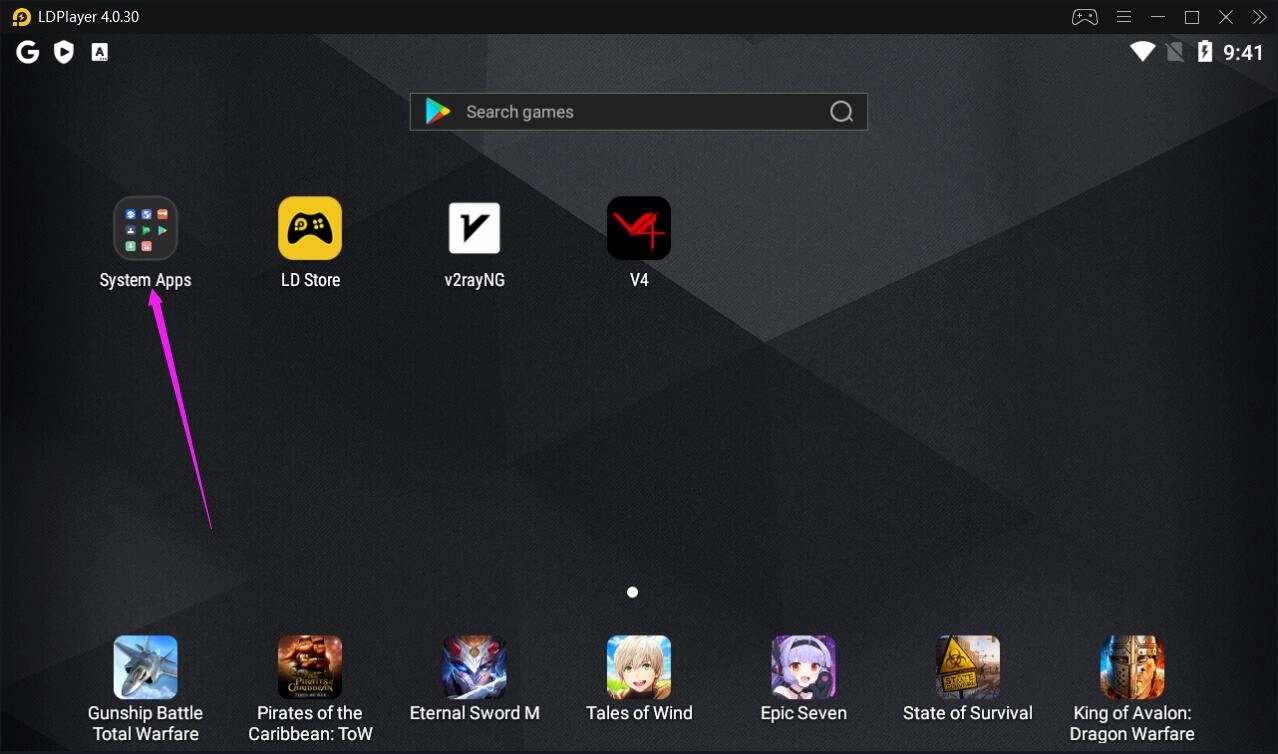
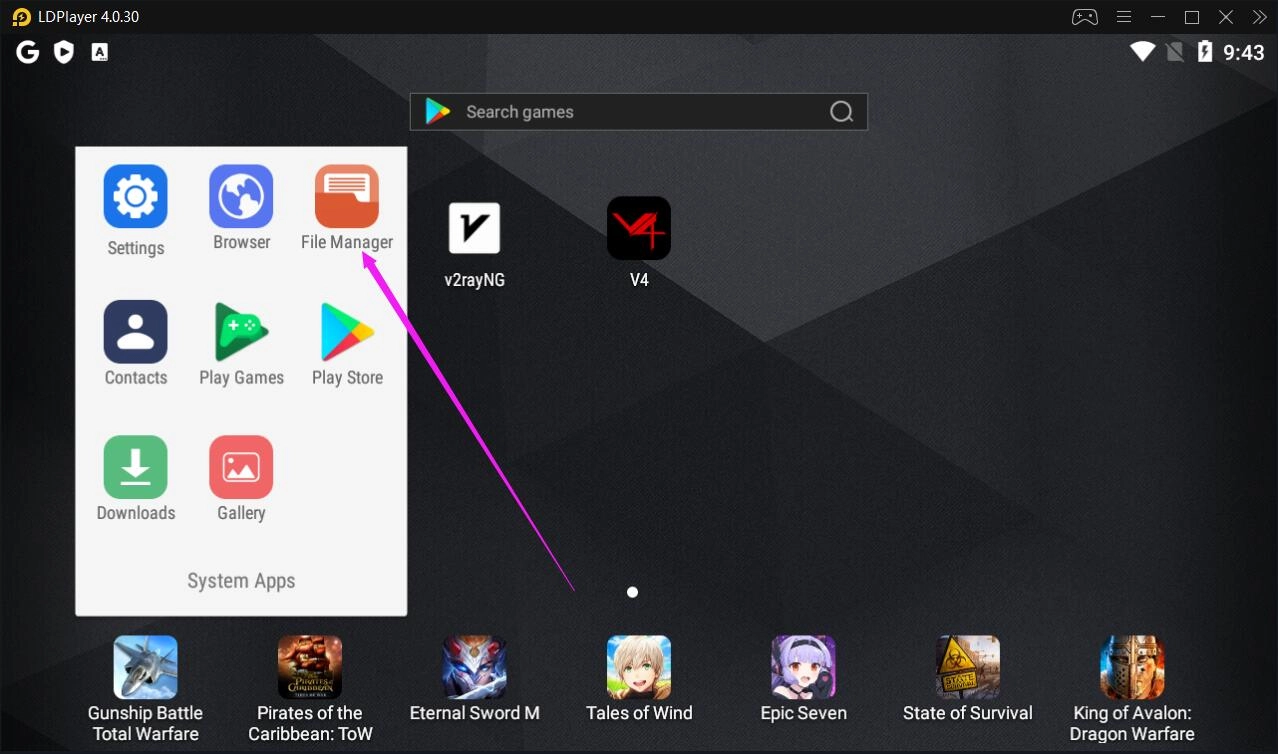
1. Click System Apps on the home screen and then click File Manager.
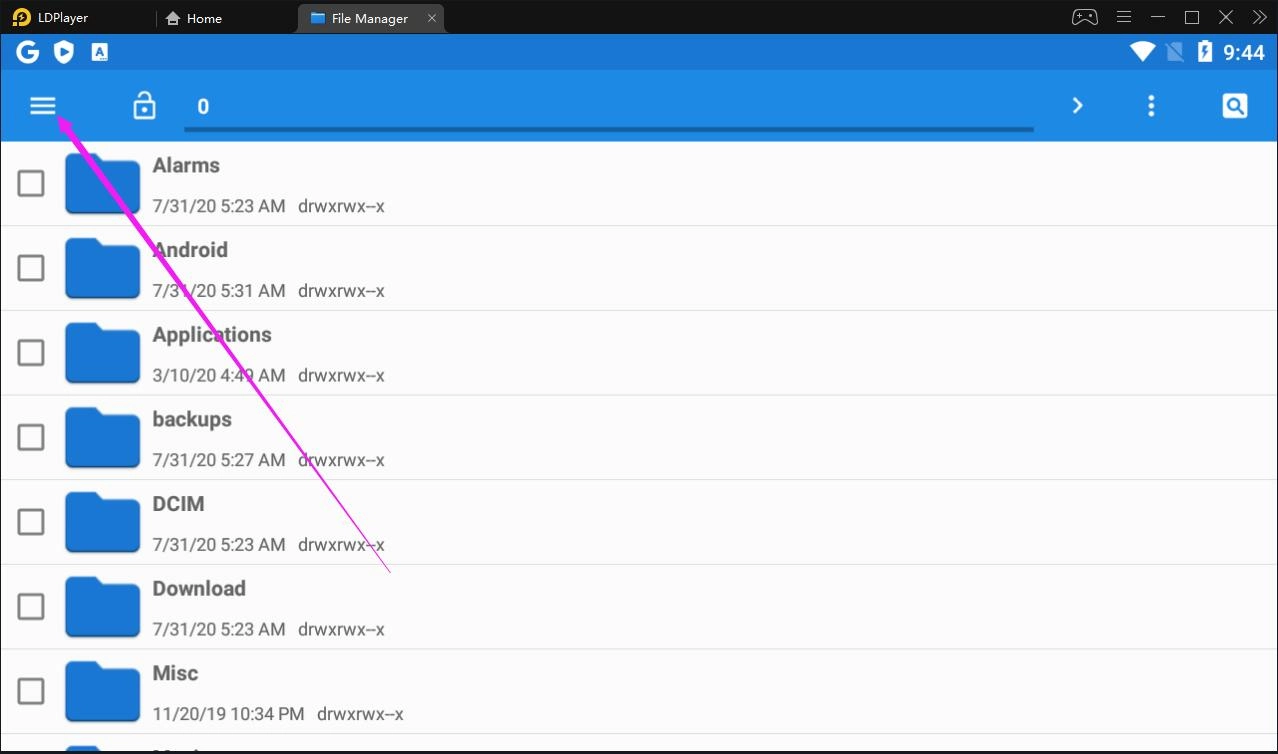
2. Click the ≡ menu in the top left corner and then click Settings.
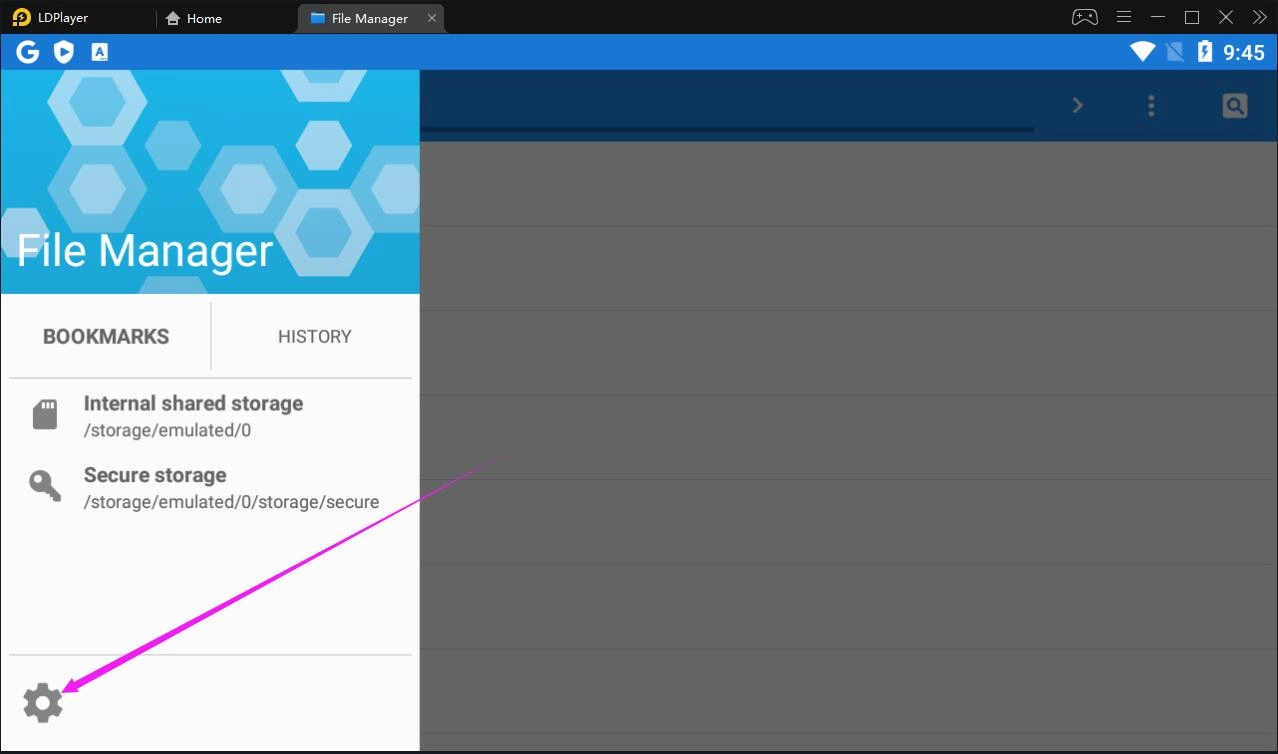
3. General settings-->Access mode-->Root Access mode.
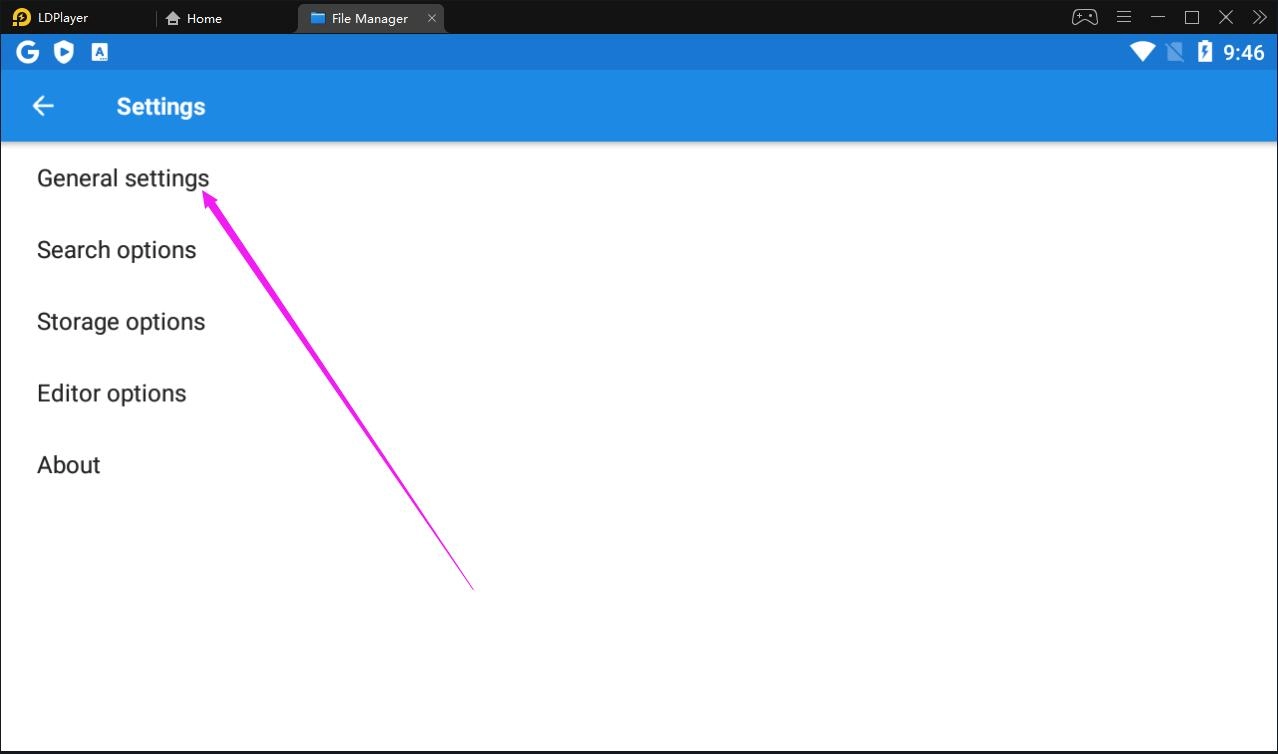
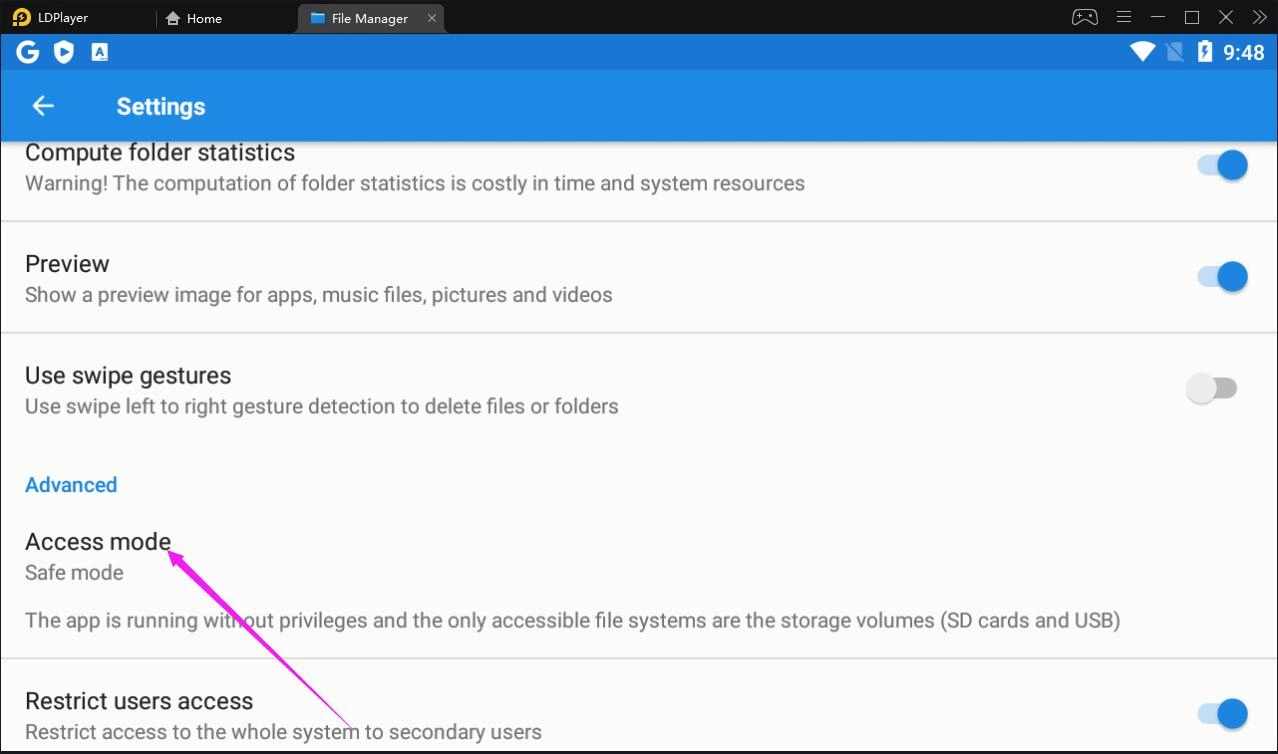
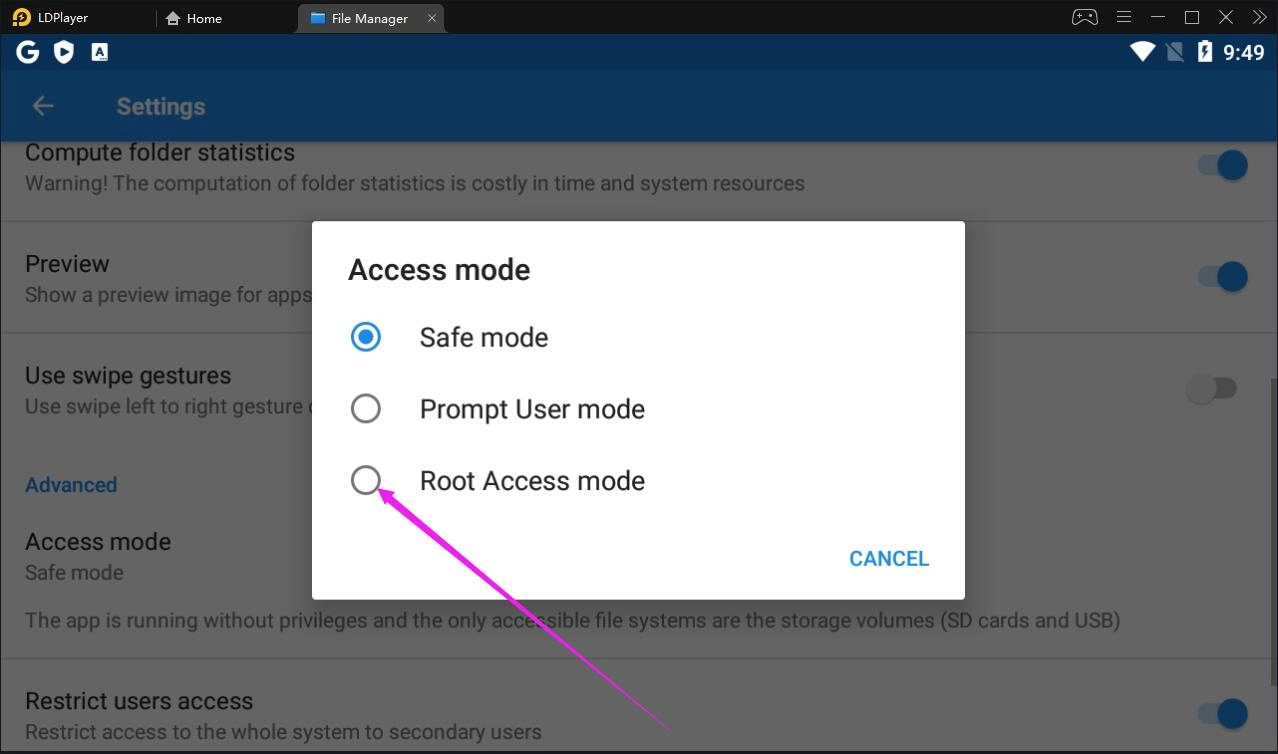
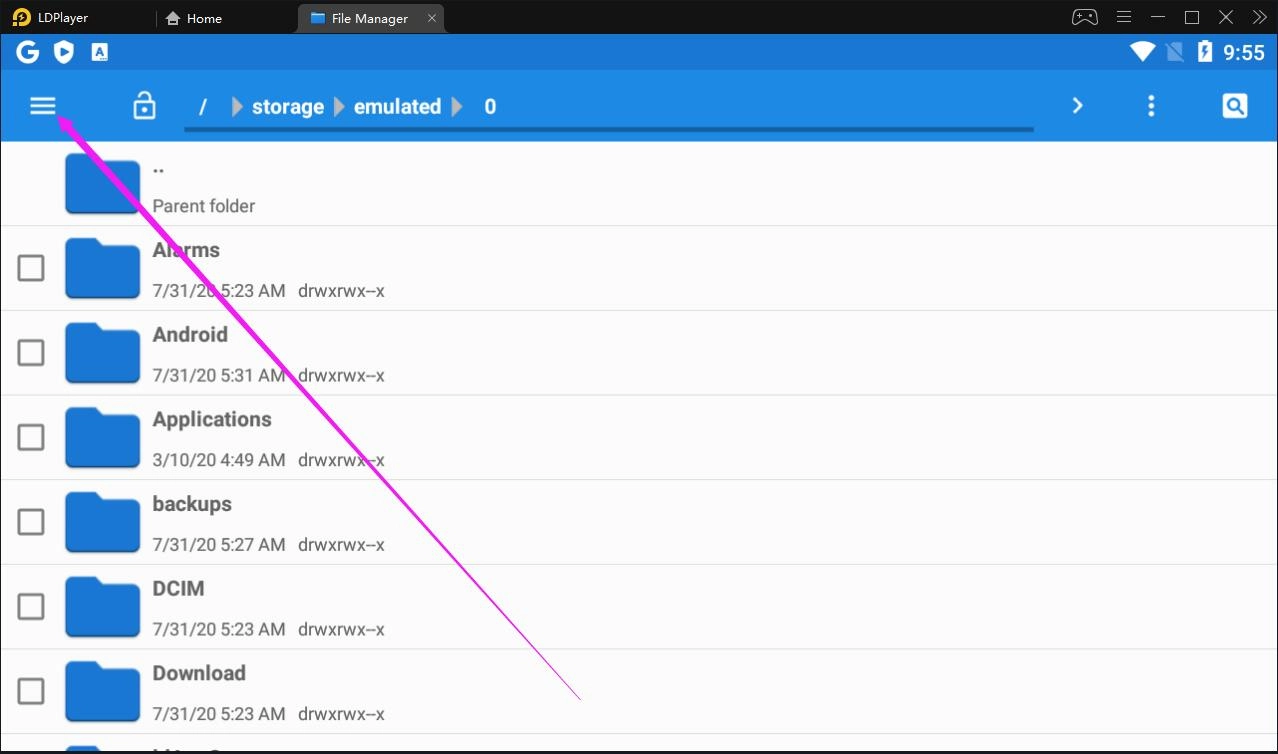
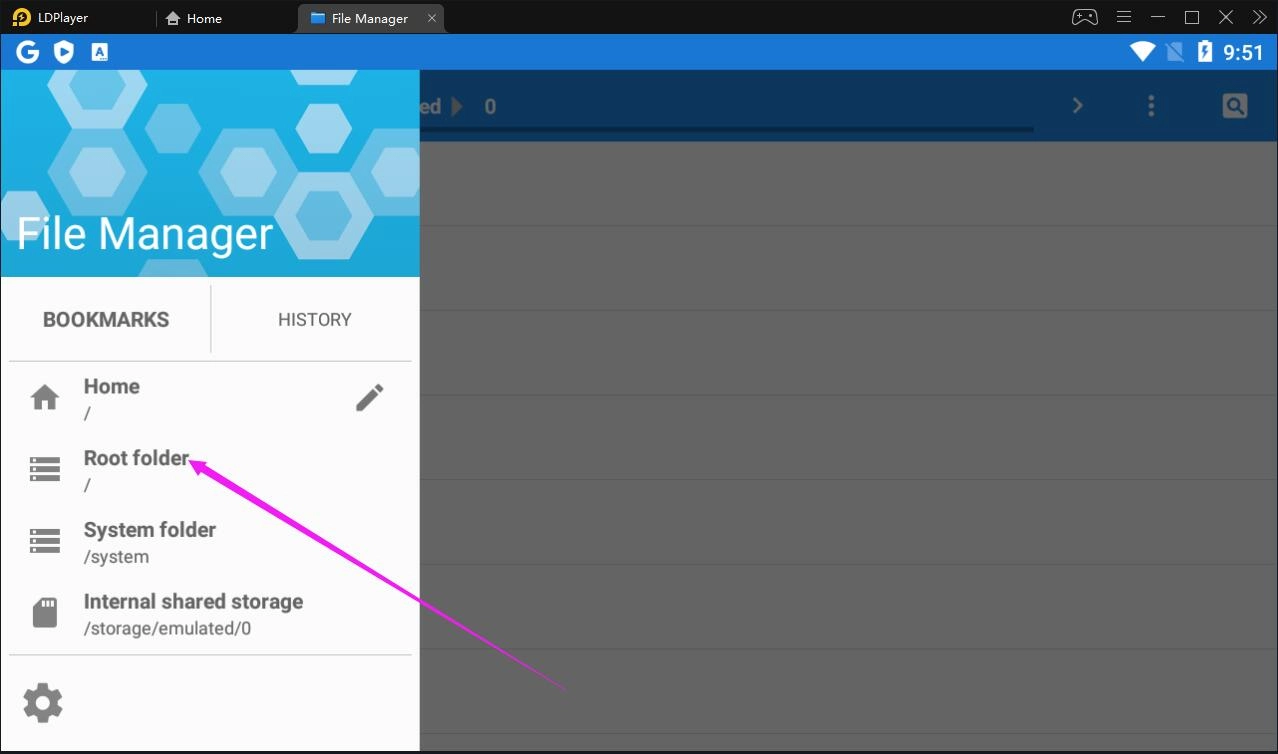
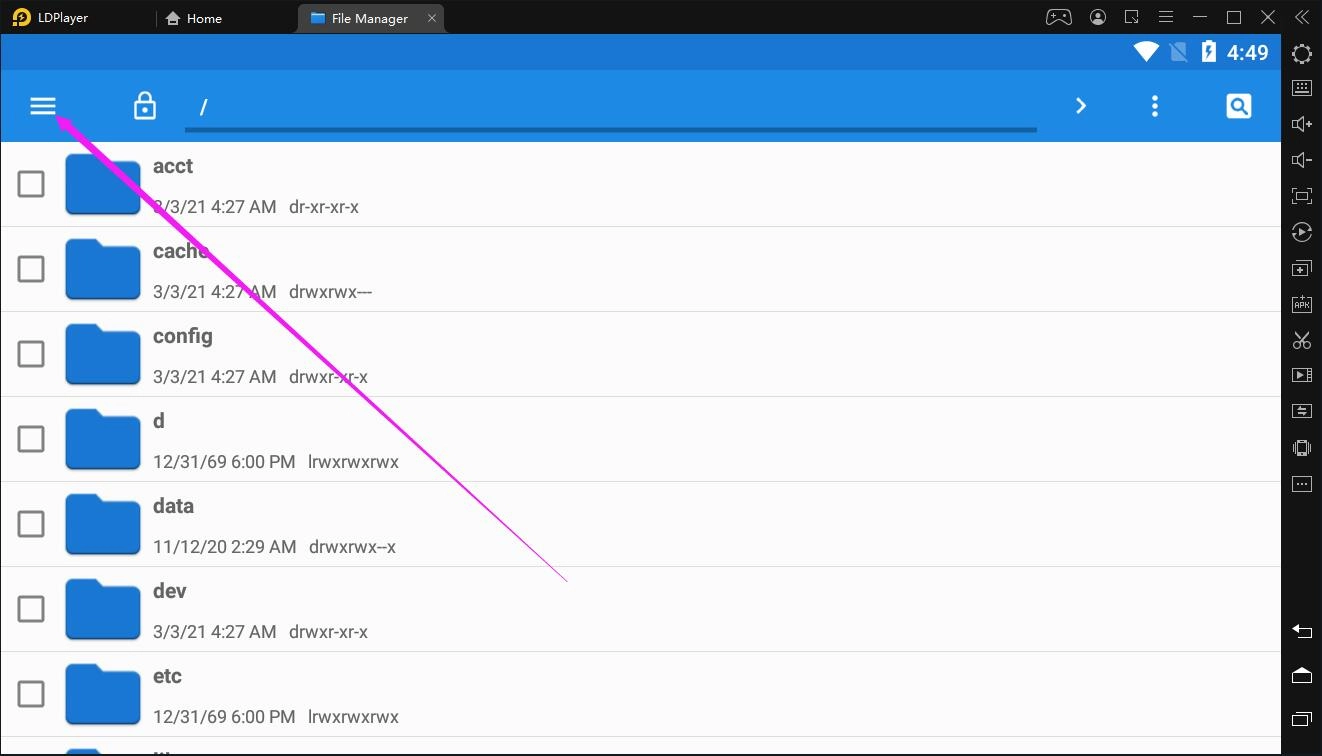
4. Go back to click the ≡ menu in the top left corner and then click Root folder.
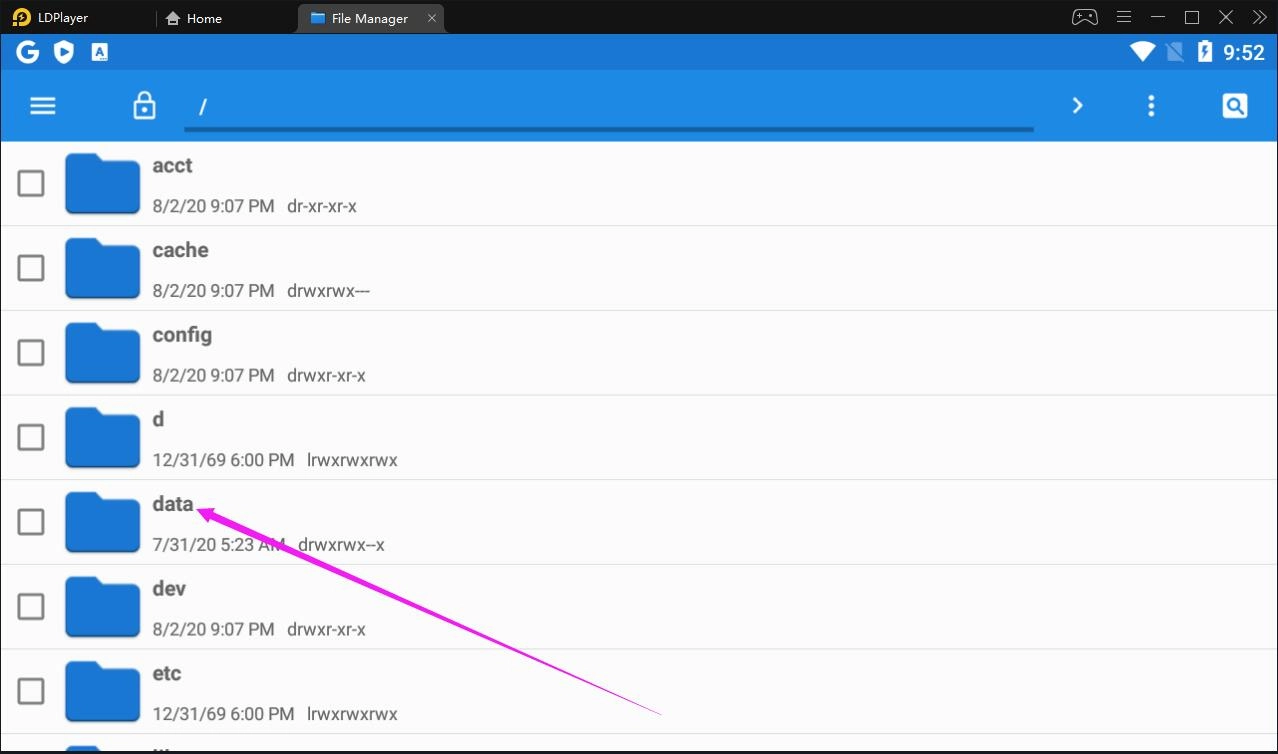
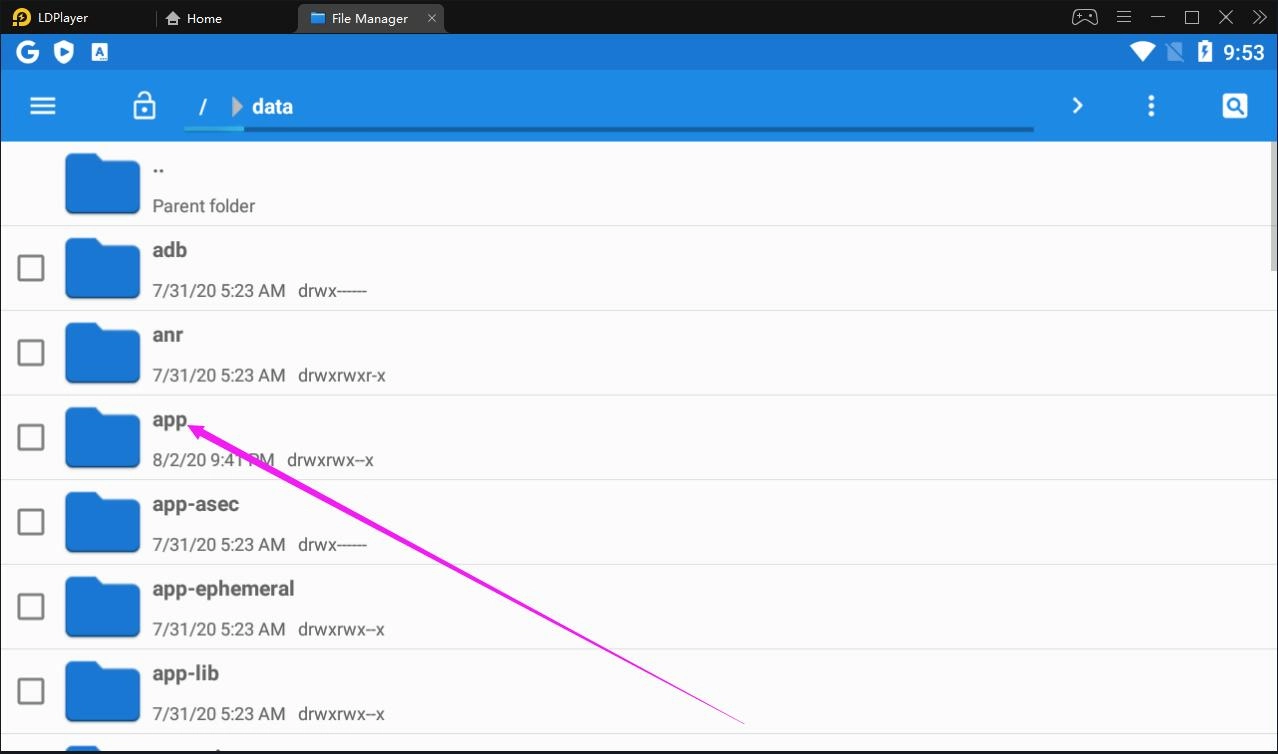
5. Click the data folder and then click the app folder.
6. Find a folder whose filename contains the package name of your app or game. After entering that folder, you will find a file named base. That is the one that you are looking for! We will take the game Black Desert Mobile for example.
Note: If you don’t know the package name of the game, you can find it in the Google Play Store URL of the game.
For example, the Google Play Store URL of Black Desert Mobile is https://play.google.com/store/apps/details?id=com.pearlabyss.blackdesertm.gl&hl=en&gl=US, com.pearlabyss.blackdesertm.gl is the game's package name.
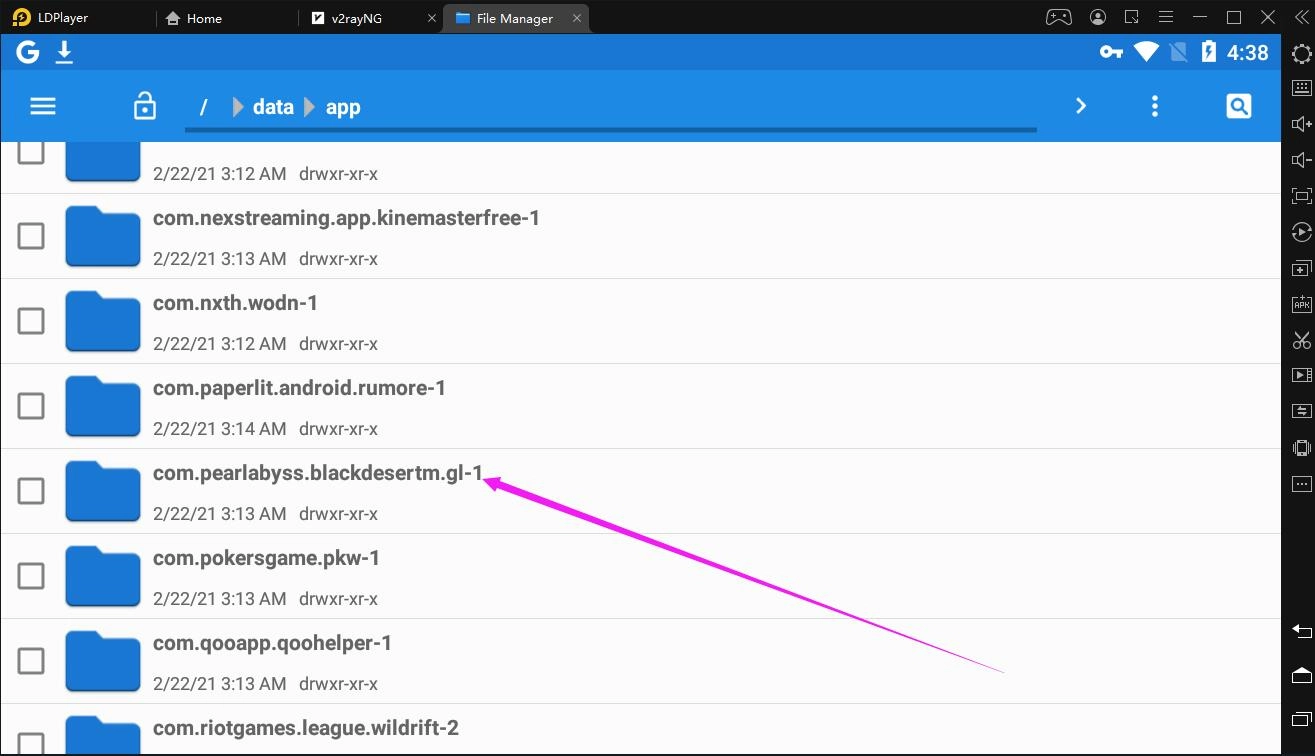
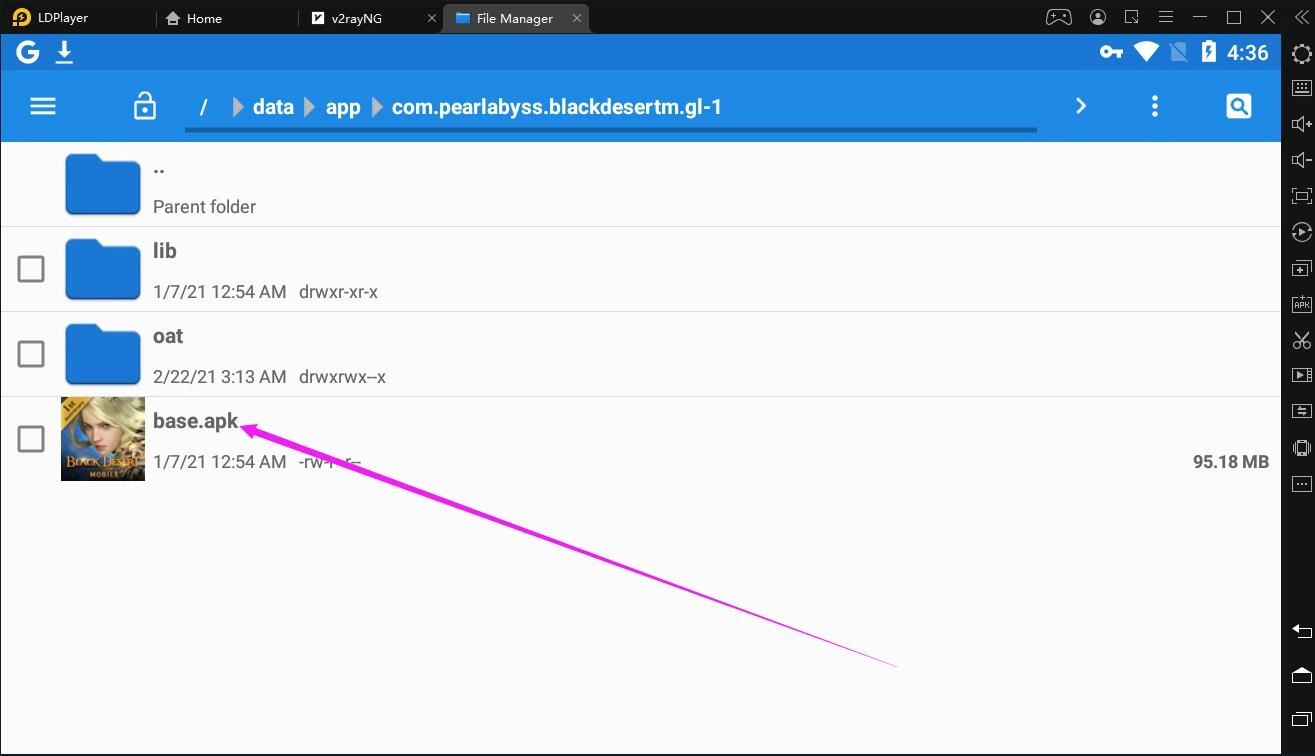
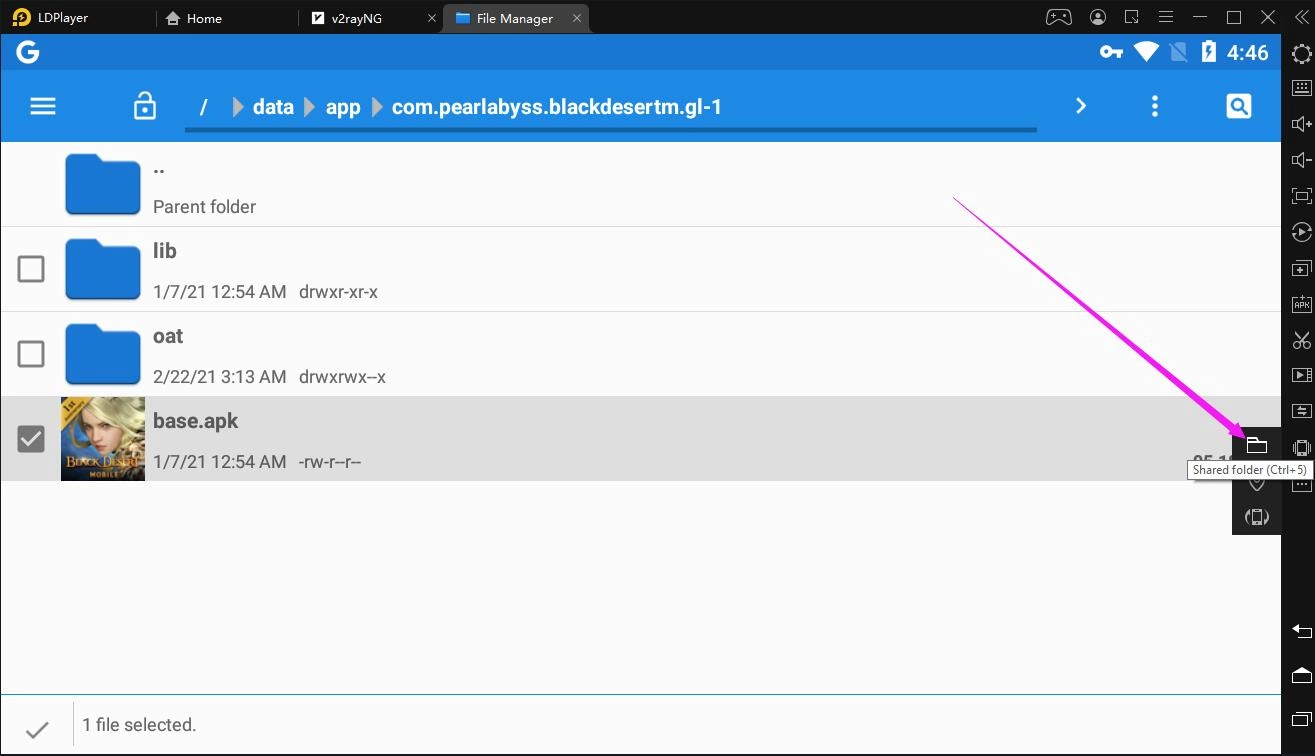
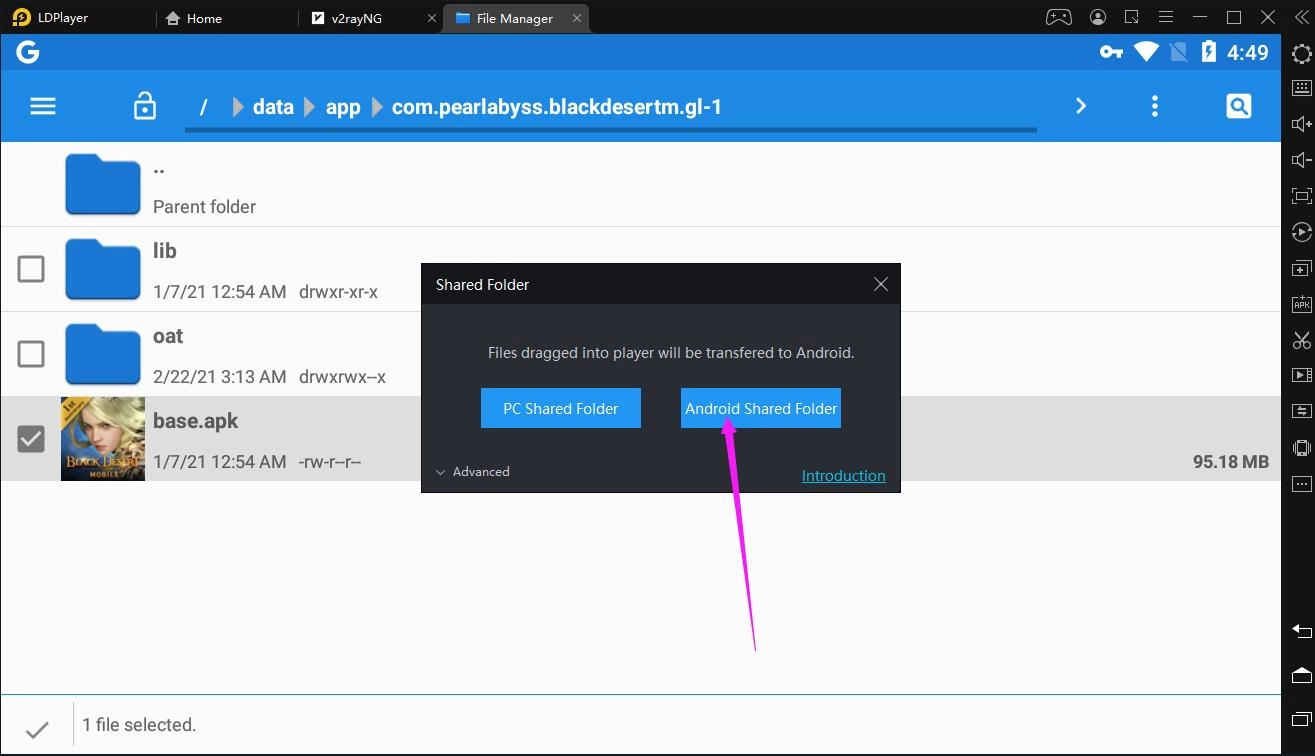
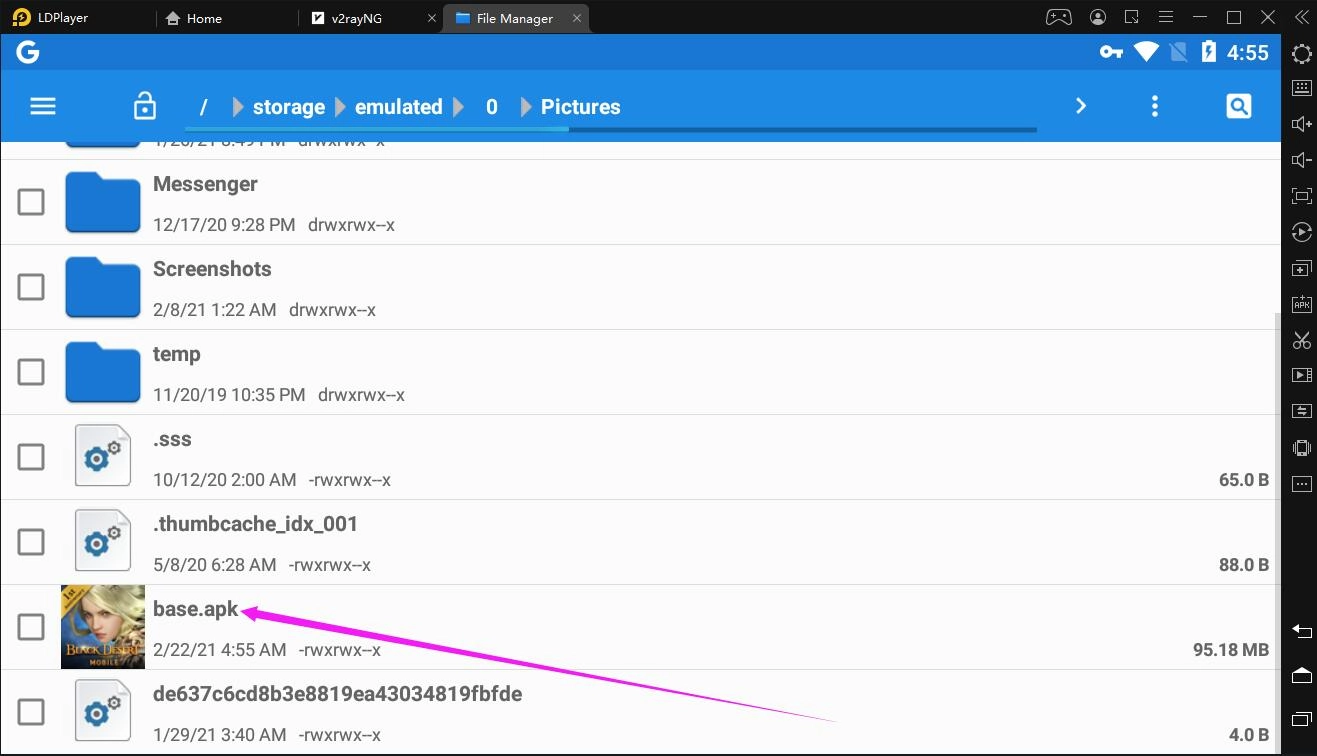
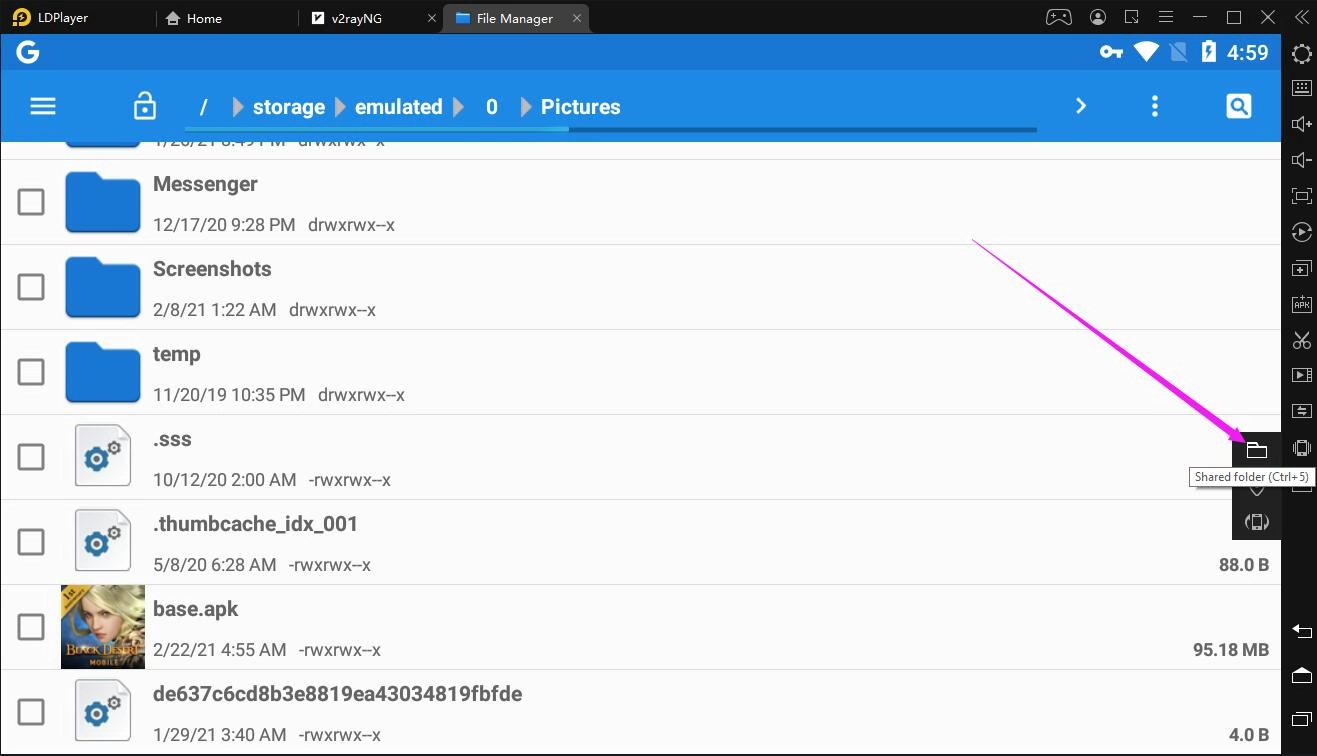
7. After you find the apk file base, copy it to the Android Shared Folder which can be opened by clicking the Shared folder feature in the right toolbar and then clicking Android Shared Folder. The detailed steps are as follows:
7.1. Chcek the check box in the left side of the base file.
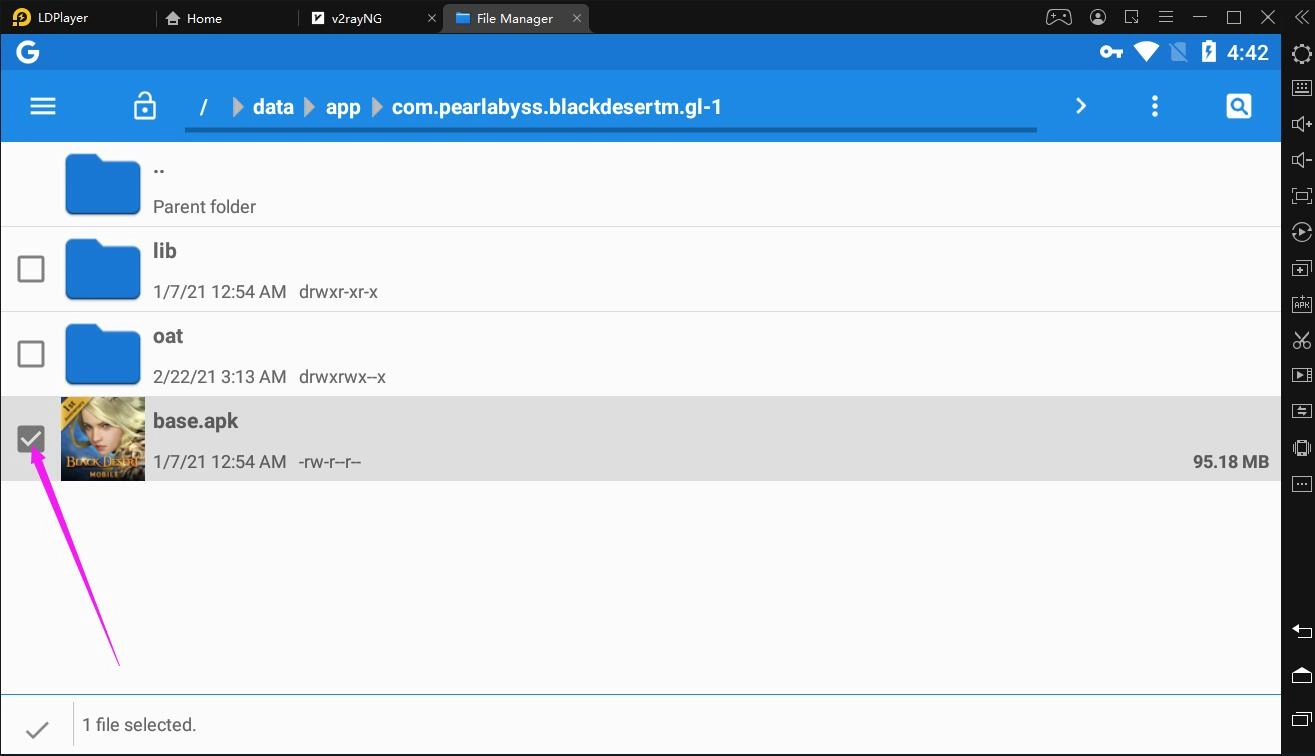
7.2. Click the Shared folder feature in the right toolbar.
 7.3. Click Android Shared Folder.
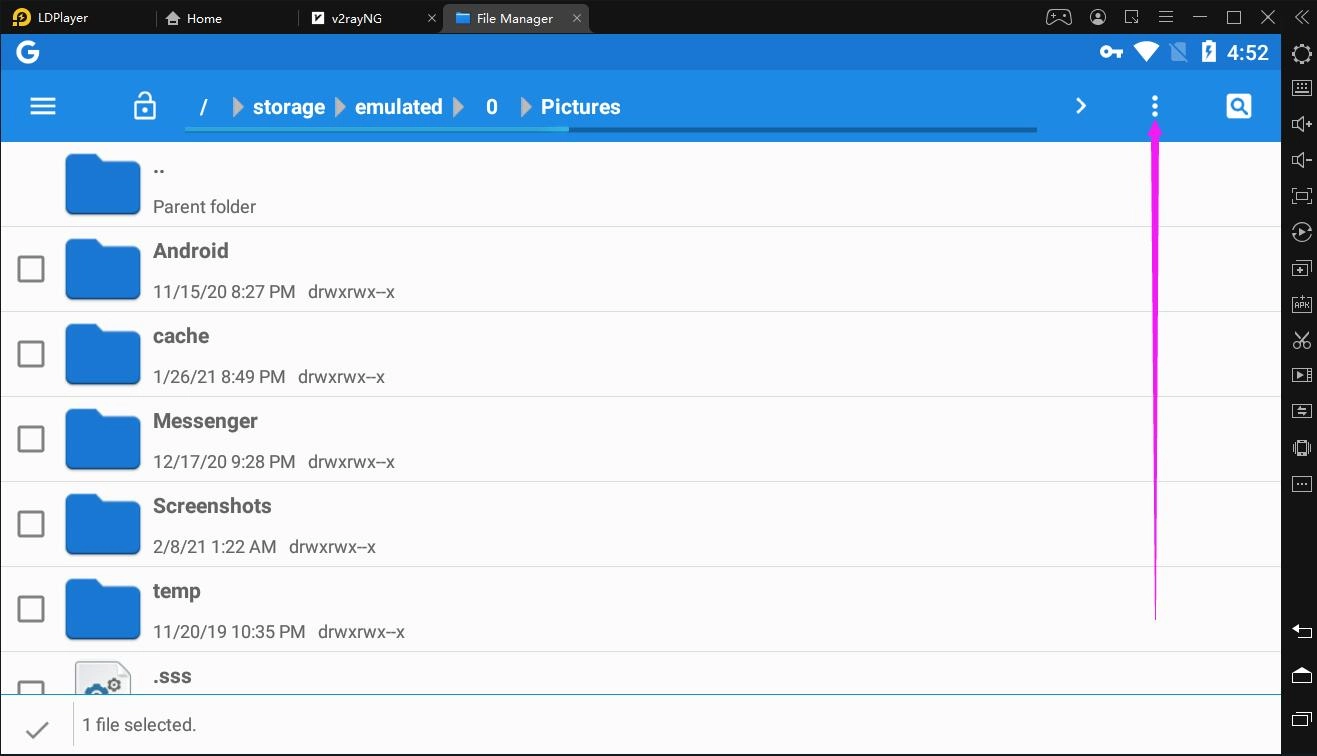
7.4. Click ┇ in the top right corner.
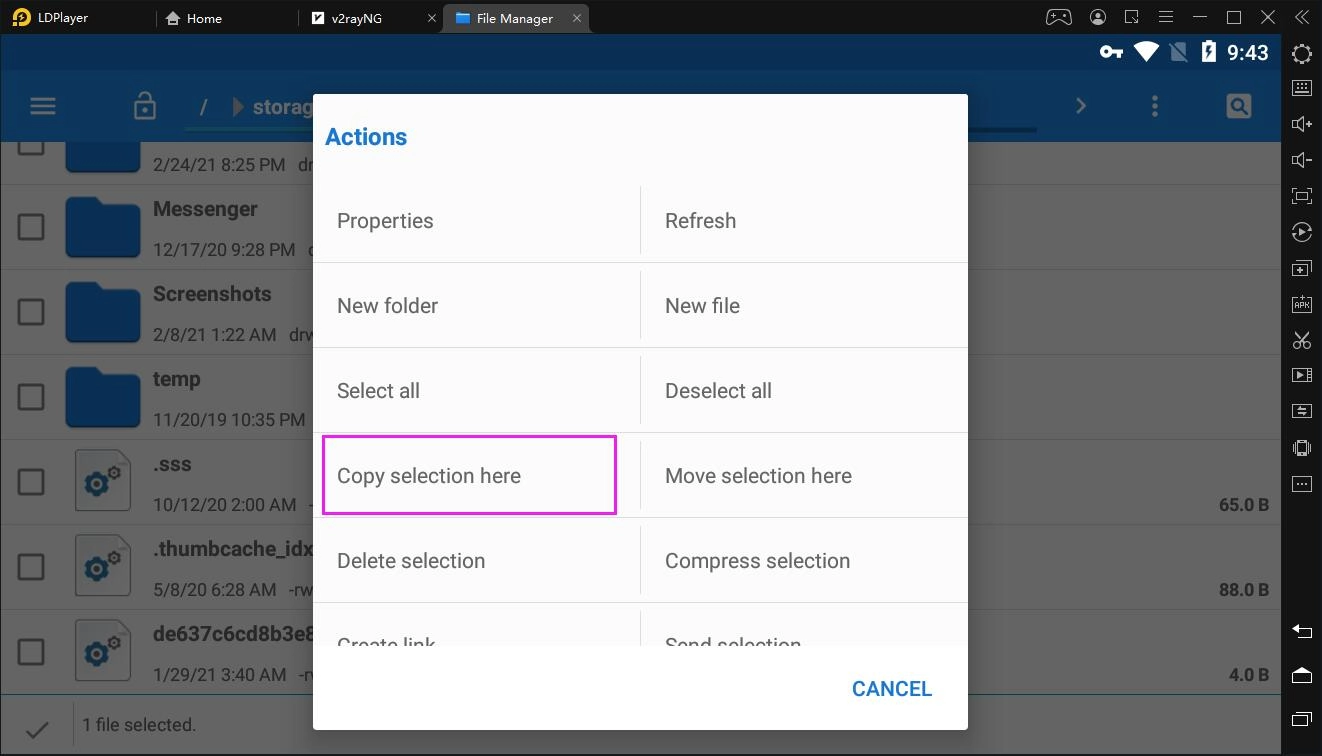
 7.5. Click Copy selection here.
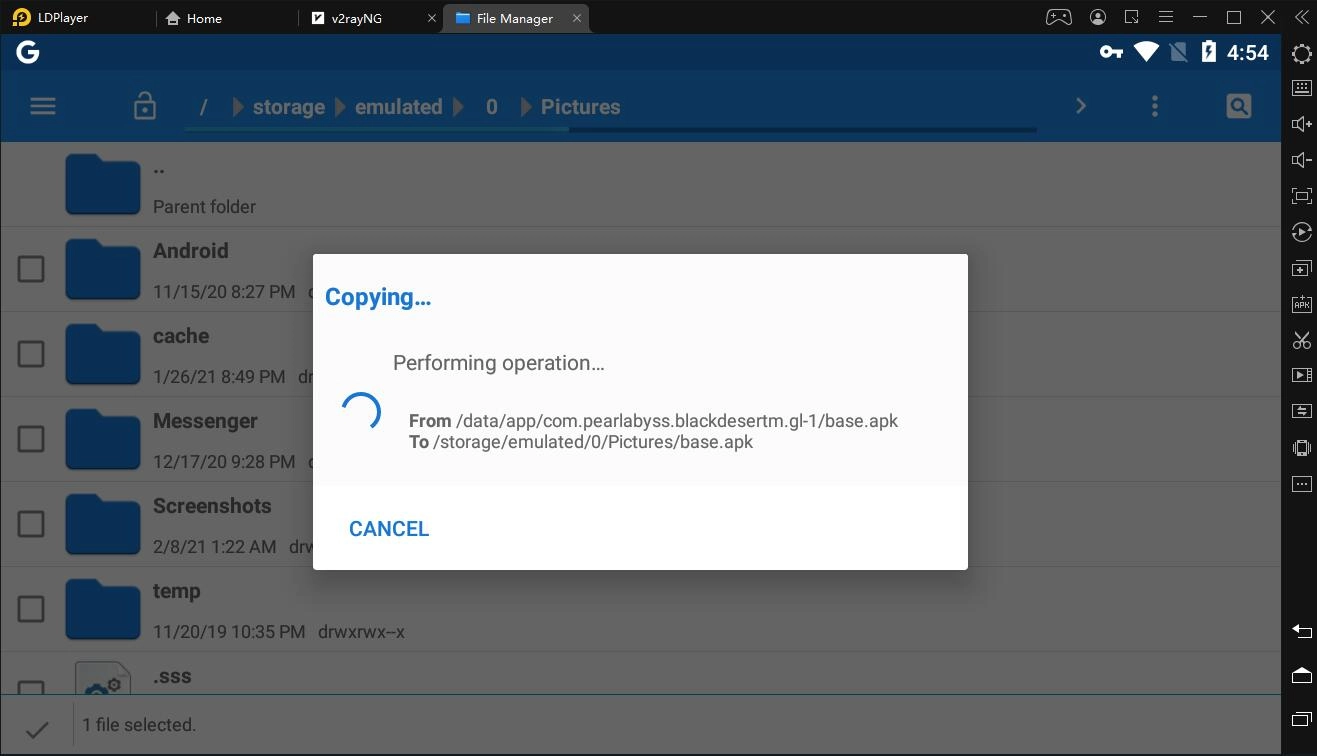
7.6. Scroll down to find the base file.
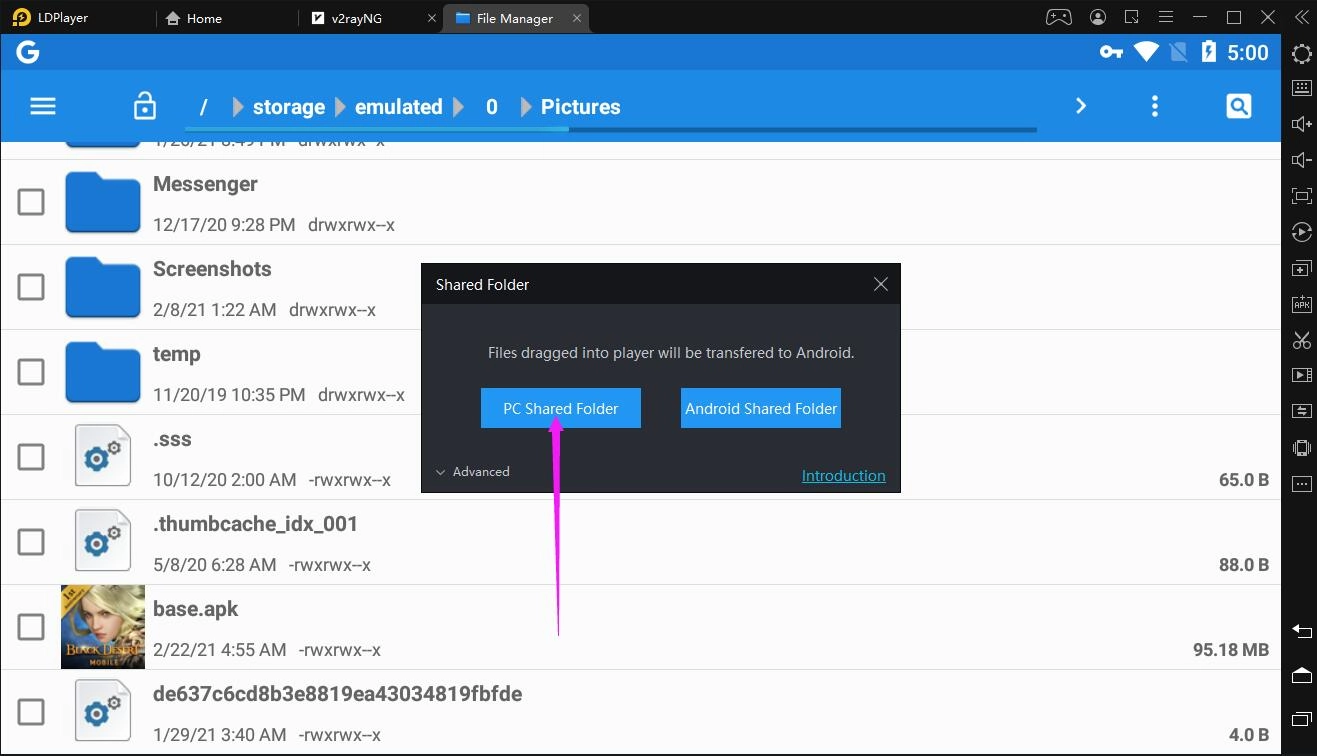
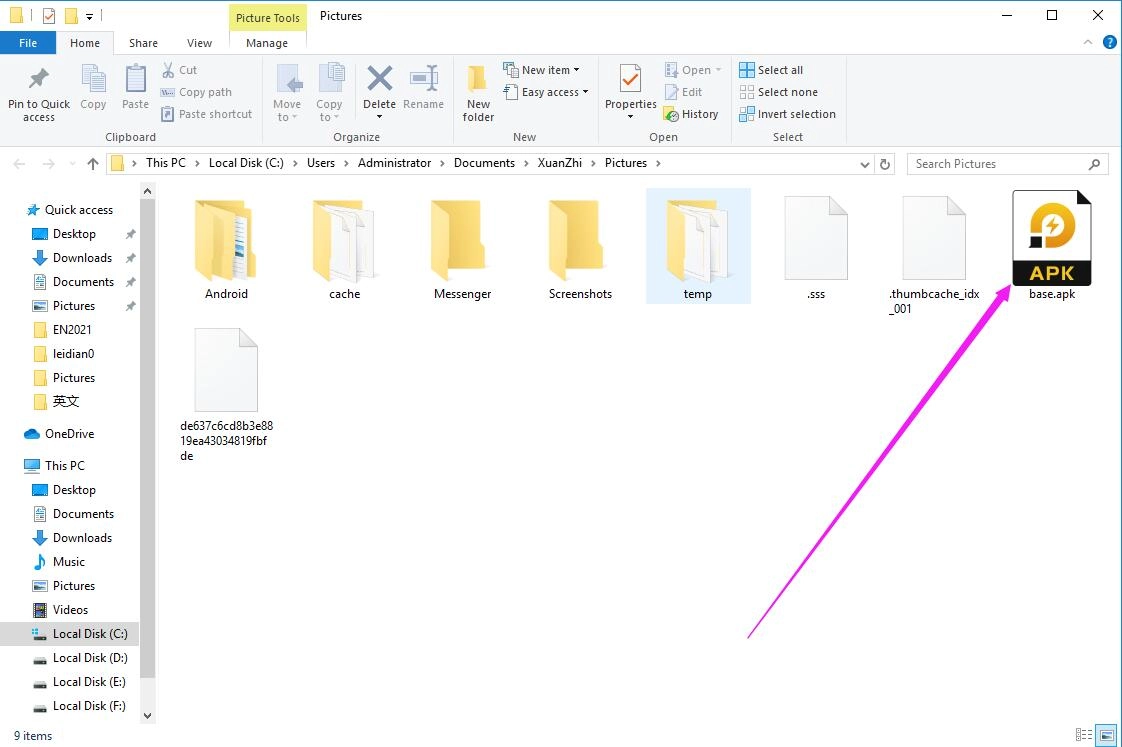
8. Finally, you will be able to see the base file on your PC by clicking the PC Shared Folder button in the Shared folder feature in the right toolbar.
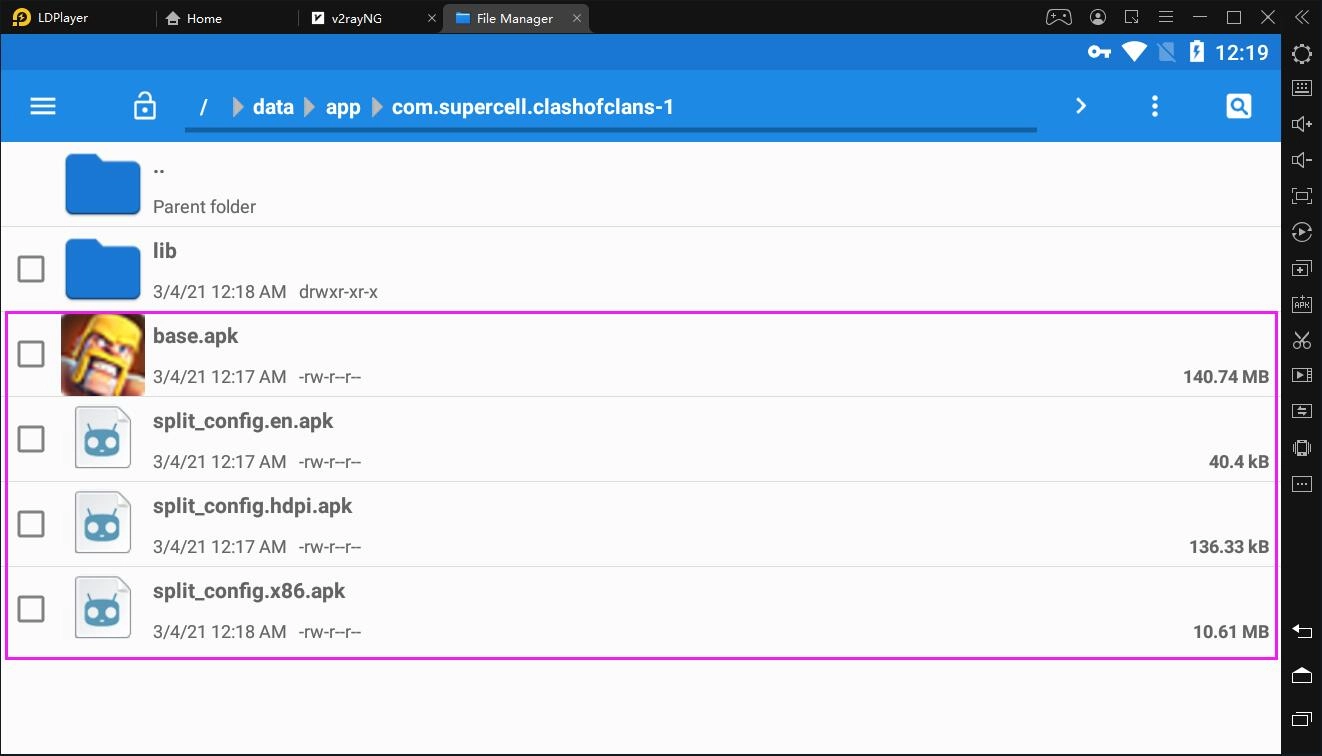
Please note that sometimes you will find that the base file and additional APK files are in the folder named after the package name of your app or game. All of the APK files form a complete installation package of the app or game and so you have to copy all of them to the Android Shared Folder. For example, the picture below shows the base file and additional APK files of the game Clash of Clans.
As you know, some games' installation packages inlcudes OBB files. All OBB files can be found in an obb folder whose path should be /\storage\emulated\0\Android\obb. But how do I judge if an installation package of a game contains OBB files when I downloaded the game from Google Play Store? You can compare the size of the base file with the game's size described in Google Play Store. Let's go back to the example of Black Desert Mobile.
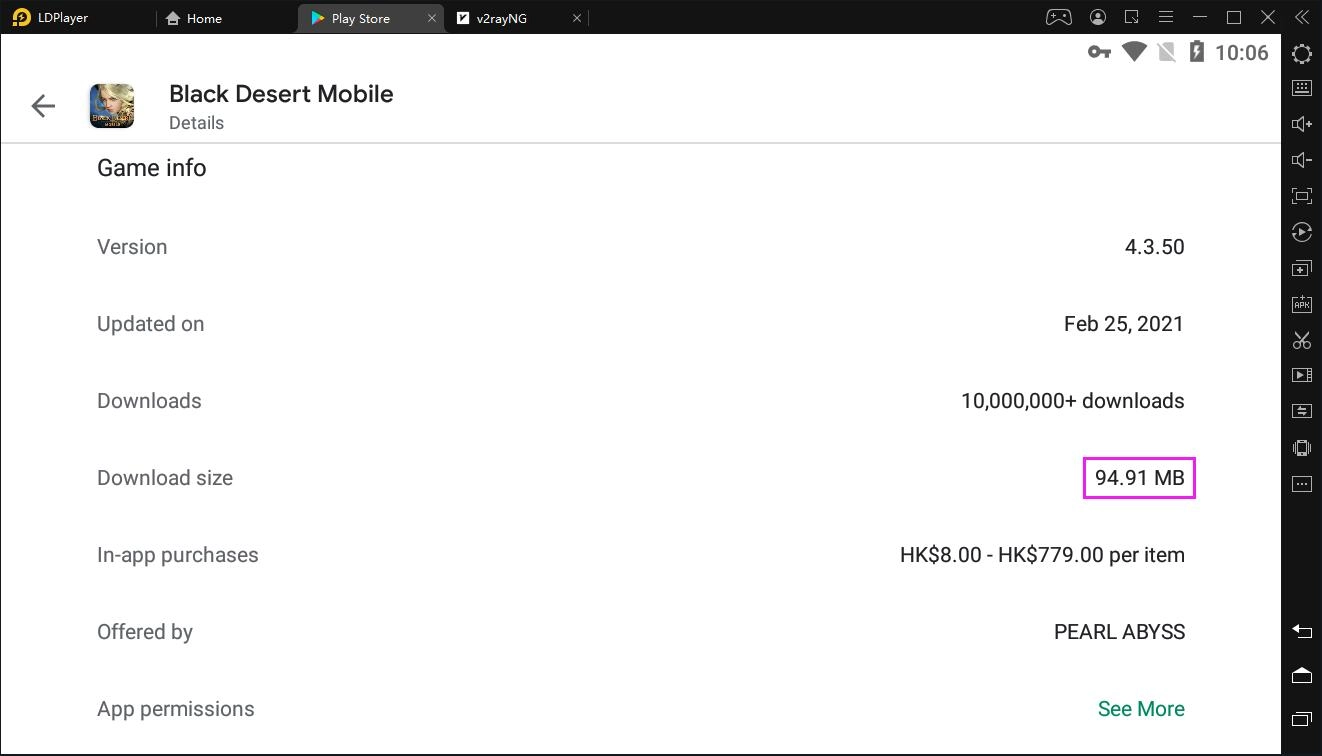
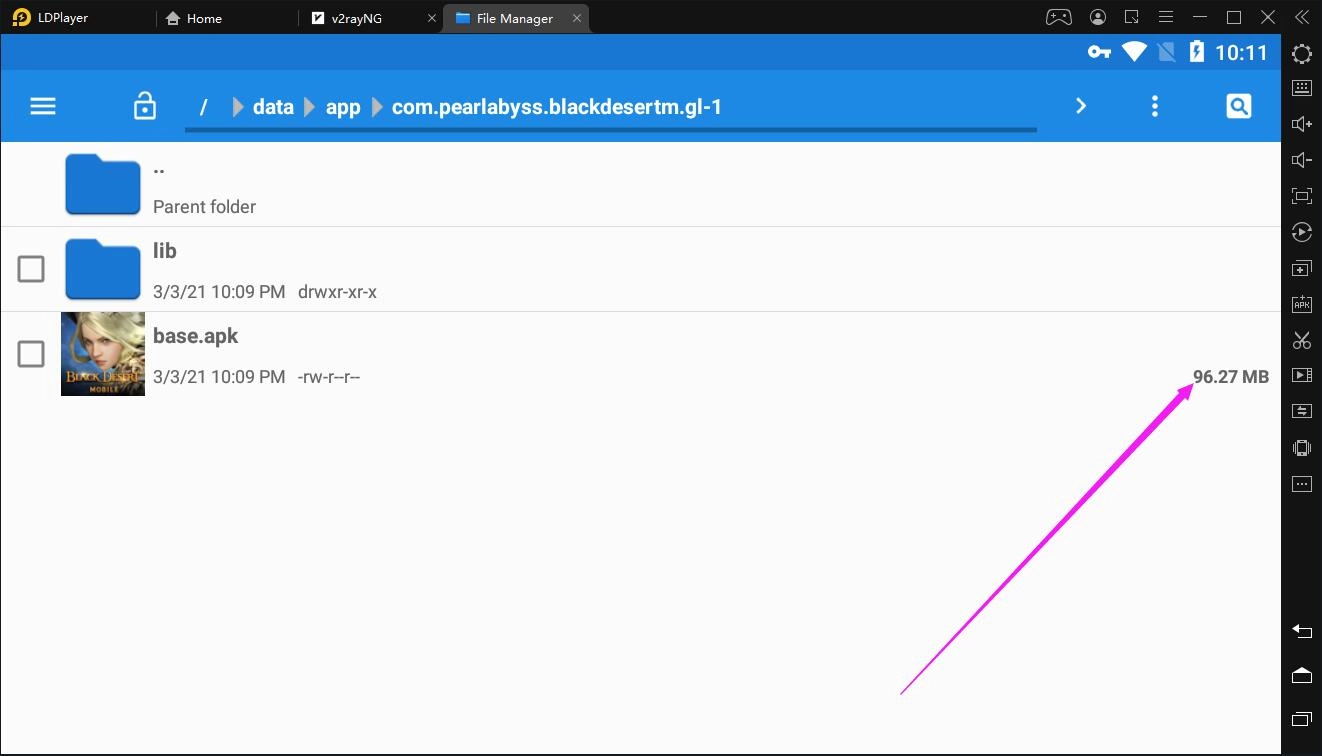 As you can see the above picture, the base file's size is 96.27MB. Let's check the game's size in the Google Play Store. As shown below, it is 94.91MB which is close to 96.27MB. Therefore, no OBB files will be included in the installation package of Black Desert Mobile. But if the size of the base file of a game is much smaller than that of the Google Play Store, an OBB file or two OBB files will be contained in the installation package of that game.
The following steps demonstrate how to go to the obb folder.
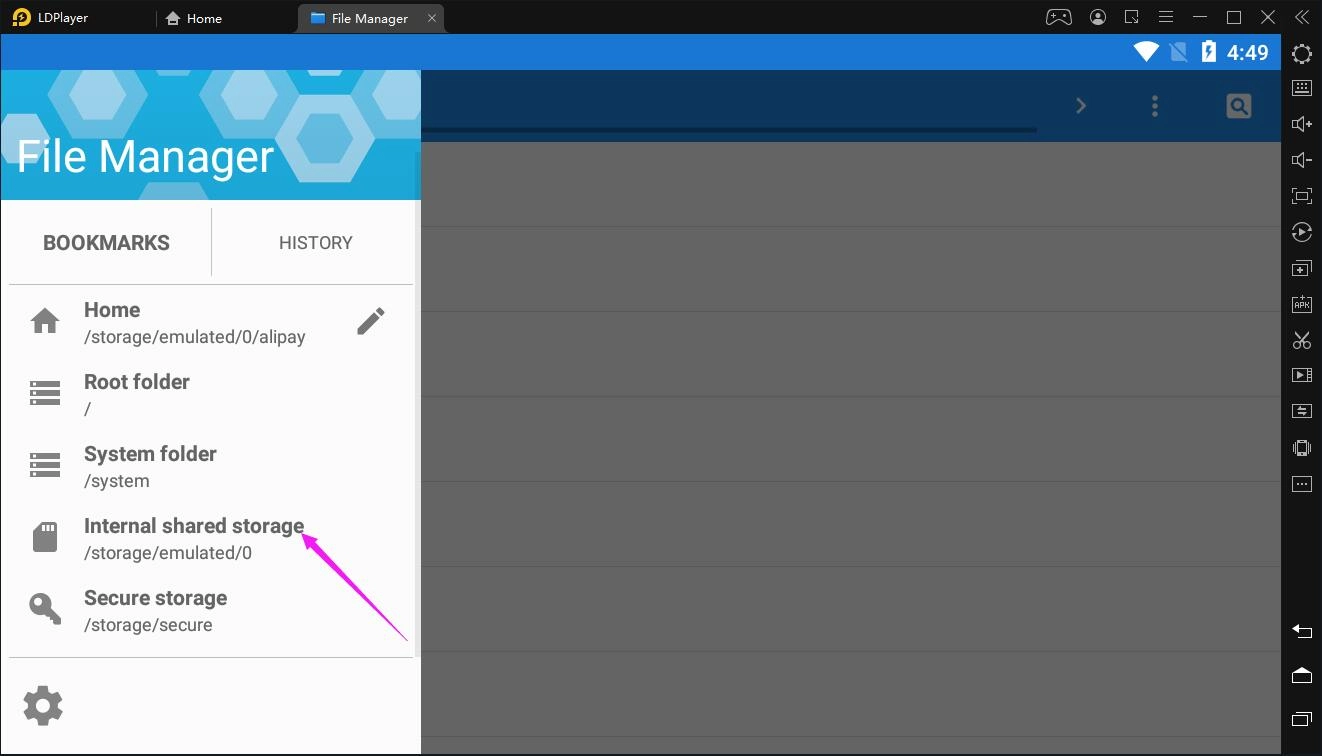
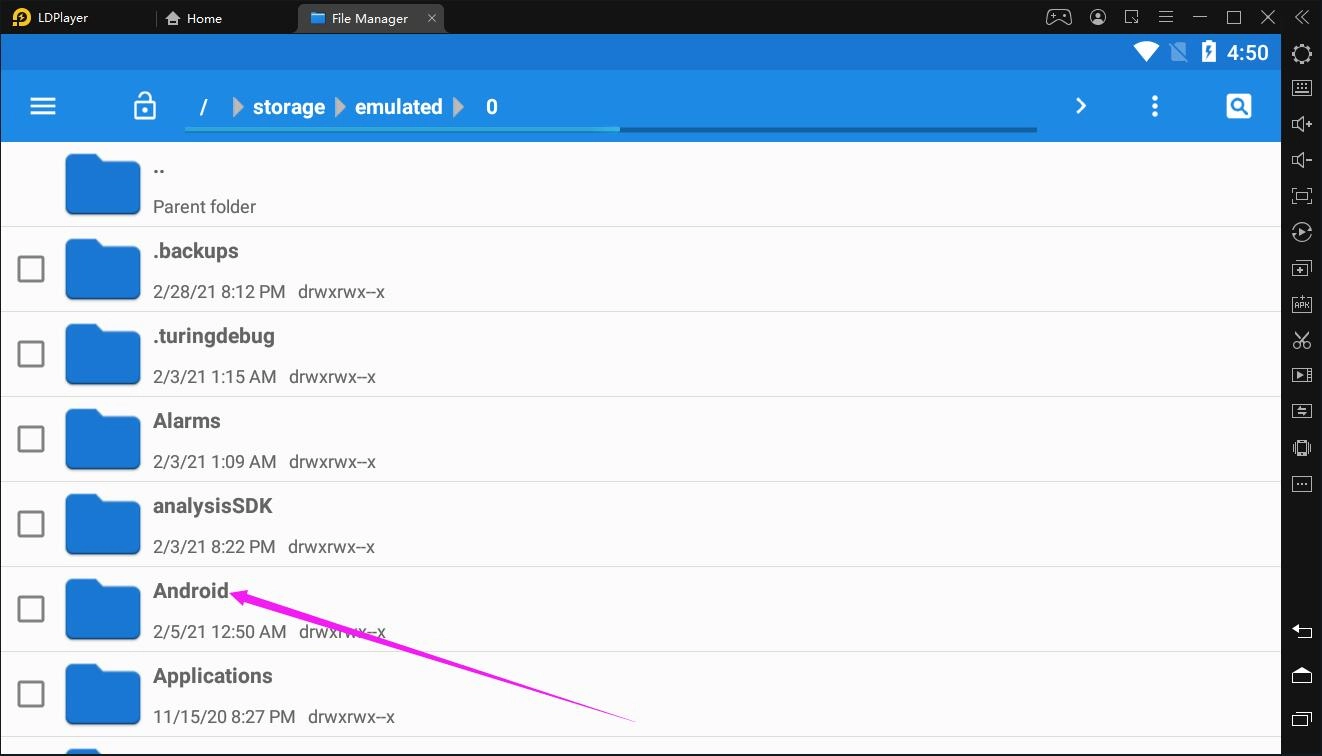
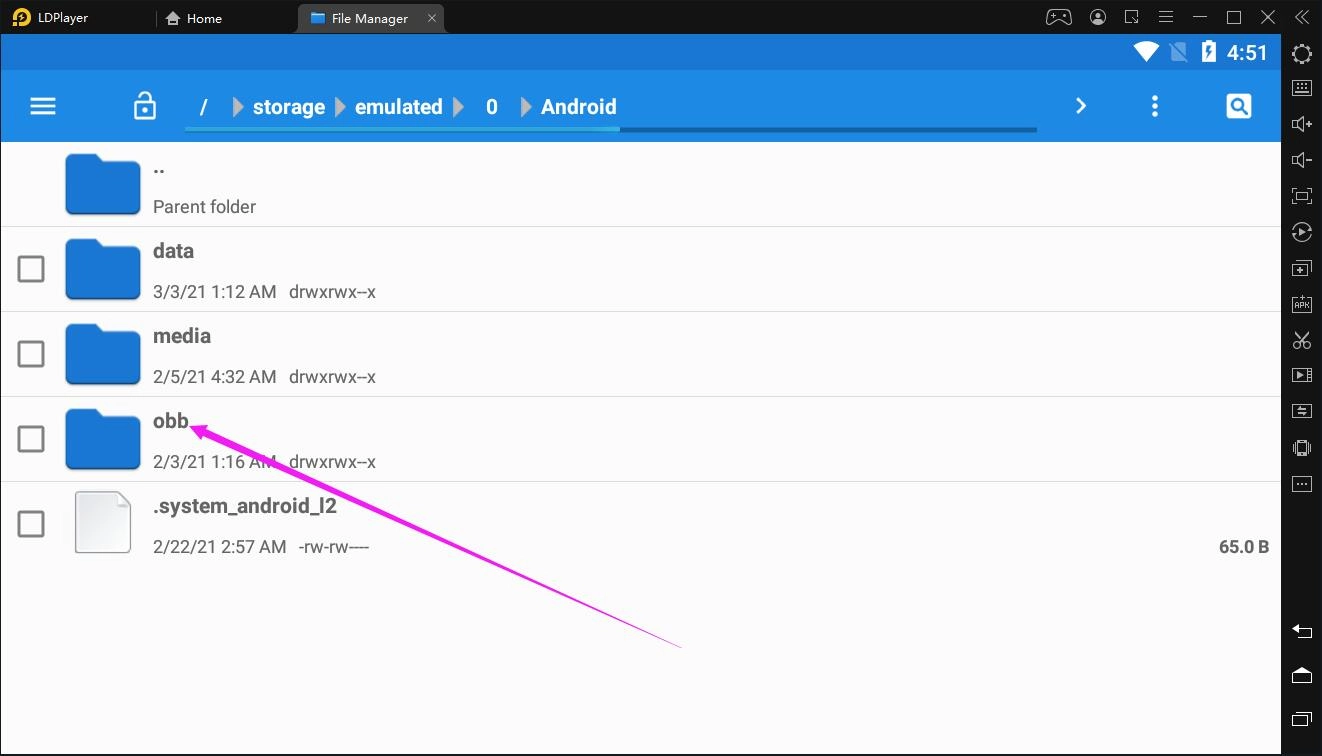 After that, you will be able to find that the OBB files are stored in an folder that is named after the game's package name. For instance, Call of Duty Mobile's OBB file is stored in the following folder.
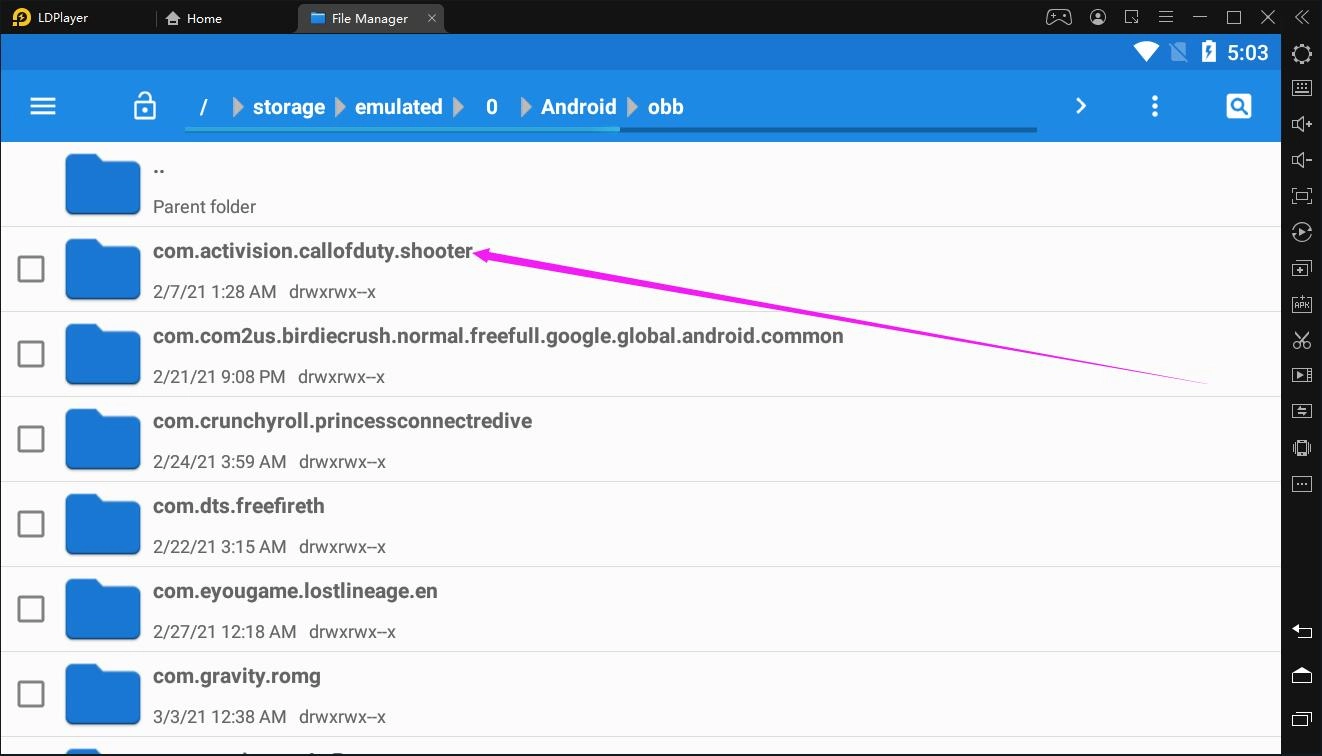
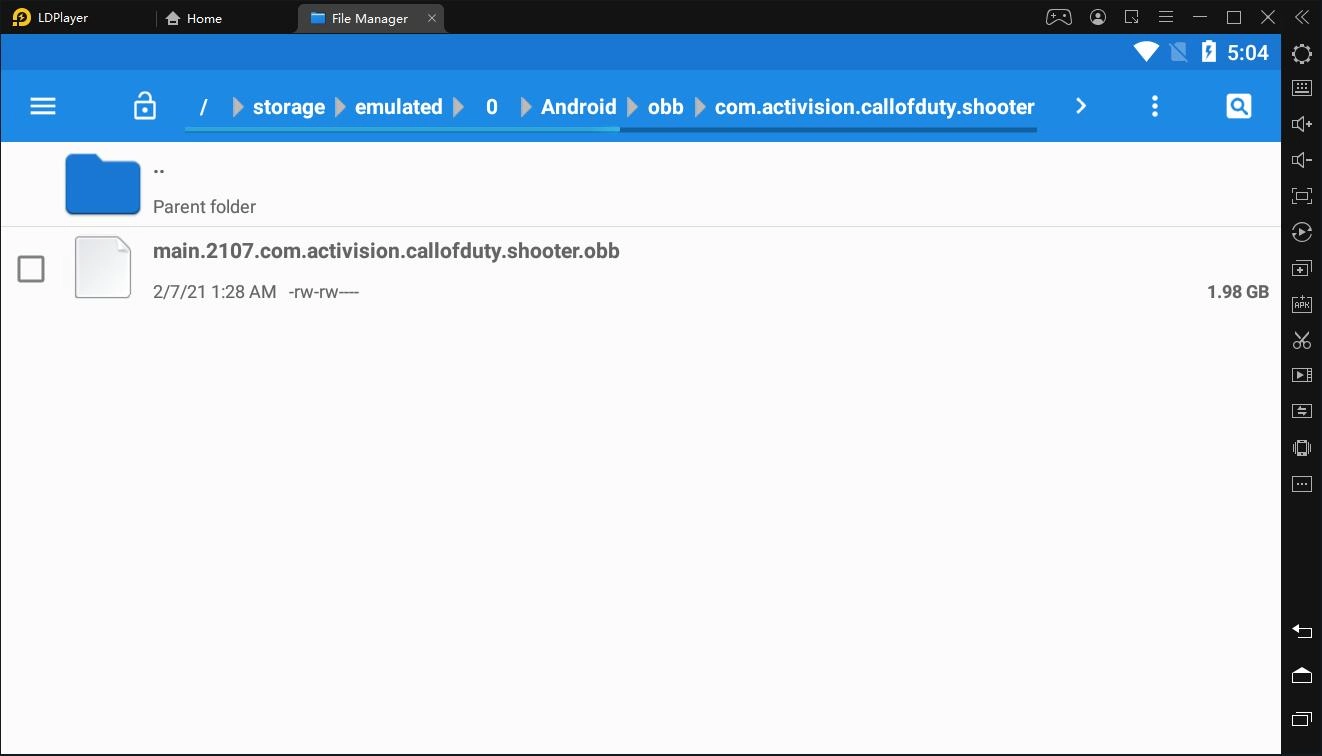
Copy the OBB file to the Android Shared Folder as mentioned above and you will also be able to see the OBB file on your PC by clicking the PC Shared Folder button in the Shared folder feature in the right toolbar.