
home page
Games
Pre-RegisterRPGStrategyAdventureCasualArcadeRacingActionSimulation
Support
LDPlayer 9 IntroductionEnable VTStartup Stuck at 50%/94%Fix Invalid Virtual DiskUpdate Graphics DriverKeyboard MappingEnable LDMultiplayerFPS Setting
Blogs
Updates
LDGame
Affiliate
LDGame Community
download ldplayer
Download LDPlayer
English
繁體中文한국어Tiếng ViệtภาษาไทยPусскийPortuguêsEspañolFrançaisDeutsch日本語Indonesiaالعربية

LDPlayer Support

EmailFacebookDiscordLDGame Customer Service(For LDPlayer account & recharge problem)

Products

LDCloudOSLinkEasyFunLDShop

About

About UsBusiness InquiryDMCA Takedown

Follow Us

©2025 LDPLAYER.NET , ALL RIGHTS RESERVED.JUST OKAY LIMITED , OFFICE F, 12/F, YHC TOWER , 1 SHEUNG YUET RD, KOWLOON BAY KLN, HONG KONG
Games and applications on this site are collected from the internet. If there is any infringement, please contact the email: support@ldplayer.net
Privacy Policy|GDPR Privacy Notice|Help Translate
English
繁體中文한국어Tiếng ViệtภาษาไทยPусскийPortuguêsEspañolFrançaisDeutsch日本語Indonesiaالعربية

Support/

Game Installation

How to Install Games and Apps on LDPlayer

2021-06-25

This article will introduce different ways of installing an app on LDPlayer.


You can install an app via the following methods:

  • From LD Store
  • From Google Play Store
  • Using a apk or xapk file from your PC


How can I install apps from LD Store?

1. Launch LDPlayer and click on the "LD Store" icon.
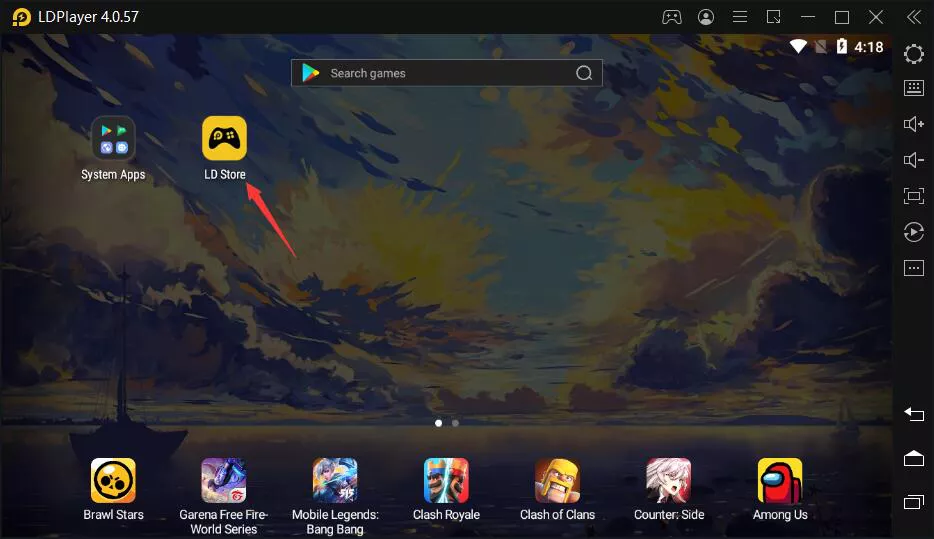
Open LDPlayer and Go to LD Store


2. Search and find the games you want to download on LDPlayer.
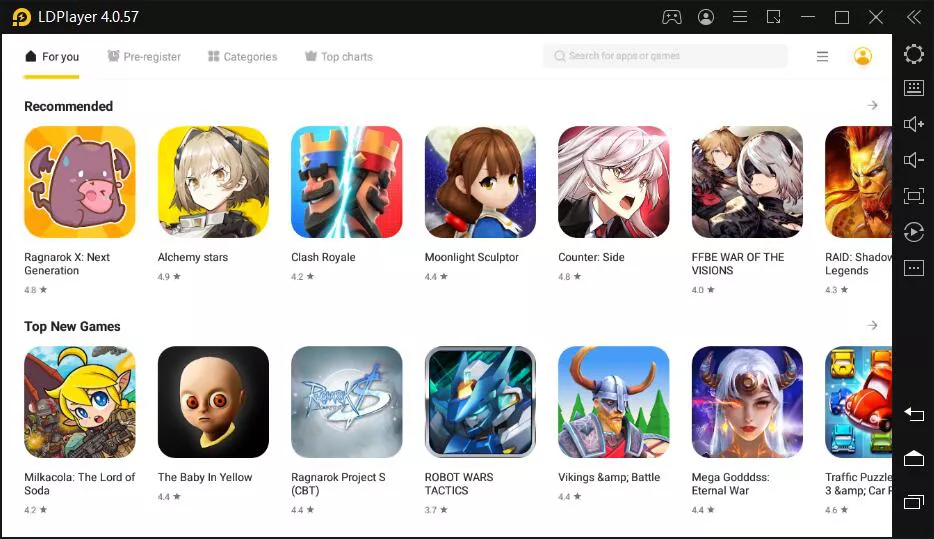
Find Games and Apps on LD Store


3. Download the game provided by LD Store or Click "Install" to open the selected app in Google Play Store.
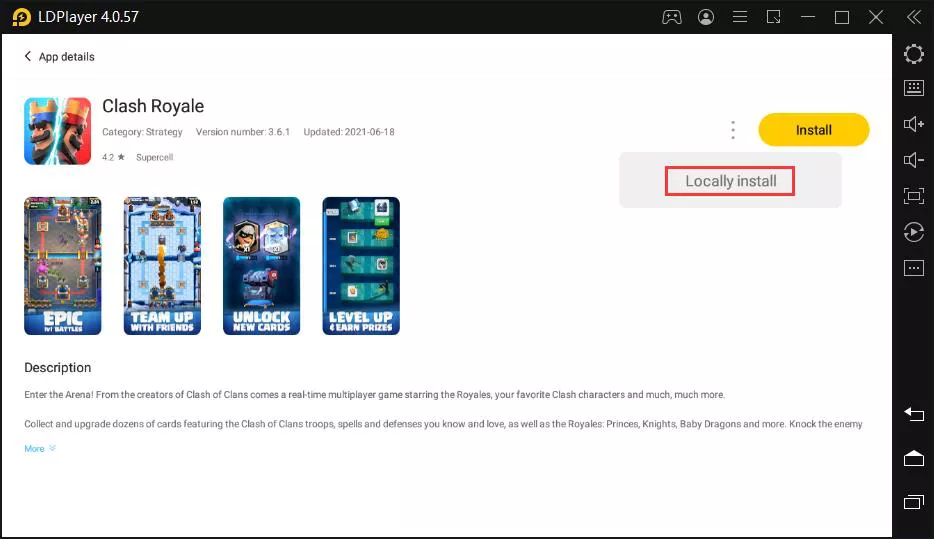
Install Games on LDPlayer


How can I install apps from Google Play Store?

1. Launch LDPlayer and find Play Store in the System Apps folder.
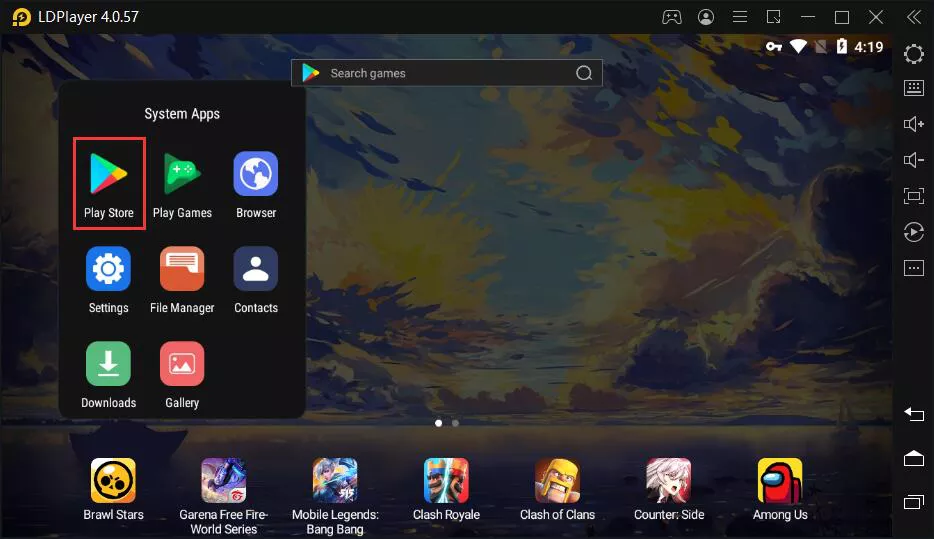
Open Google Play Store on LDPlayer


2. Log in your Google account and find the app you want to download.
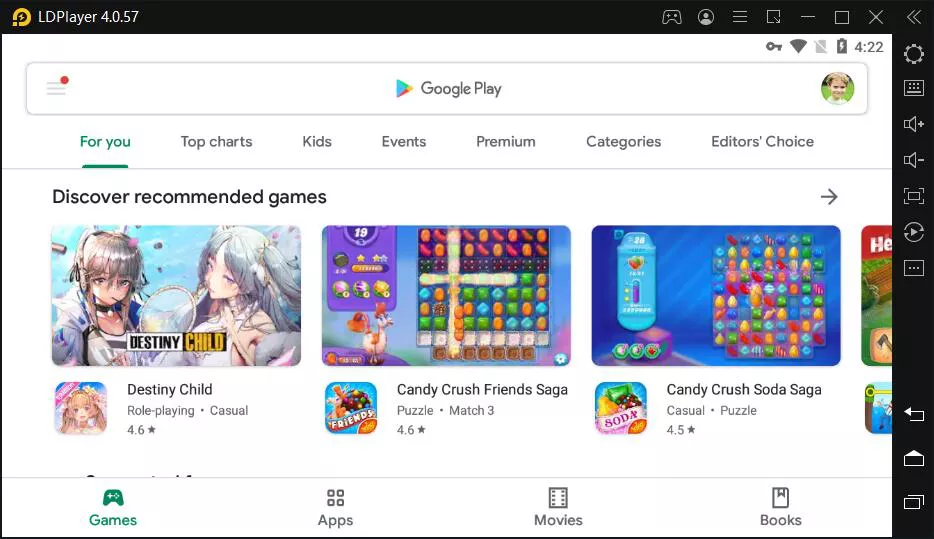
Google Play Store on LDPlayer


How can I install apps using apk or xapk files?

1. If you want to install apk file on LDPlayer from your PC, two methods are working for you.


You can either:

  • Import the apk file using the "Install apk" tool
  • Drag and drop the apk file into LDPlayer
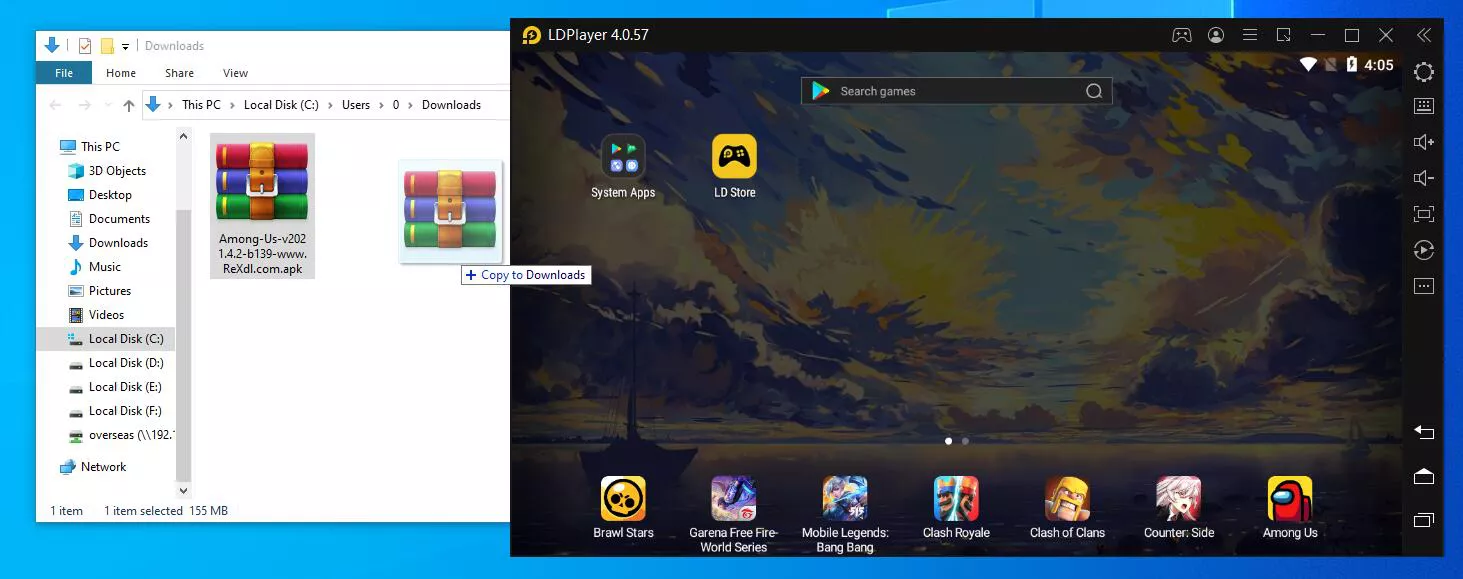
Install apk on LDPlayer


2. If you want to install app on LDPlayer using xapk file, you have to finish the installation based on two conditions.


They are:

  • Installation Through the Drag and Drop Method
  • Installation Through LD Store's XAPK Management


The above methods should be enough to help you with the app installation on LDPlayer. Thank you for using LDPlayer and enjoy your emulator gaming on PC!


Was this article helpful?
1734 users found this helpful.
Video Tutorials
LDPlayer Introduction
Affiliate Program
Launch Error
Enable Virtual Technology
Function Instruction
Game Installation
Fix App Instant CrashDevice Isn't Compatible with This VersionInstall APK File with OBB DataInstall Games and AppsInstall APK FileInstall App Using XAPK FileGet APK Files from Installed Games/AppsRegister Bilibili Account to Play Chinese-only GamesSign out of Google AccountForm A XAPK FileEnable Developer OptionsInstall Games from Other SourcesInstall/extract installation packageLog in to Mobile Games by FacebookHow to Fix Launcher Installation FailureHow to Fix Resource Extraction Failure when Installing A Game via The Launcher
Device Optimization
Multi-instance
Network Bridging
Data Recovery/Backup
Game Troubleshooting