home page
Games
Pre-RegisterRPGStrategyAdventureCasualArcadeRacingActionSimulation
Support
LDPlayer 9 IntroductionEnable VTStartup Stuck at 50%/94%Fix Invalid Virtual DiskUpdate Graphics DriverKeyboard MappingEnable LDMultiplayerFPS Setting
Blogs
Updates
LDGame
Affiliate
LDGame Community
download ldplayer
Download LDPlayer
English
繁體中文한국어Tiếng ViệtภาษาไทยPусскийPortuguêsEspañolFrançaisDeutsch日本語Indonesiaالعربية

LDPlayer Support

EmailFacebookDiscordLDGame Customer Service(For LDPlayer account & recharge problem)

Products

LDCloudOSLinkEasyFunLDShop

About

About UsBusiness InquiryDMCA Takedown

Follow Us

©2025 LDPLAYER.NET , ALL RIGHTS RESERVED.JUST OKAY LIMITED , OFFICE F, 12/F, YHC TOWER , 1 SHEUNG YUET RD, KOWLOON BAY KLN, HONG KONG
Games and applications on this site are collected from the internet. If there is any infringement, please contact the email: support@ldplayer.net
Privacy Policy|GDPR Privacy Notice|Help Translate
English
繁體中文한국어Tiếng ViệtภาษาไทยPусскийPortuguêsEspañolFrançaisDeutsch日本語Indonesiaالعربية

Support/

Function Instruction

Introducing Cloud Service & Sharing Feature for Keymaps and Scripts

2021-07-15

In order to help our users to save their custom keymaps and scripts from being lost or other situations, LDPlayer offers cloud storage for FREE and users can experience the cloud service right on the latest LDPlayer 4, version 4.0.60. What's more, users can generate a share code to share their custom keymaps with other players. This will together help the growth of emulator gaming.


Quick Navigation


  • #1 How to use Cloud service?

  • #2 How to share my keymap with others?


How to Use Cloud Service for My Custom Keymaps and Scripts

The following steps will teach you how to use this new developed cloud service. Make sure you have updated your emulator to the latest version of LDPlayer 4.


Step 1: Download the latest version from the official website or use the online update feature in your emulator.
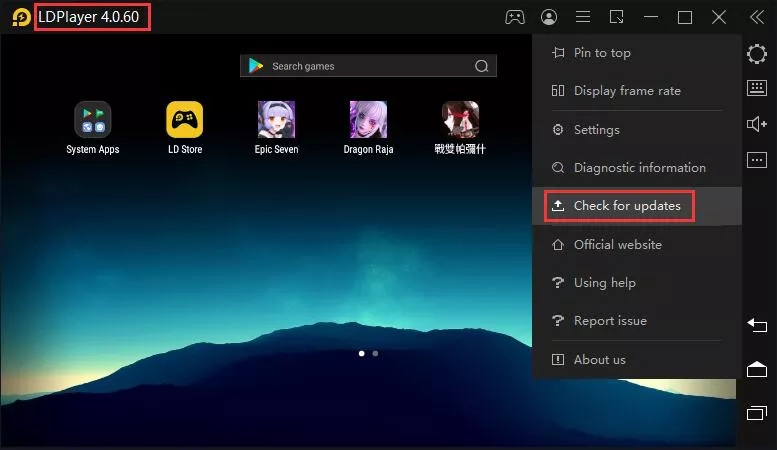
Update LDPlayer


Step 2: Open LDPlayer membership system and log in with your Google account. (This will be your cloud account as well)
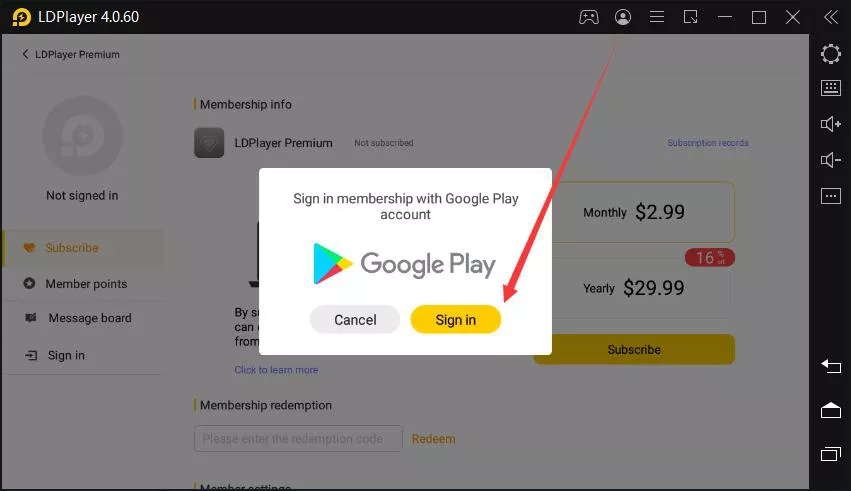
Log in LDPlayer Membership System


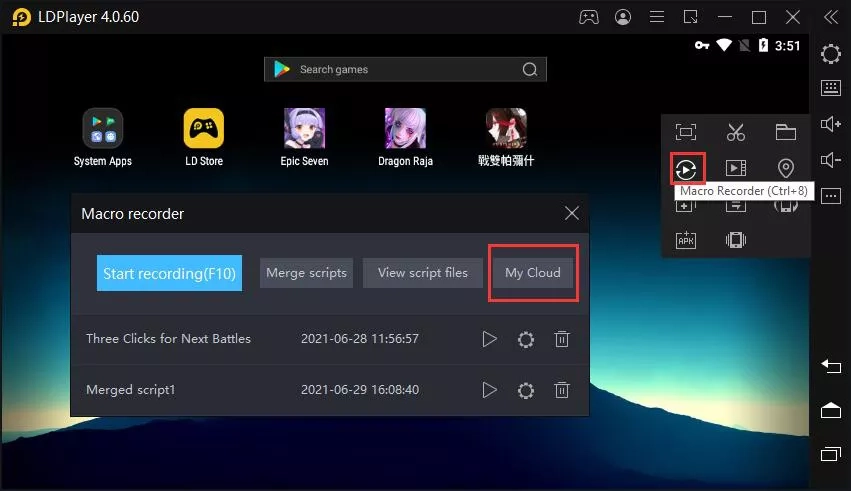
Step 3: You can access the cloud panel from these two places.
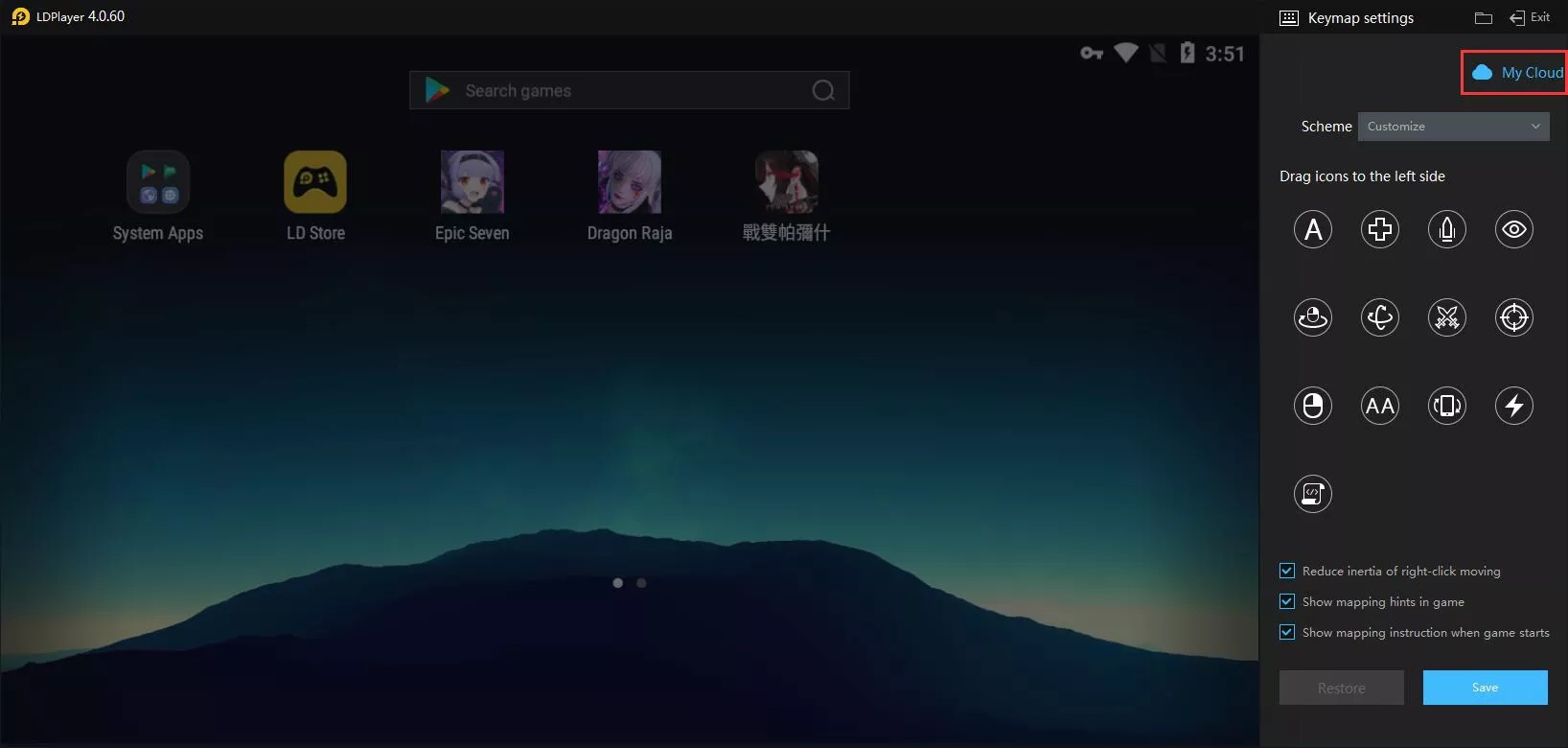
Access Cloud Service on LDPlayer

Access Cloud Service on LDPlayer


Step 4: Take script uploading as an example, you can select and upload all the custom scripts you have.
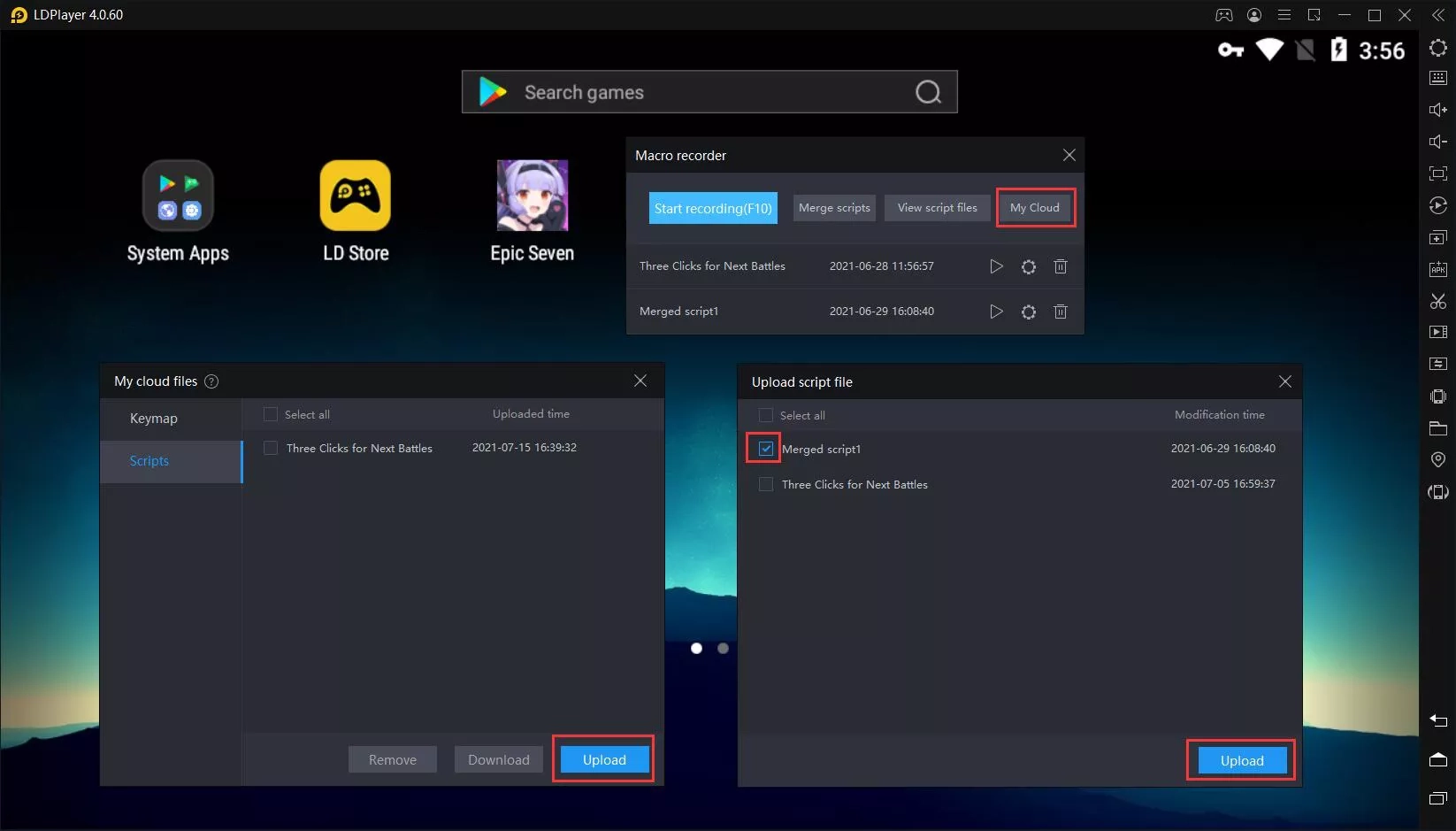
Upload Scripts in LDPlayer's Cloud Service

This is super useful when you need to use LDPlayer in multiple computer devices from different places. If you have any new ideas related to our cloud service, please report to our official staff and we will keep optimizing the feature.


How to Use Share Code System to Share My Custom Keymaps

The following steps will teach you how to share your keymaps with your friends or other players using the share code system.


Step 1: Open the cloud panel and upload the keymap you want to share.


Step 2: Click the icon showed in the picture to generate a share code. (The Share Code will be copied in your clipboard and you can press Ctrl+V to paste and share the information)
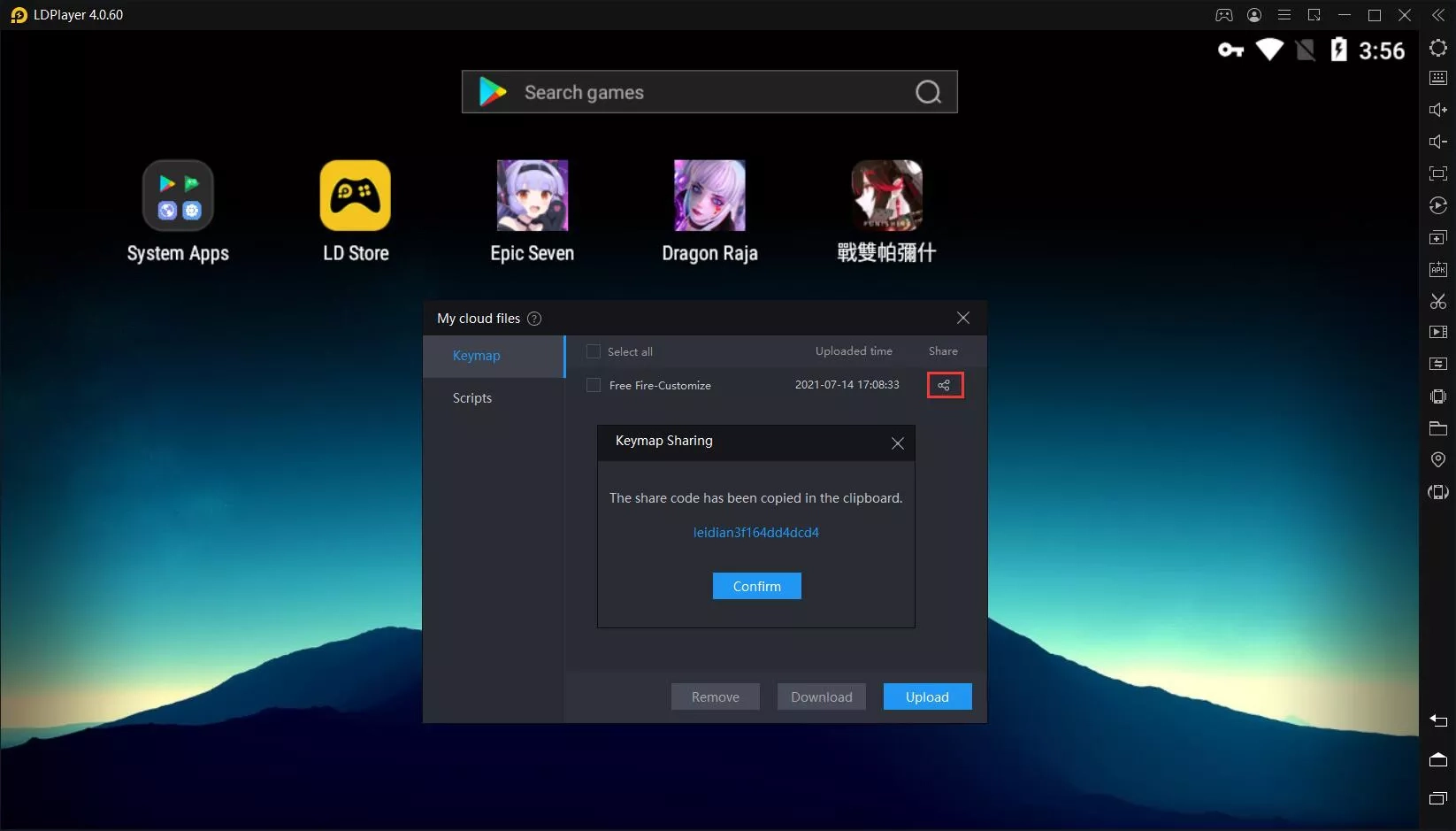
Generate Share Code on LDPlayer


Step 3: Other uses who get your share code can import the keymap from the place showed in the picture.
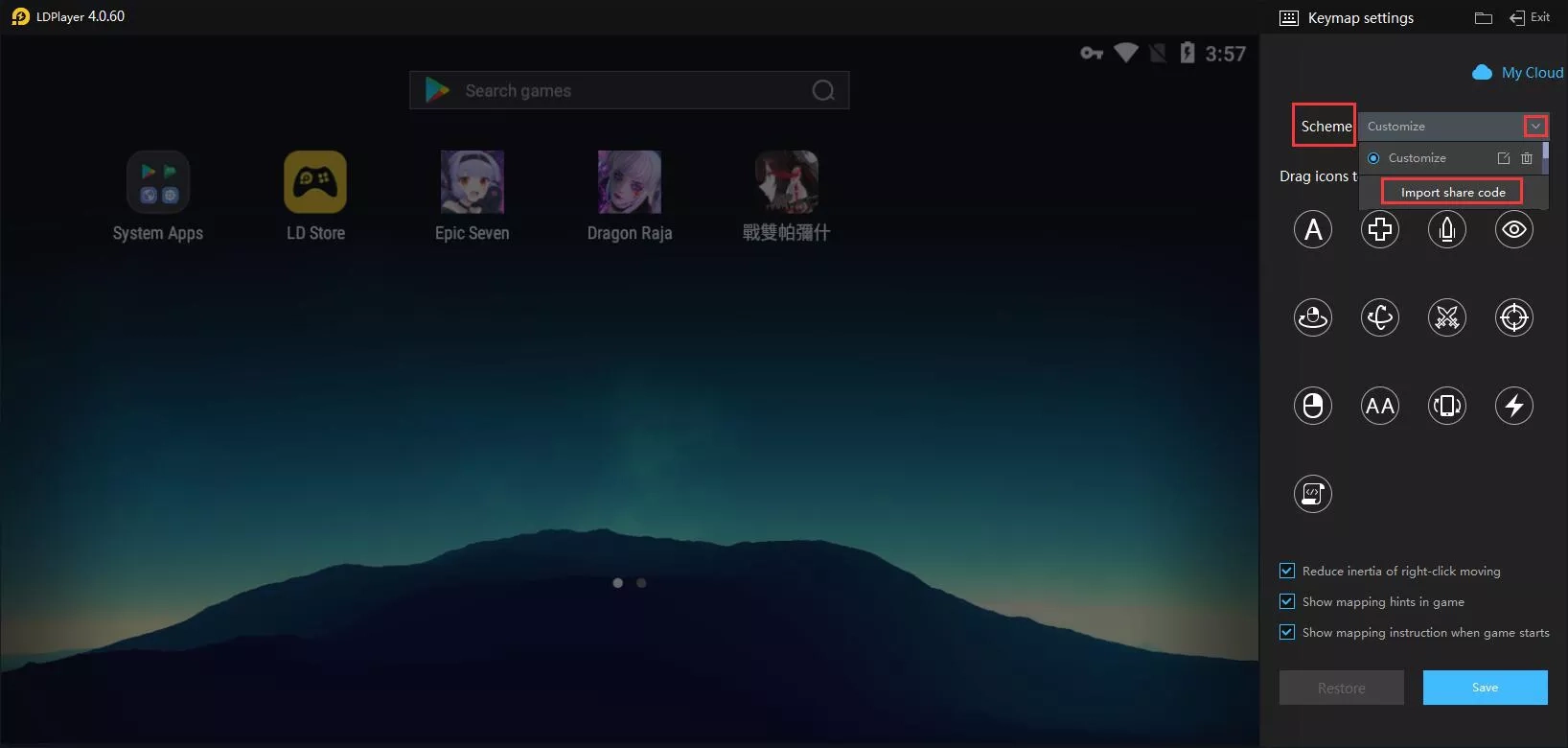
Import Share Code of Keymap on LDPlayer


Was this article helpful?
55 users found this helpful.
Video Tutorials
LDPlayer Introduction
Affiliate Program
Launch Error
Enable Virtual Technology
Function Instruction
Synchronizer ToolKeyboard MappingShared FolderKeyboard Macro Command120 FPS Setting: Play Games at 120 FPS on LDPlayer 9Operation Recorder: Write ScriptGamepad ControllerCommand Line InterfaceHide key PromptSwitch Languages of LDPlayerClear Disk Cache & Release Disk SpaceRecord Window PositionVideo RecorderXposed Installer SetupSwitch from Landscape to PortraitAdjust Y SensitivityDiagnostic InformationCloud Service & Sharing FeatureOperation Recorder: Merge Scripts
Game Installation
Device Optimization
Multi-instance
Network Bridging
Data Recovery/Backup
Game Troubleshooting