
home page
Games
Pre-RegisterRPGStrategyAdventureCasualArcadeRacingActionSimulation
Support
LDPlayer 9 IntroductionEnable VTStartup Stuck at 50%/94%Fix Invalid Virtual DiskUpdate Graphics DriverKeyboard MappingEnable LDMultiplayerFPS Setting
Blogs
Updates
LDGame
Affiliate
LDGame Community
download ldplayer
Download LDPlayer
English
繁體中文한국어Tiếng ViệtภาษาไทยPусскийPortuguêsEspañolFrançaisDeutsch日本語Indonesiaالعربية

LDPlayer Support

EmailFacebookDiscordLDGame Customer Service(For LDPlayer account & recharge problem)

Products

LDCloudOSLinkEasyFunLDShop

About

About UsBusiness InquiryDMCA Takedown

Follow Us

©2025 LDPLAYER.NET , ALL RIGHTS RESERVED.JUST OKAY LIMITED , OFFICE F, 12/F, YHC TOWER , 1 SHEUNG YUET RD, KOWLOON BAY KLN, HONG KONG
Games and applications on this site are collected from the internet. If there is any infringement, please contact the email: support@ldplayer.net
Privacy Policy|GDPR Privacy Notice|Help Translate
English
繁體中文한국어Tiếng ViệtภาษาไทยPусскийPortuguêsEspañolFrançaisDeutsch日本語Indonesiaالعربية

Support/

Function Instruction

How to hide the key prompt in games on LDPlayer

2018-12-21

The key prompt that we put in a game can indicate which keys you can use to play this game and is shown in games by default. Some veterans may want to hide it because such key prompt blocks their view to a certain extent. The following tutorial will introduce how you hide it.


If you have not made any changes, your key prompt will be as follows.
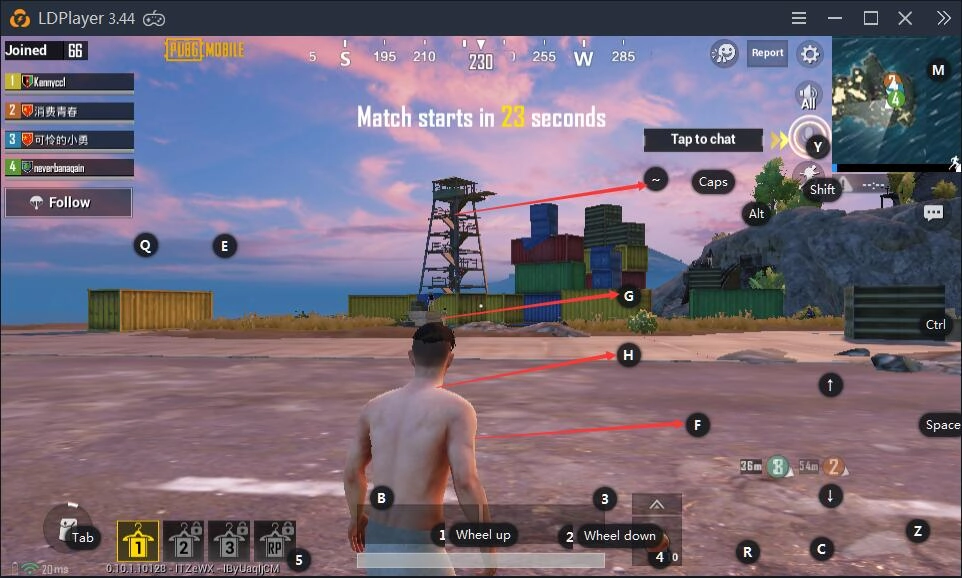
How to hide the key prompt in games on LDPlayer


If you would like to hide all keys, please uncheck the following check box.
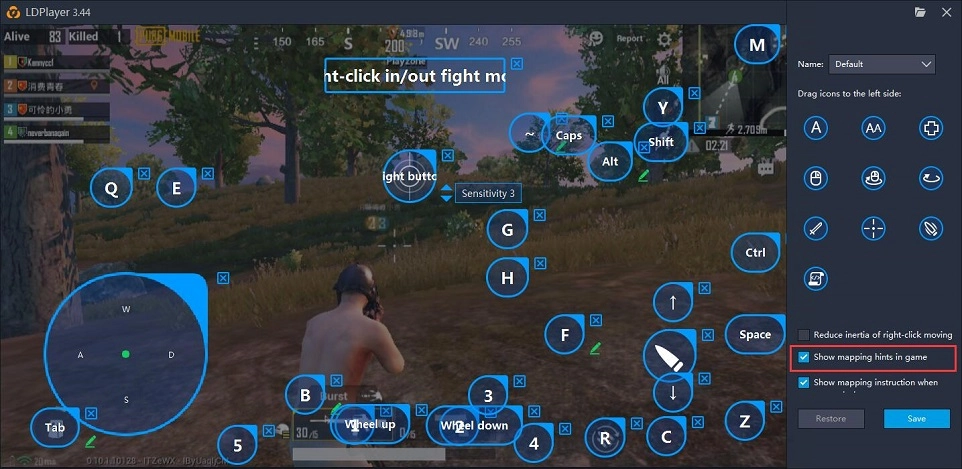
How to hide the key prompt in games on LDPlayer


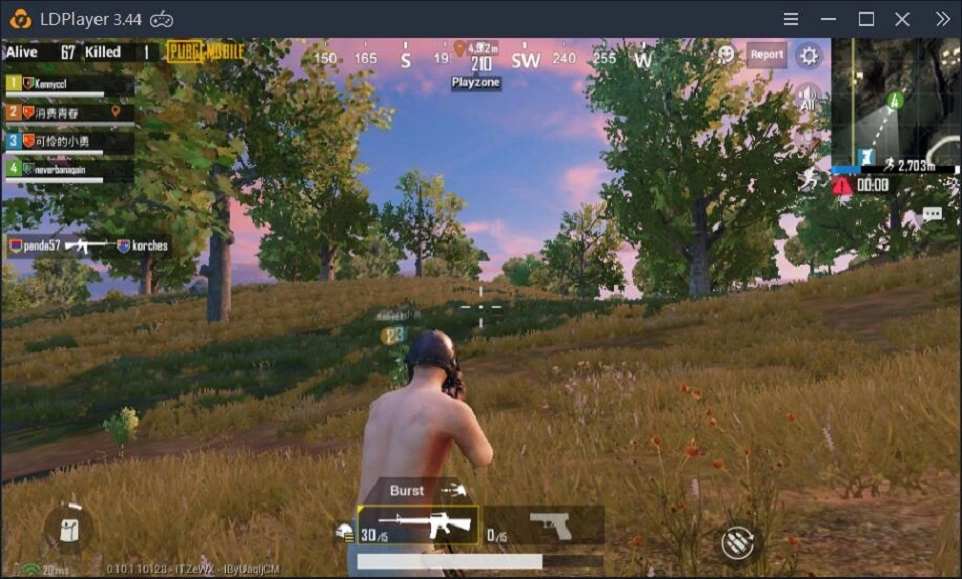
After you click Save, all of them will disappear.How to hide the key prompt in games on LDPlayer
Was this article helpful?
295 users found this helpful.
Video Tutorials
LDPlayer Introduction
Affiliate Program
Launch Error
Enable Virtual Technology
Function Instruction
Synchronizer ToolKeyboard MappingShared FolderKeyboard Macro Command120 FPS Setting: Play Games at 120 FPS on LDPlayer 9Operation Recorder: Write ScriptGamepad ControllerCommand Line InterfaceHide key PromptSwitch Languages of LDPlayerClear Disk Cache & Release Disk SpaceRecord Window PositionVideo RecorderXposed Installer SetupSwitch from Landscape to PortraitAdjust Y SensitivityDiagnostic InformationCloud Service & Sharing FeatureOperation Recorder: Merge Scripts
Game Installation
Device Optimization
Multi-instance
Network Bridging
Data Recovery/Backup
Game Troubleshooting